11
2 Standard Controller Mode
2.8 Screen Controls
ATOM SQ
Owner’s Manual
4. Arp. Toggles between the Arpeggiator’s Off, On, and Hold modes.
5. Rate. When selected, the Screen Encoder will adjust how fast or
slow the arpeggiator steps through each note in the sequence.
6. Octaves. When selected, the Screen Encoder will change how many
octaves the sequence will step through before restarting.
2.8.2 Song Mode
When in MCU or HUI modes, Song mode’s first page will display commonly
used functions and commands for your project. In Song mode’s second page,
the screen buttons are freely MIDI assignable and are labeled as buttons
1-6. In MIDI mode, only the assignable buttons appear on page 1.
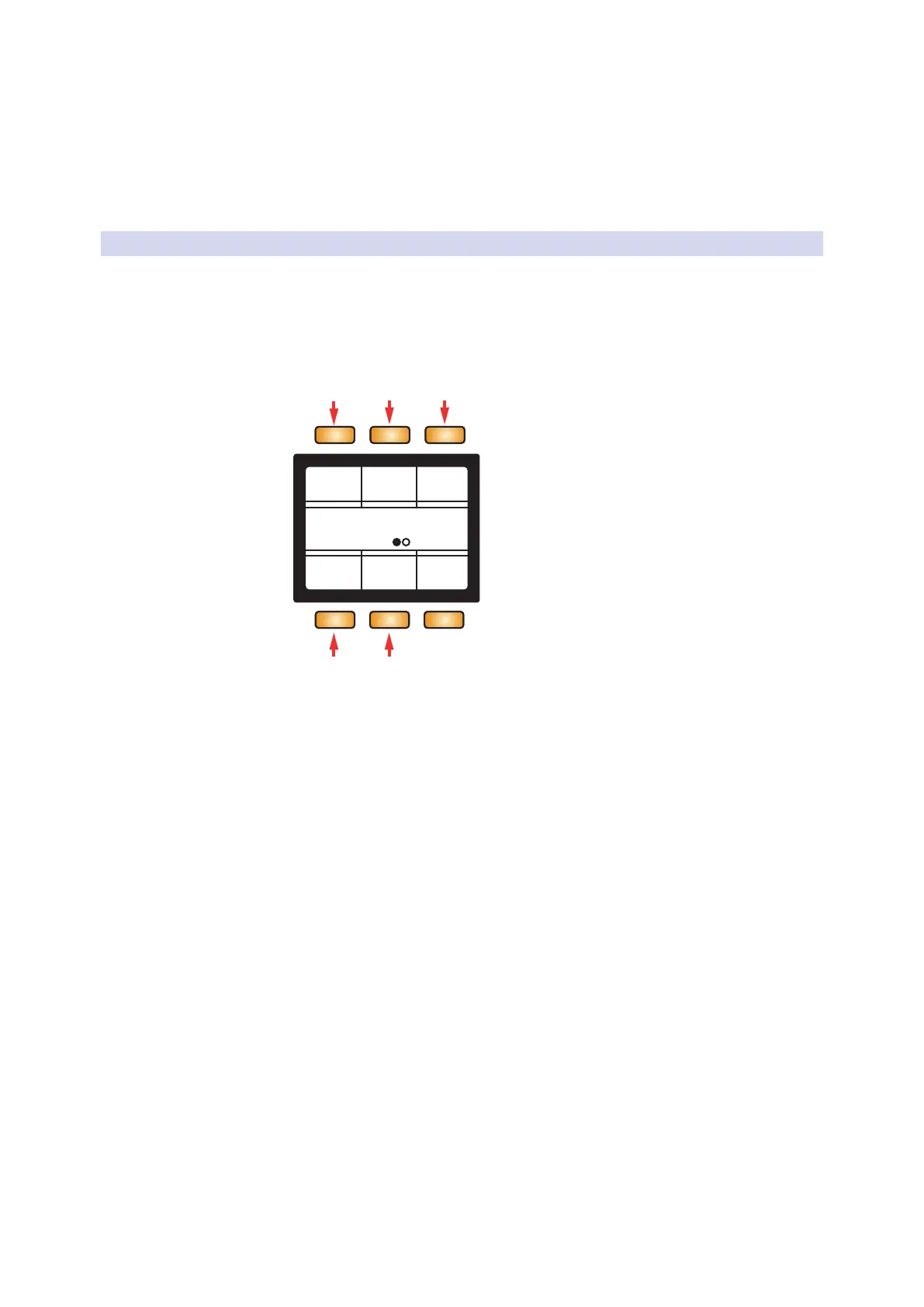
MCU/HUI Page 1
Song
Solo Mute Arm
Zoom Cursor
1 2 3
4 5
1. Solo. Solos the currently selected track.
2. Mute. Mutes the currently selected track.
3. Arm. Record arms the currently selected track.
4. Zoom. When latched, the Screen Encoder as well as the Navigation
Left or Right arrows will control horizontal zooming.
5. Cursor. When latched, the Screen Encoder will
move the playhead across the timeline.



 To Next Page