29
3 Advanced Studio One Integration
3.2 Screen Controls
ATOM SQ
Owner’s Manual
Audio 2
Vocal Track
Audio 2
Send to Reverse Volume
SampleOne
Crossfades
Split at
Grid
Merge
Events
Remove
4 5
6
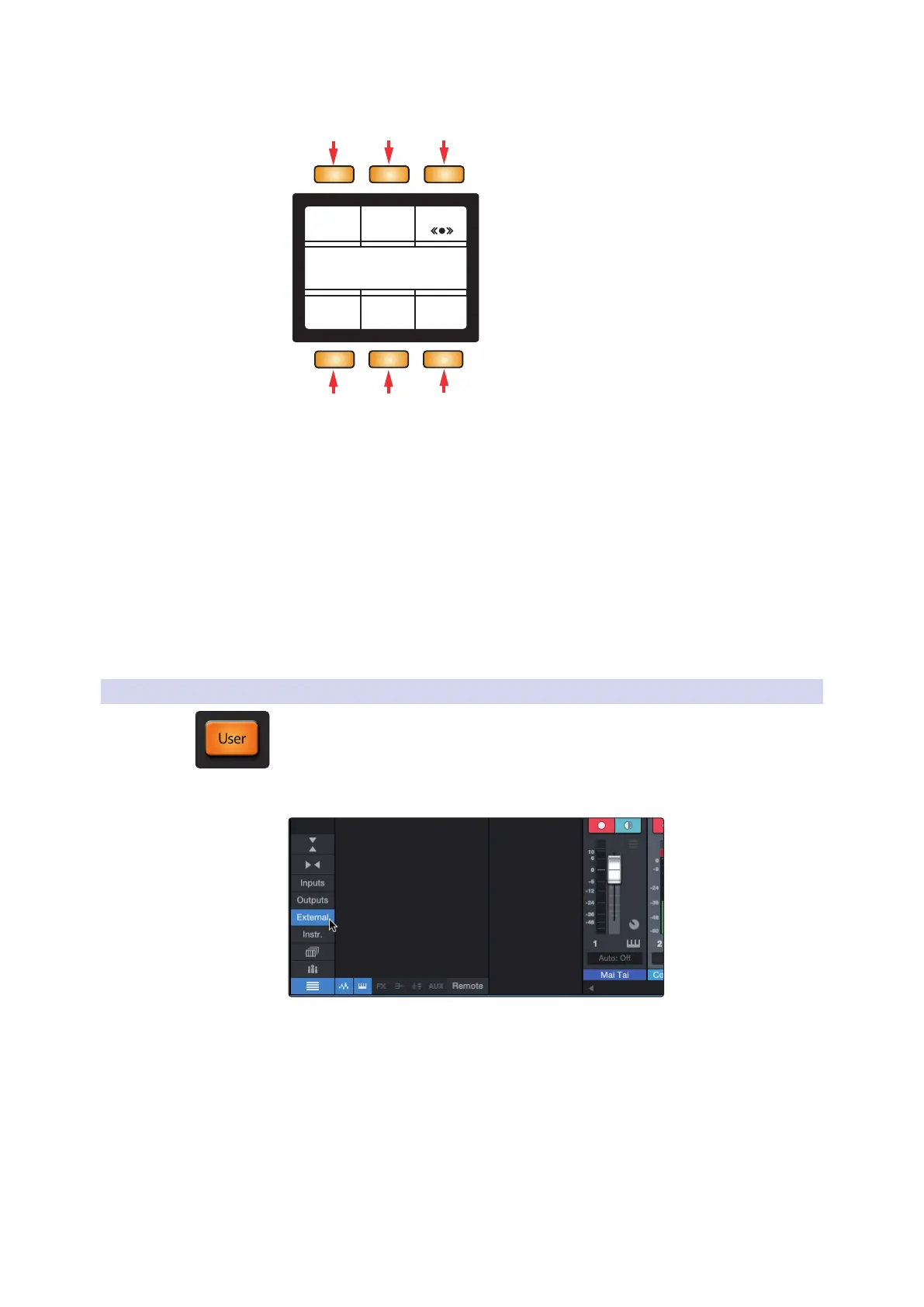
1. Send To SampleOne. Creates a new instrument track with SampleOne
XT loaded and assigns each selected audio Event to a piano key.
2. Reverse. Reverses the selected audio Event.
3. Volume. When selected, the Screen Encoder will increase
or decrease the volume of the Audio Event. NOTE: this does
not control a channel’s volume in the Console.
4. Remove Crossfades. Removes crossfades between selected split audio events.
5. Merge Events. Merges the selected events.
6. Split at Grid. Splits the Event at every crossing in the current quantization grid.
3.2.4 User Mode
While in User mode, your ATOM SQ will send any commands currently assigned via
Studio One’s External Devices Editor.
To open the External Device Editor in Studio One, select
External from the far left column in the Console.



 To Next Page