4
2 Standard Controller Mode
2.1 Setup Mode
ATOM SQ
Owner’s Manual
2 Standard Controller Mode
While ATOM SQ is seamlessly integrated with Studio One and Ableton
Live, it is also a versatile controller that can be used with just about
any production software. In Studio One and Ableton Live, ATOM
SQ will automatically configure itself and be ready for use.
To use ATOM SQ with other applications, you can choose from
the following modes (See Section 2.1 for details):
• MIDI Mode. Standard pad or keyboard controller with the flexibility to
manually setup the controller to meet your production needs. While
in MIDI mode, you will see two MIDI ports in the MIDI Preferences
or Options for your software: ATM SQ and ATM SQ Control. Only the
ATM SQ port needs to be configured to Send or Receive MIDI.
• Mackie MCU Mode. A hybrid control mode allowing
flexibility and basic control surface support.
• Mackie HUI Mode. A hybrid control mode allowing flexibility and basic
control surface support. This is the recommended mode for Pro Tools.
To use MCU or HUI modes, most software applications will require the ATOM SQ to
be set up as a control surface. Consult your application’s reference manual for set-
up instructions. Ensure that a Mackie MCU or Mackie HUI device has been created
and the MIDI ports are set to “ATM SQ Control” for both sending and receiving.
2.1 Setup Mode
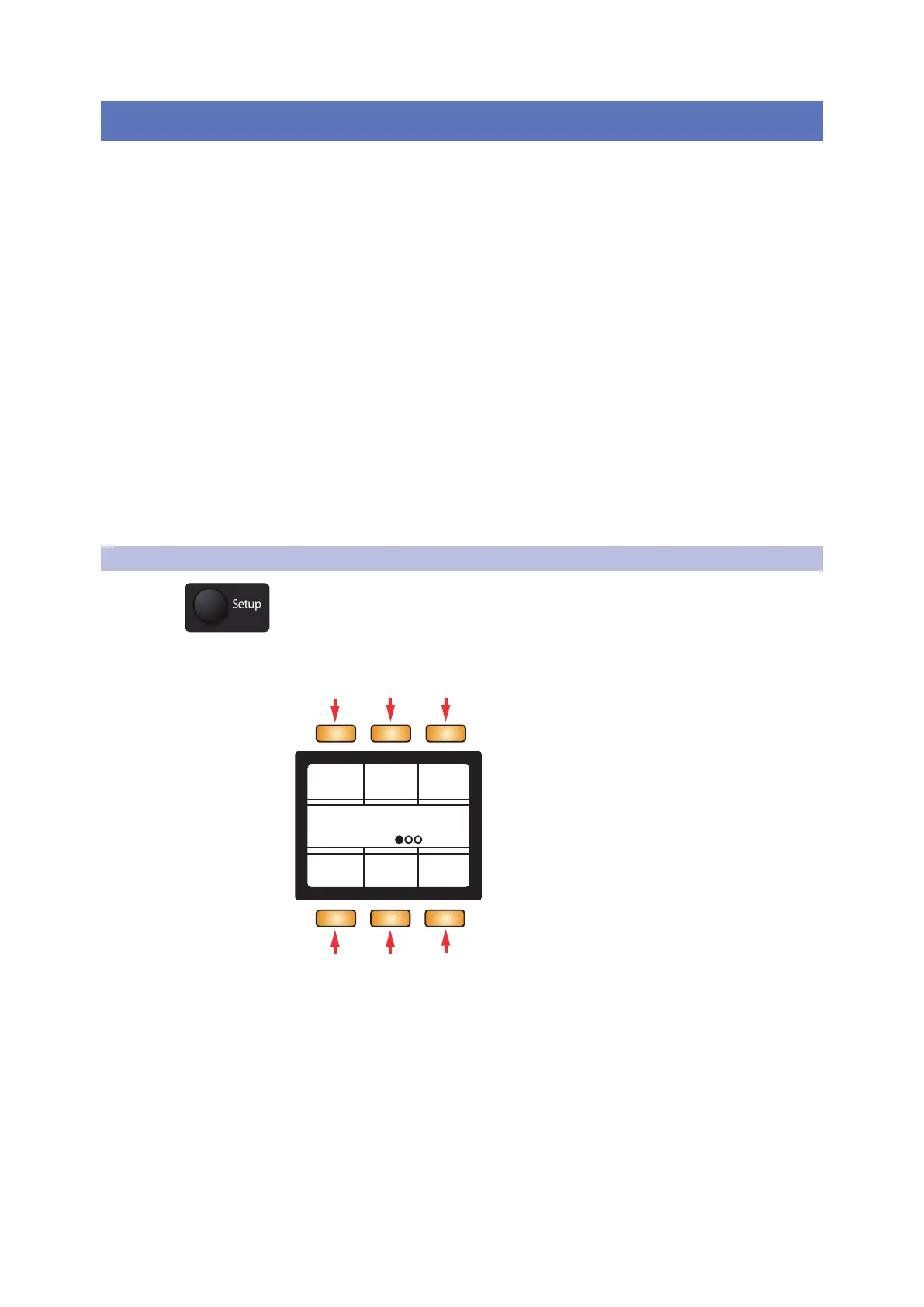
Press the round Setup button to open Setup mode on the ATOM SQ display.
Setup Mode: Page 1
Setup
Screen
Mono
LEDs Default
Threshold Velocity
MedHigh
Settings100%
Pressure
100%
1 2 3
4 5
6
1. Screen. When selected, the Screen Encoder adjusts
the overall brightness of the screen
2. LEDs. When selected, the Screen Encoder adjusts the
overall brightness of all pads and buttons.
3. Default Settings. Resets ALL settings back to default.



 To Next Page