38
4 Advanced Ableton Live Integration
4.2 Screen Controls
ATOM SQ
Owner’s Manual
4.2.3 Editor Mode
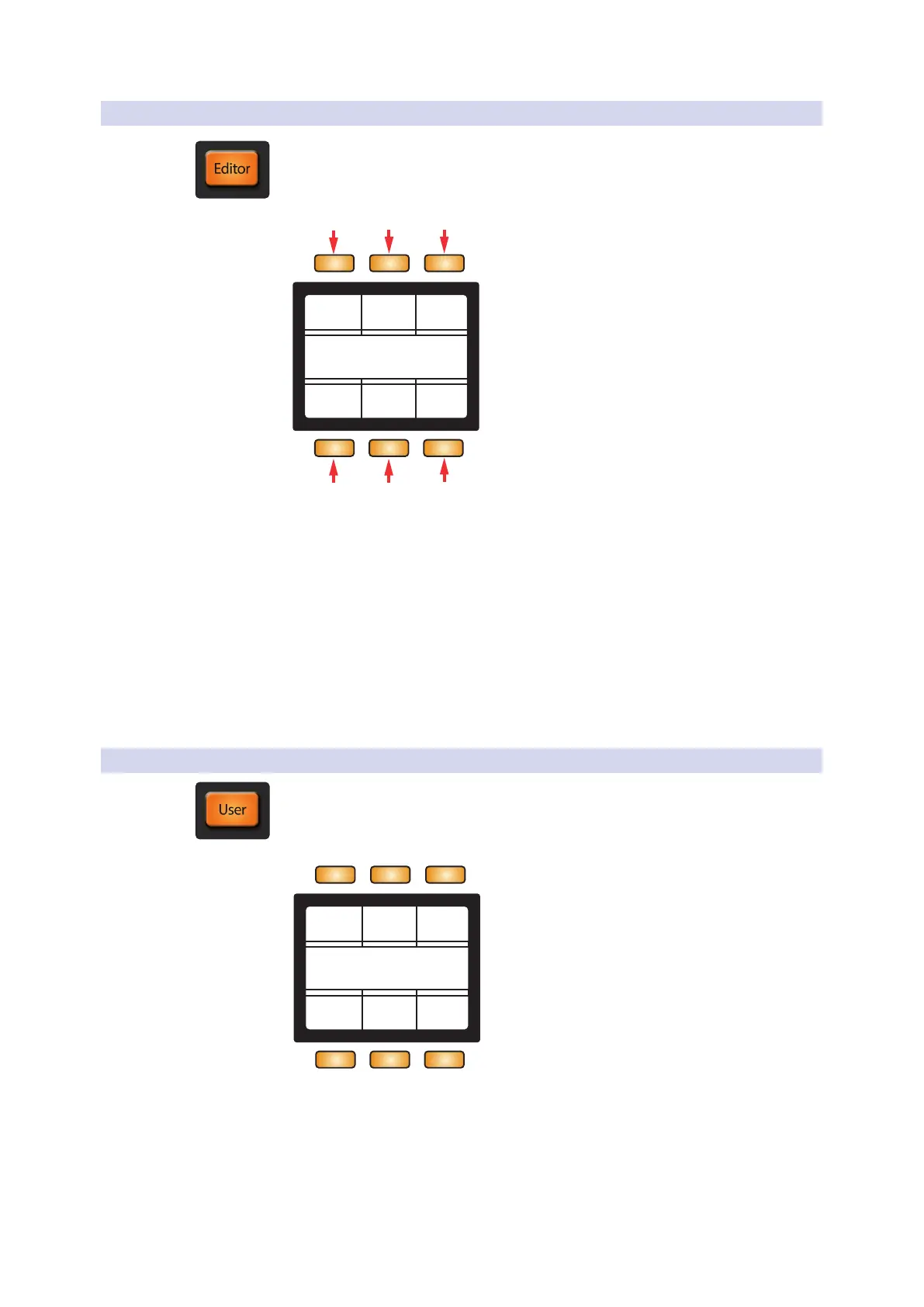
Editor mode will display functions specific to controlling a Device.
Device Name
Track Name
Lock < Device Device >
On/Off Bank >< Bank
1 2 3
6
1. Lock. Locks knob 1-8 controls to the currently selected Device.
2. < Device. Selects the previous Device.
3. Device >. Selects the next Device.
4. On/Off. Turns the currently selected Device on or off.
5. < Bank. Selects the previous knob 1-8 Device
assignments in banks of 8 (when applicable).
6. Bank >. Selects the next knob 1-8 Device assignments
in banks of 8 (when applicable).
4.2.4 User Mode
User mode allows for Knobs 1-8 to be completely user assignable using Live’s MIDI
Map mode. Each screen button will change the current bank of knobs for 48 possible
assignments.
User 1 User 2 User 3
User 4 User 6User 5



 To Next Page