23
3 Advanced Studio One Integration
3.2 Screen Controls
ATOM SQ
Owner’s Manual
3.2.2 Song Mode
ATOM SQ’s Song mode will change the screen to display commonly used
functions and commands for the overall song like Tempo, showing or hiding
the Console, adding effects, working with the Arranger Track, etc.
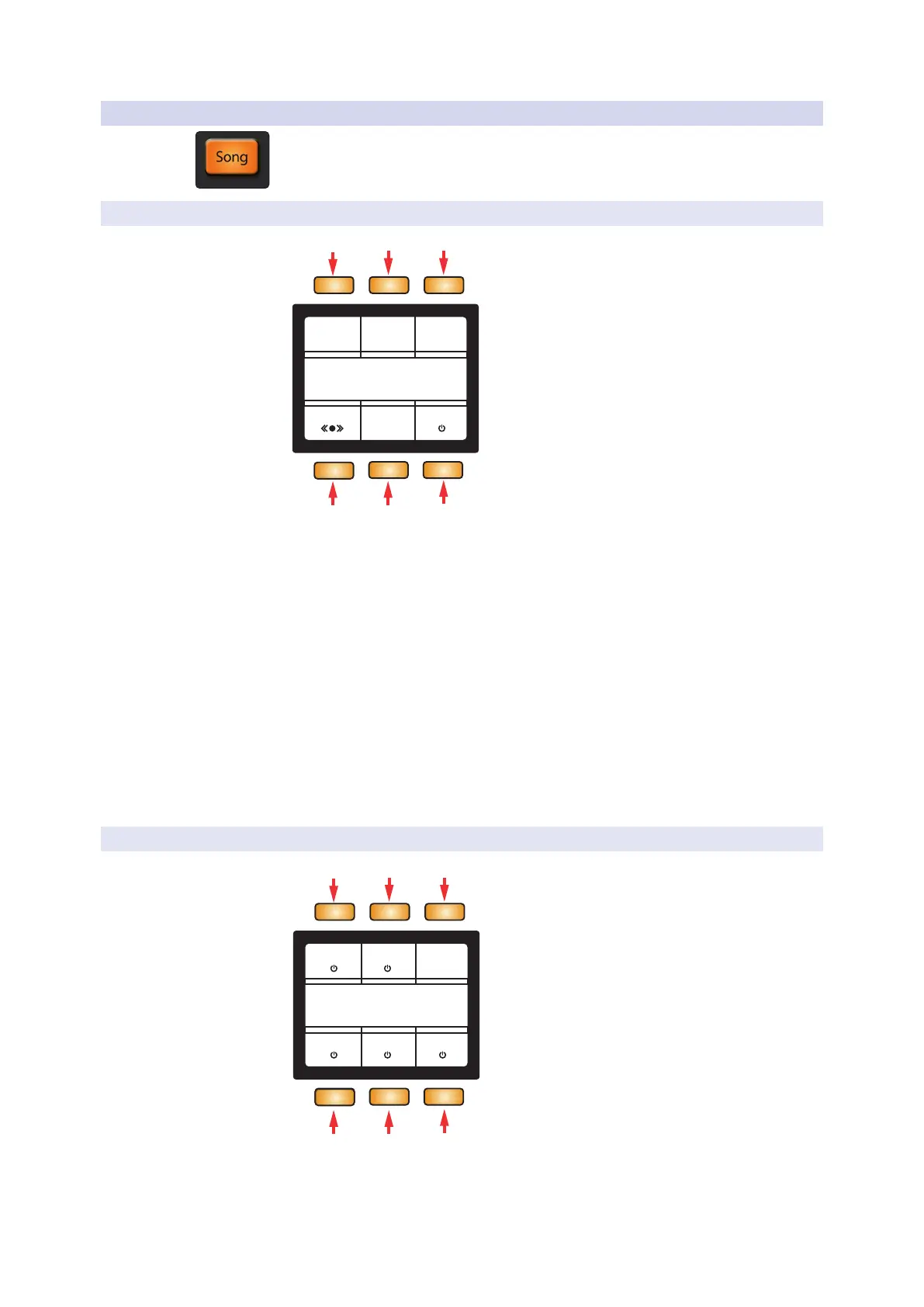
3.2.2.1 Transport
0001.01.01.00
Transport
Tempo Loop Zoom
Marker
IQAdd
Loop
Marker
120.00 Selection
4 5
6
1. Tempo. When selected, the Screen Encoder will
adjust the tempo in ±1 BPM increments.
2. Loop Selection. The currently selected Event(s) will be used to set Loop In
and Out points. You must enable/disable looping using the Transport’s Loop
button. If a loop range has not been set, looping will not be available.
3. Zoom Loop. The selected Event(s) will be used to set the Zoom level.
4. Marker. When selected, the Screen Encoder will
go to the next or previous marker.
5. Add Marker. Creates a Marker at the current playhead position.
6. IQ. Enables or disables Input Quantize. When enabled, your performance will
automatically be quantized after recording (when using a virtual instrument).
3.2.2.2 Console
Synth Lead Track
Console
Console Inspector Volume
0dB
RecMuteSolo
1 2 3
4 5
6
1. Console. Shows or hides Studio One’s Console.
2. Inspector. Shows or hides Studio One’s Inspector.



 To Next Page