13
2 Standard Controller Mode
2.8 Screen Controls
ATOM SQ
Owner’s Manual
2.8.4 User Mode
Touch
CC
+/-
Pitch
Page 1
Knob
Page 1
Button
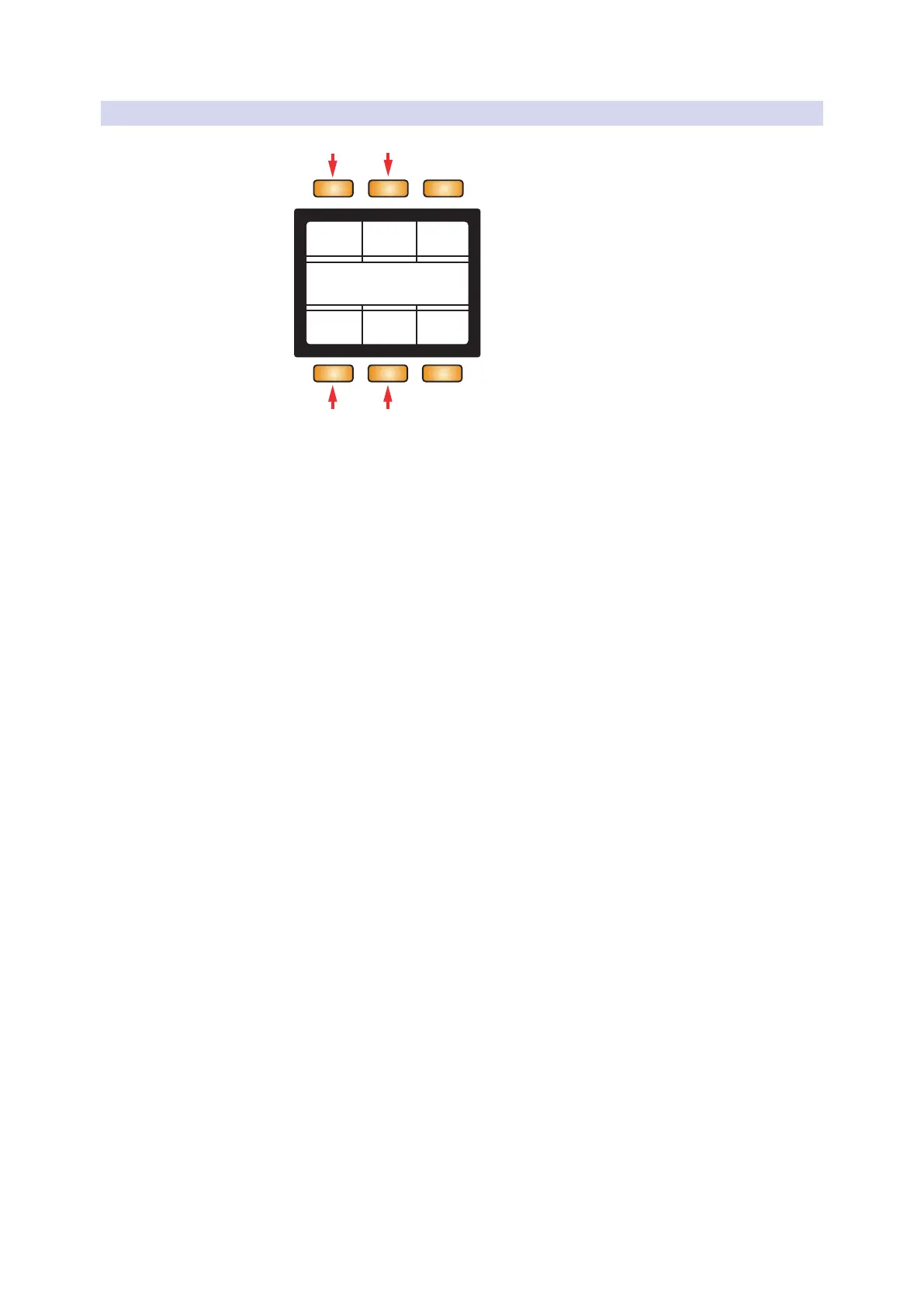
1 2
3 4
1. Touch Strip. When selected, the Screen Encoder will
change how the touch strip behaves:
• Range. Touching and sliding will change the viewable range in Key
mode or change transposition in Blocks or Continuous modes.
• Mod. Touching and sliding will control Mod Wheel messages
from from minimum (left) to maximum (right).
• Pitch. Touching and sliding will control Pitch Bend messages.
While active, pitch always resets to center.
• CC. Touching and sliding will control the CC message sent
via the strip from minimum (left) to maximum (right).
• Arp. the touch strip will use the 8 divisions (tall white lines) to
change the arpeggiator’s rate. From left to right: 1/4, 1/8, 1/16,
1/32, 1/4T, 1/8T, 1/16T, 1/32T. In this mode, all red LEDs will
remain off indicating that the Touch Strip is controlling rate.
2. +/-. When selected, the Screen Encoder will change
how the + and - buttons behave:
• Pitch. The plus and minus buttons control pitch bend using
pressure. The Plus button sends pitch up and the Minus button
sends pitch down. Releasing a button will reset back to center.
• Octave. The plus and minus buttons will cycle up
(plus) or down (minus) through octaves.
3. Knob. When selected, the Screen Encoder will change the
MIDI assignments for Knobs 1-8 (4 pages/banks total).
4. Button. When selected, the Screen Encoder will change the assignments
for the A-H buttons MIDI messages (2 pages/banks total).



 To Next Page