17
3 Advanced Studio One Integration
3.1 Controls
ATOM SQ
Owner’s Manual
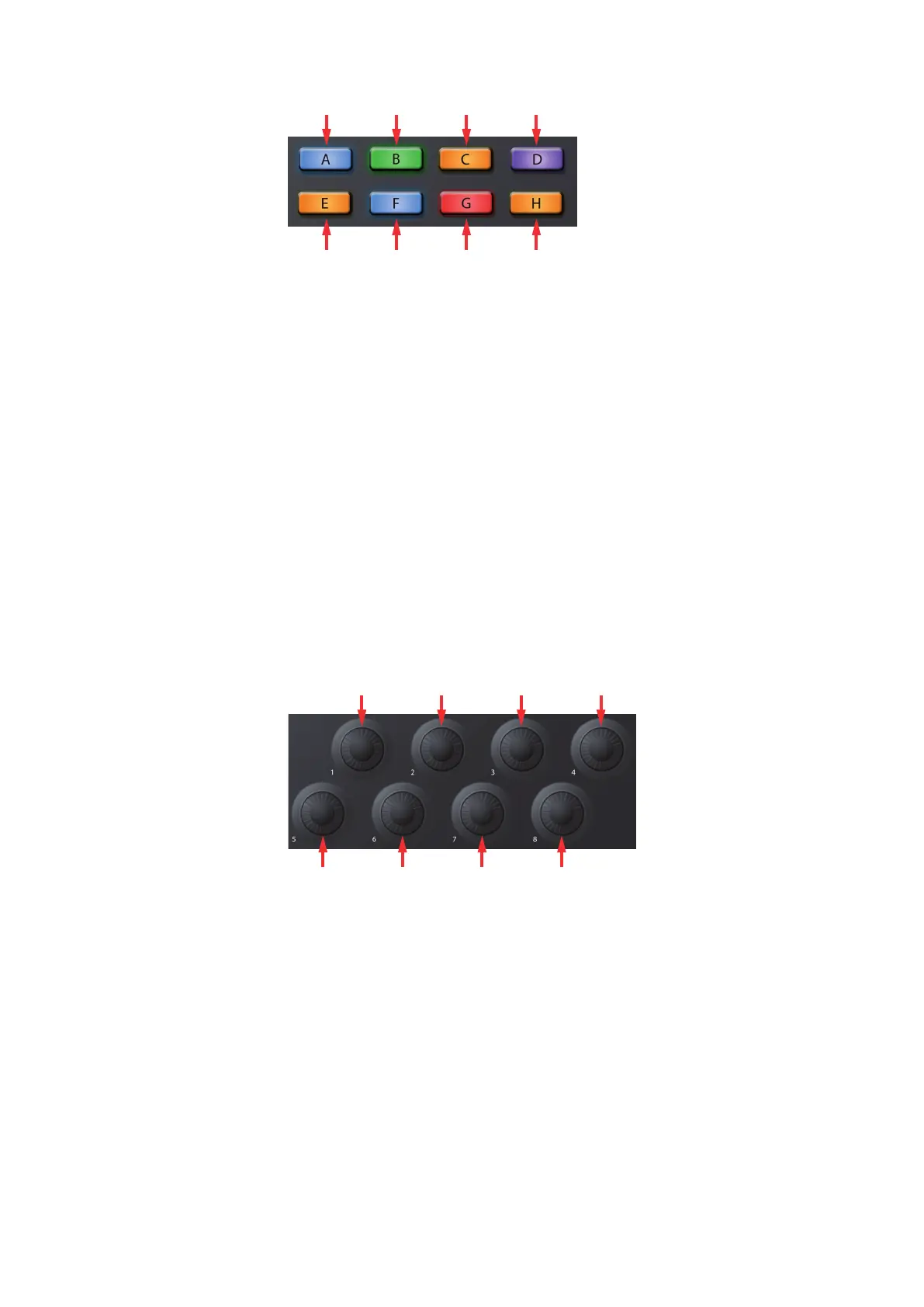
1. Windows Show/Hide
2. Select All on Track
3. Copy
4. Duplicate
5. Redo
6. Deselect All
7. Paste
8. Delete
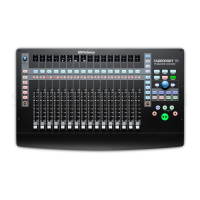
Encoders 1-8
Holding down the ATOM SQ’s Shift button will change the knob assignments
to their global control functions. These are controls that are fixed.
Power User Tip: Because these knobs have a velocity multiplier built-in, the faster they
are turned, the more quickly they reach the minimum or maximum value. Slow turns are
best for precise movements.
1. Move Loop
2. Vertical Zoom
3. Loop Start
4. Grid
5. Playhead
6. Horizontal Zoom
7. Loop End
8. Nudge



 To Next Page