27
3 Advanced Studio One Integration
3.2 Screen Controls
ATOM SQ
Owner’s Manual
4. Lane Steps. When selected, the Screen Encoder will change the amount
of steps in the selected lane independent of a pattern’s steps.
5. Lane Resolution. When selected, the Screen Encoder will change a lane’s
resolution to shorter or longer durations independent of the pattern’s resolution.
6. Clear Lane. Clears all notes in the selected lane.
3.2.3.2 Part Editor
When in the Part Editor, ATOM SQ’s Navigation Left and Right
arrows will select the next or previous note. Holding down Shift +
either Navigation Left or Right will select multiple notes.
Part: Main
Synth Lead Track
Part: Main
Quantize Toggle Grid
VelocityNudgeTranspose
Snap
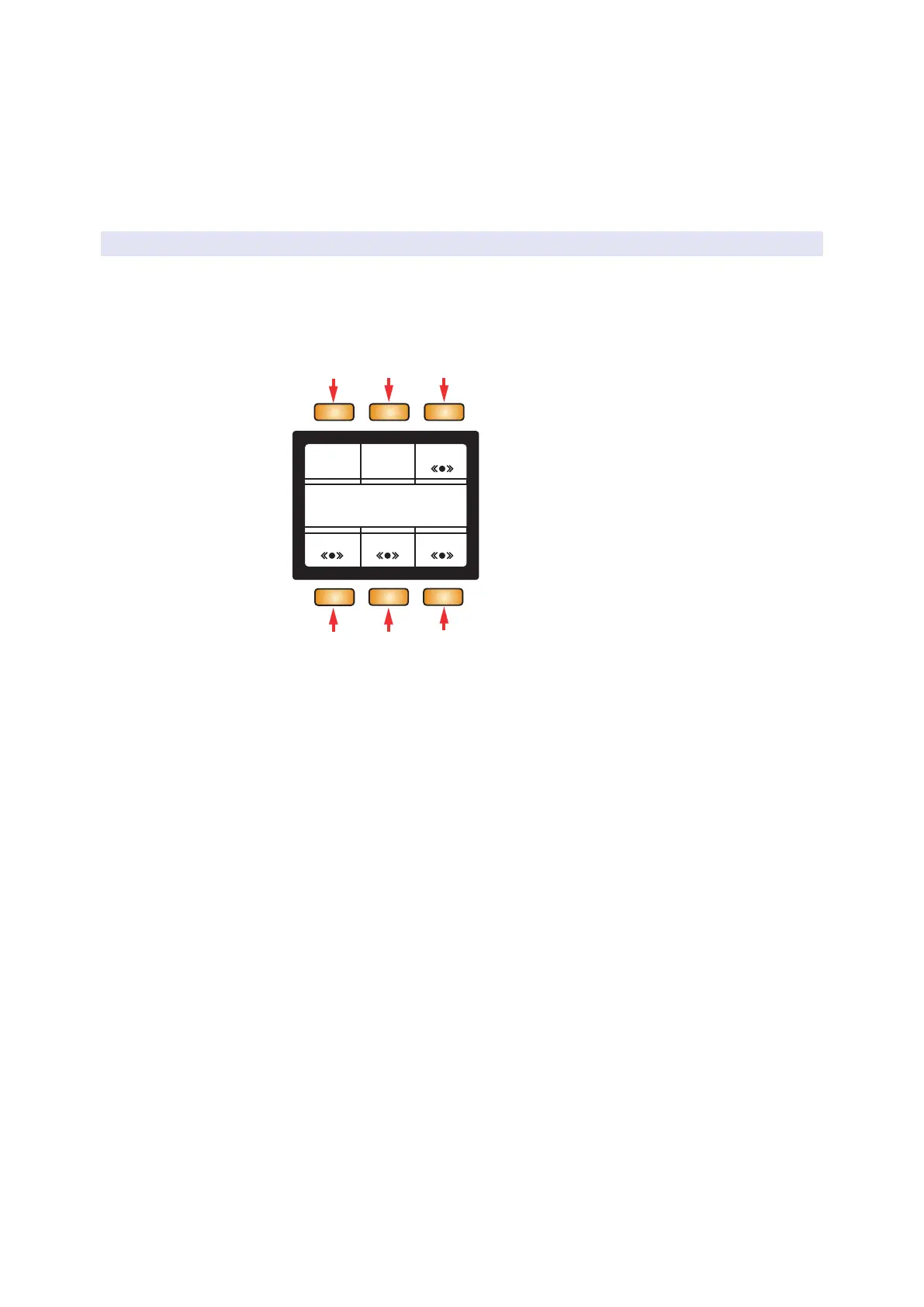
1 2 3
6
1. Quantize. Moves all selected notes’ start positions
precisely on the nearest grid point.
2. Toggle Snap. Toggles snap to grid on or off.
3. Grid. Changes the quantization grid to shorter or longer note values.
4. Transpose. When selected, the Screen Encoder will transpose the
selected note(s) up or down. Alternatively, the Navigation Up and Down
buttons will also transpose the selected note(s) up or down. Holding
down ATOM SQ’s Shift button + either Navigation Up or Down will
transpose a note Up or Down one musical octave respectively.
5. Nudge. When selected, the Screen Encoder will move the selected
note(s) left or right depending on the setting of the quantization grid.
6. Velocity. When selected, the Screen Encoder will
change the velocity of the selected note(s).



 To Next Page