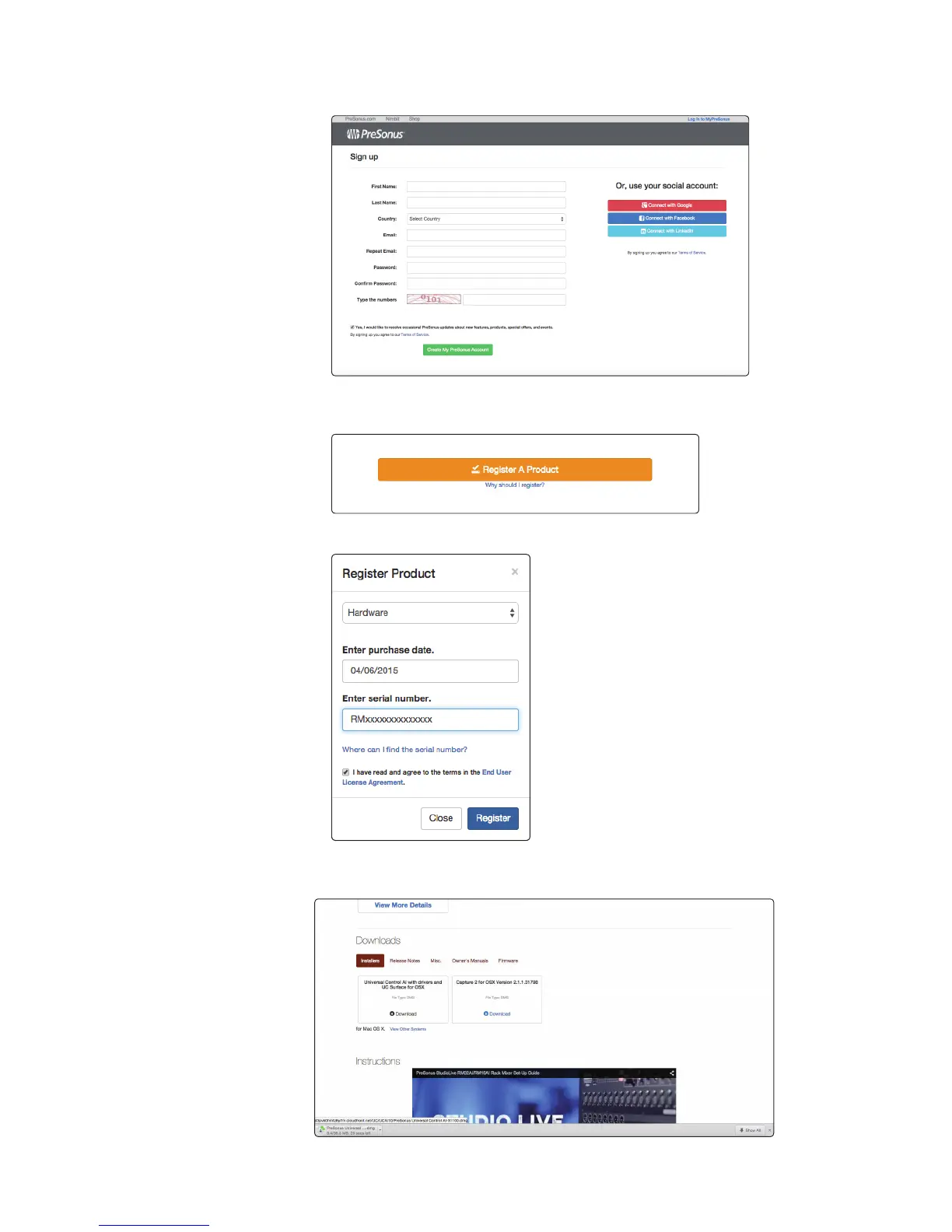
2. Log in or create a new account if you don’t already have one.
3. After logging into your account, click/tap the “Register A
Product” button in the My Hardware section.
4. Enter the information for your RM-series mixer and click/tap the Register button.
5. You now can download and authorize the included software
and can download the manuals and video guides.











 To Next Page