2.3 Powering the StudioLive RM-series Mixer
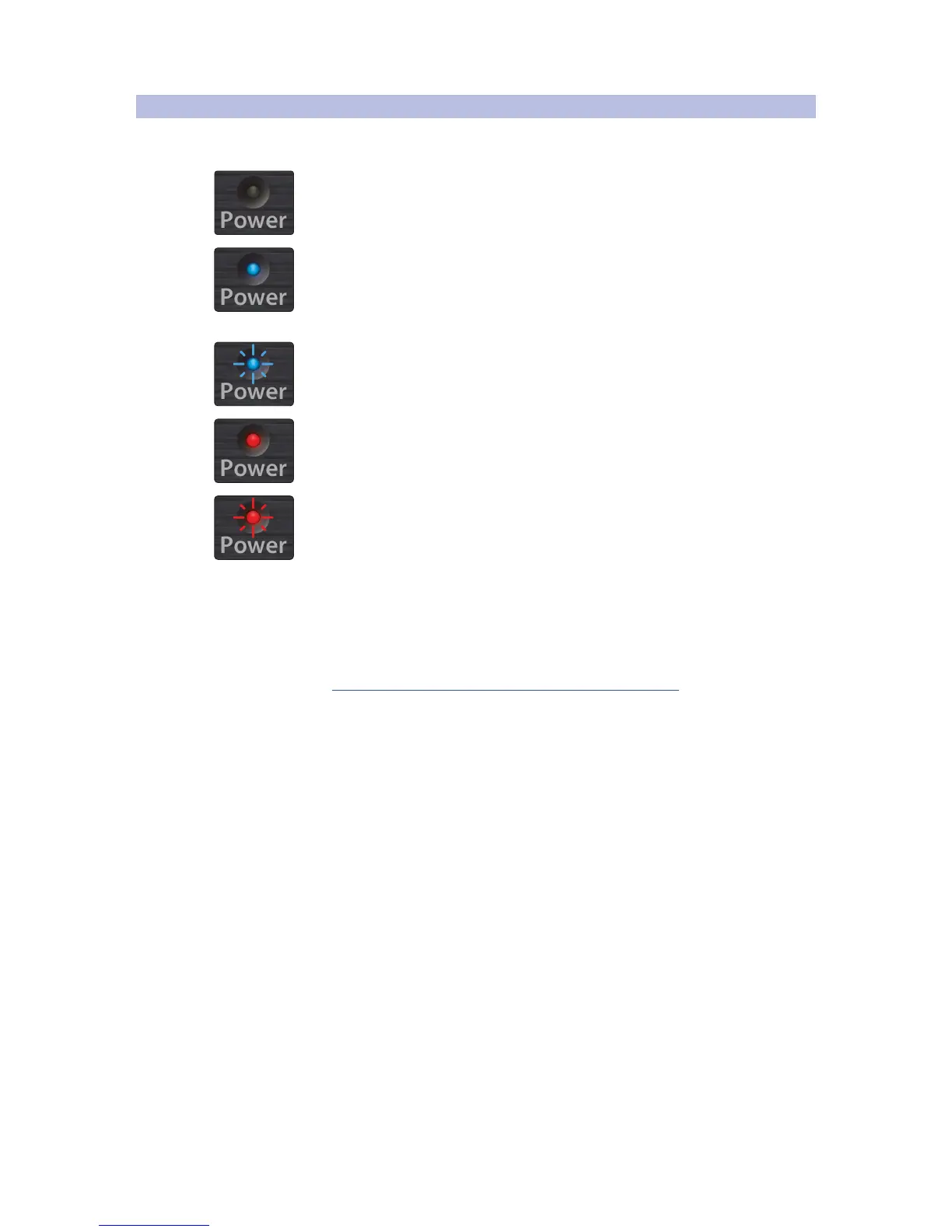
When you power a StudioLive RM-series mixer, the Power/Status indicator
displays the current state of the mixer in one of the following ways.
Off: The mixer is switched off.
Solid blue: Powered up, connected to a control
device, and functioning properly.
Flashing blue: In the process of booting up or loading a firmware update.
Solid red: On and functioning correctly but with no control device connected.
Flashing red: Boot or update failure.
If the power LED is flashing red:
1. Turn the RM-series mixer off for a few seconds and then turn it on
again. You can also try connecting to a computer for control.
2. If that doesn’t work, open a new technical support ticket by going to
www.presonus.com/support/Contact-Technical-Support and
clicking on the “Click here to submit a support request” link in the
“Submit an Online Technical Support Request” section. U.S. customers
can also call technical support at 1-225-216-7887 Monday through
Friday between 9 a.m. to 5 p.m. Central Standard Time (CST).
A firmware recovery may be necessary to restore proper operation.
This erases everything on the mixer and restores factory defaults.











 To Next Page