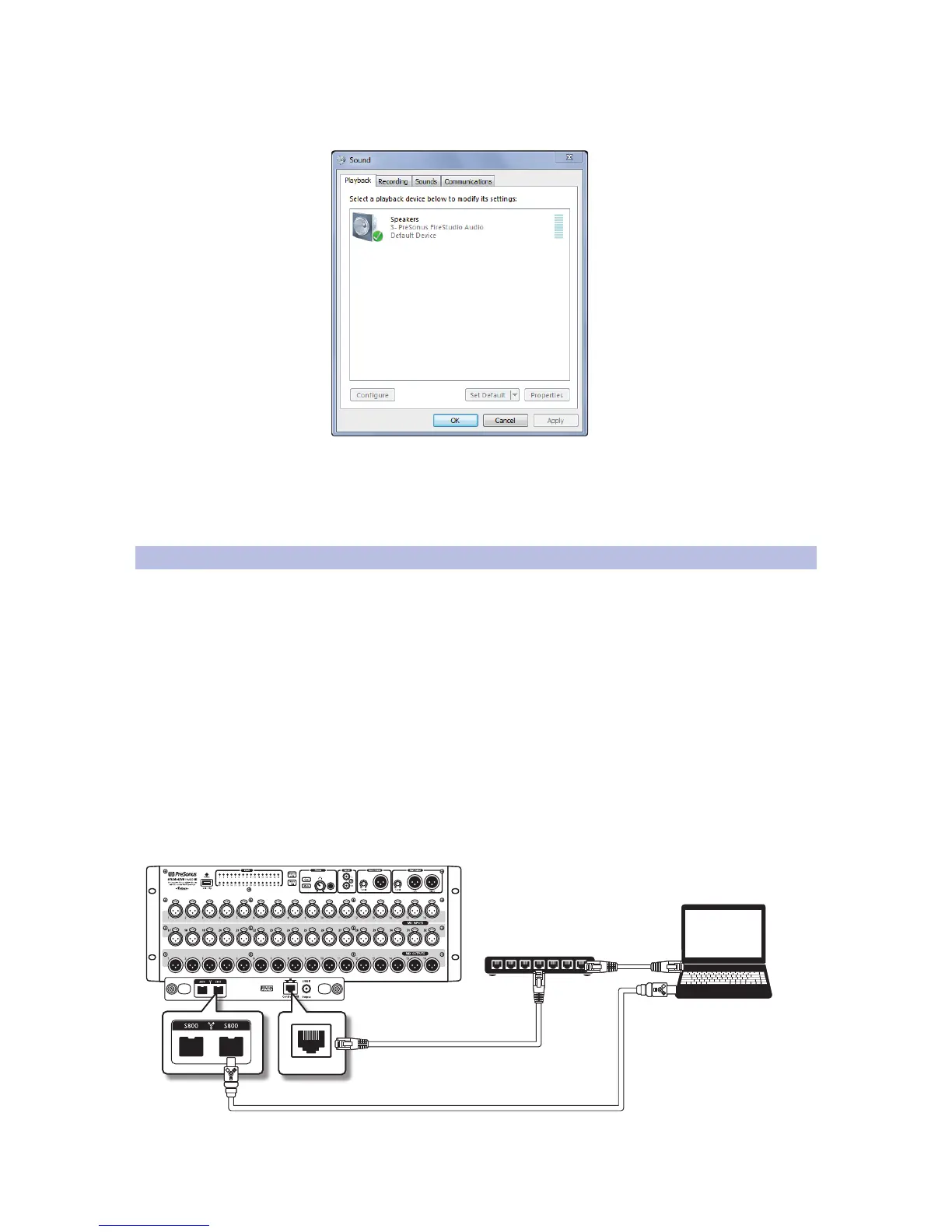
4. With Windows, the RM-series mixer uses a PreSonus FireStudio
ASIO driver, installed with UC Surface, and shows up in the
Sound control panel as a PreSonus FireStudio interface.
Note: You can connect your StudioLive RM-series mixer to a FireWire 400
connection on your computer or to a FireWire 400 device, but doing so lowers the
bus speed of your mixer to 400 Mbps, which may result in reduced performance.
To experience the full power of your StudioLive RM-series mixer, we highly
recommend connecting to a true FireWire s800 or Thunderbolt connection.
3.11 Configuration Examples
An RM-series mixer uses two computer connections: Ethernet for UC Surface
control of the RM mixer and FireWire to carry audio between the RM mixer
and a computer running a host audio application, such as Capture or Studio
One. The control computer can be a Mac, Windows, or iOS device. The RM
mixer can be simultaneously controlled with multiple computers, enabling
each band member to use QMix-AI for iPhone/iPod touch to control their
own monitor mix, while an engineer (or more than one) runs UC Surface.
The audio connection is over FireWire, and it is always a wired
connection. The control connection could be wireless (using Wi-
Fi) at either the RM mixer end or the computer end.
This means there are six possible configurations for control and
recording, with the FireWire connection assumed in all cases:
1. One computer for control and audio, with Ethernet connections
to both the RM-series mixer and the computer.











 To Next Page