EasyManua.ls Logo

PRESONUS RM32AI - Connecting an Iphone;Ipod Touch to Your Network

PRESONUS RM32AI
72 pages
Print Icon
To Next Page IconTo Next Page
To Previous Page IconTo Previous Page
Loading...
23
3 Networking the RM-series Mixer
3.7 Connecting an iPhone/iPod touch to Your Network
StudioLive™ RM-Series Mixers
Owners Manual
3.7 Connecting an iPhone/iPod touch to Your Network
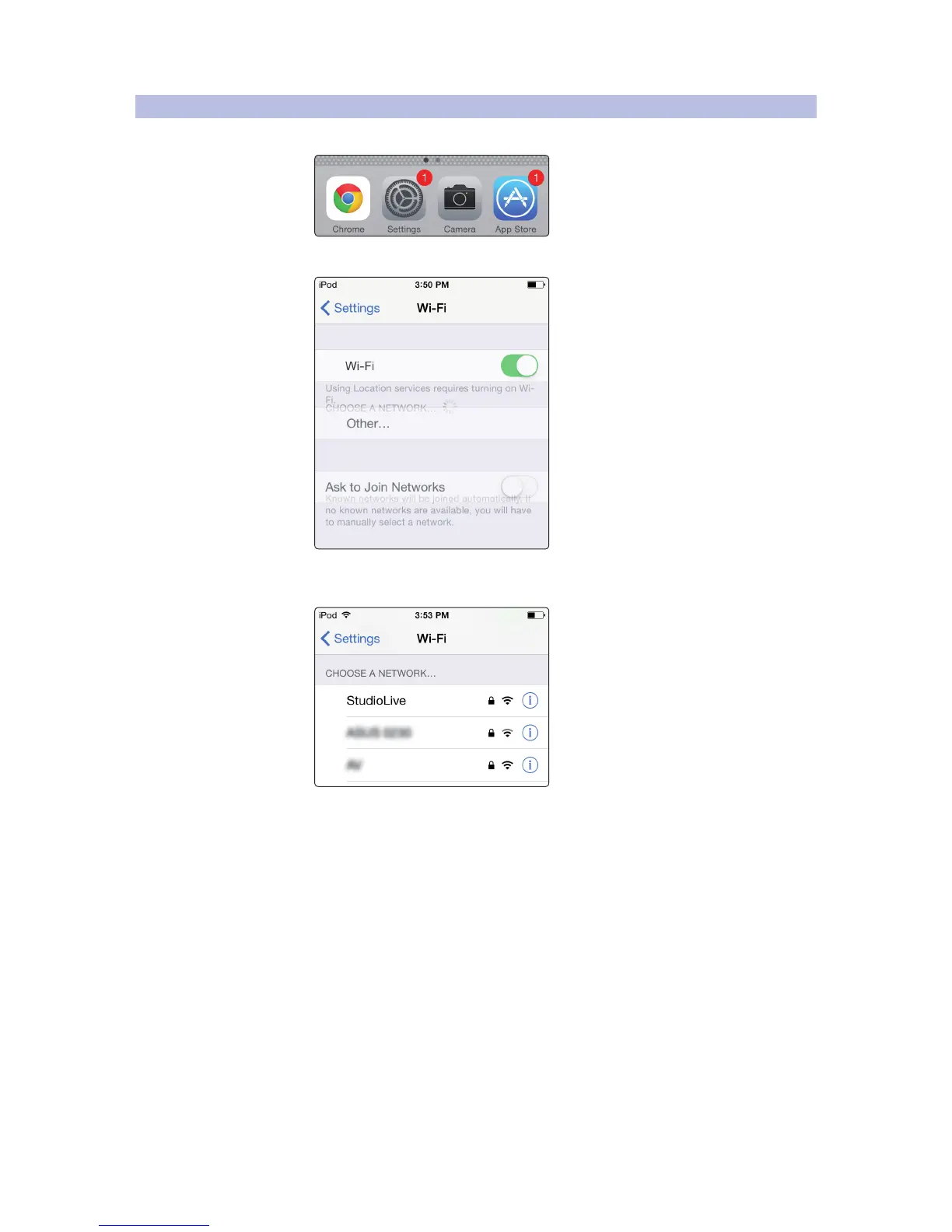
1. Tap on the Settings icon in your iPhone/iPod touch.
2. Tap “Wi-Fi, making sure it is set to “On.
3. Under “Choose a Network, tap on the same wireless network for
which you configured your RM-series mixer to select it.

Table of Contents

Related product manuals