3.2 Networking Overview
Networking your RM-series mixer involves both hardware and software
components. The entire installation and configuration procedure is given in this
manual, but before beginning, you must download and install UC Surface touch-
control software onto a Mac or Windows computer or an iPad, as described in
Chapter 2, “Getting Started,” in the StudioLive AI Software Library Manual.
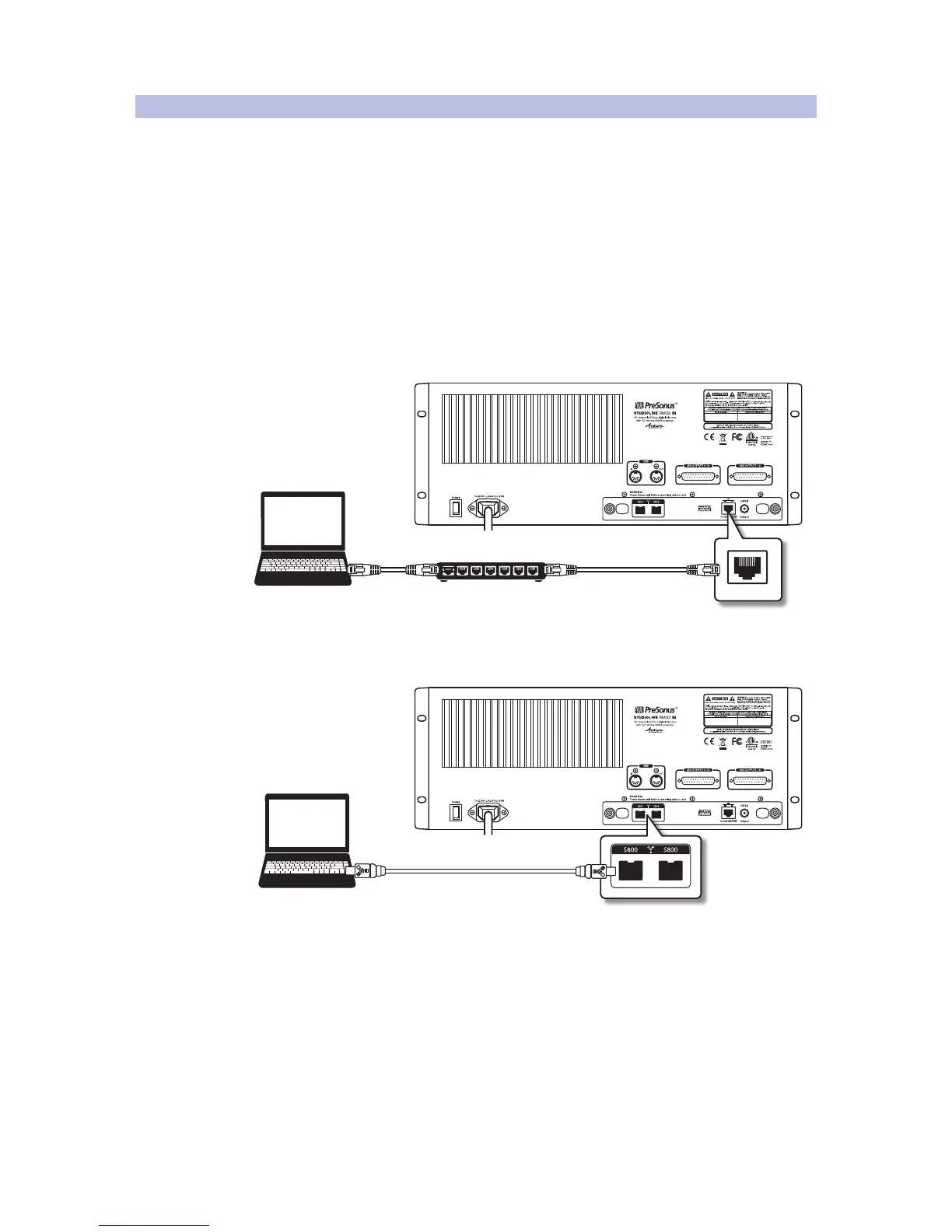
Computer Control and Audio Data Connections
Two types of data flow between your RM-series mixer and your
computer. We will describe them first, then show you different
scenarios for connecting the RM-series mixer to a computer.
Control: This is the primary connection between the RM-series
mixer and your computer, which UC Surface uses to modify
settings and save and load mix scenes and presets.
Audio: A FireWire s800 connection enables recording audio to, and
playing back from, Capture, Studio One Artist, or another digital audio host
application. This connection is not necessary for mixing live sound.
A single computer can be used both to control and to record from the RM-
series mixer, or separate computers can be used for control and audio.
Note: Most of the networking discussion in this manual concerns the control
data connection, as that is the essential connection for RM-series mixers.
Power User Tip: Network connections occasionally require troubleshooting, especially
when a lot of wireless networks are in use. Because of this, it is always a good idea
to get your networked devices and RM-series mixer happily communicating before
the pressure is on, and you have a singer trying to dial in a monitor mix while you’re
trying to mic the drum kit. So while the guitarist is flirting with the bartender, take a
quick moment to get your iPad, iPhone, computer, and StudioLive RM mixer talking.











 To Next Page