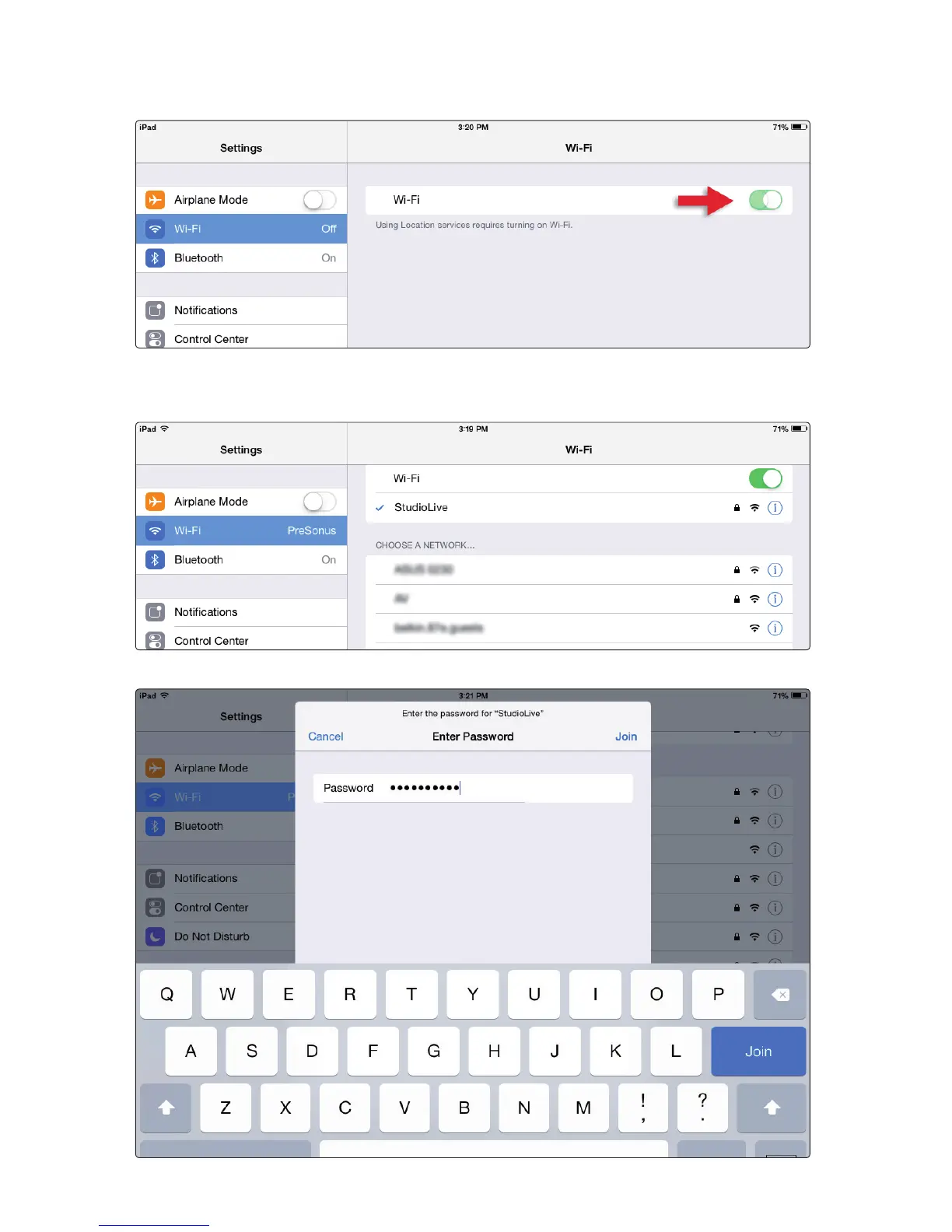
3. Wi-Fi will usually be switched on. If it is not, slide the onscreen switch to turn it on.
4. In the Choose a Network section, you should see in the list the network for which
you have configured the RM-series mixer. Tap the network to select it. If you
do not see the network, you will need to troubleshoot your network setup.
5. Enter the password for the network when prompted and tap the Join button.











 To Next Page