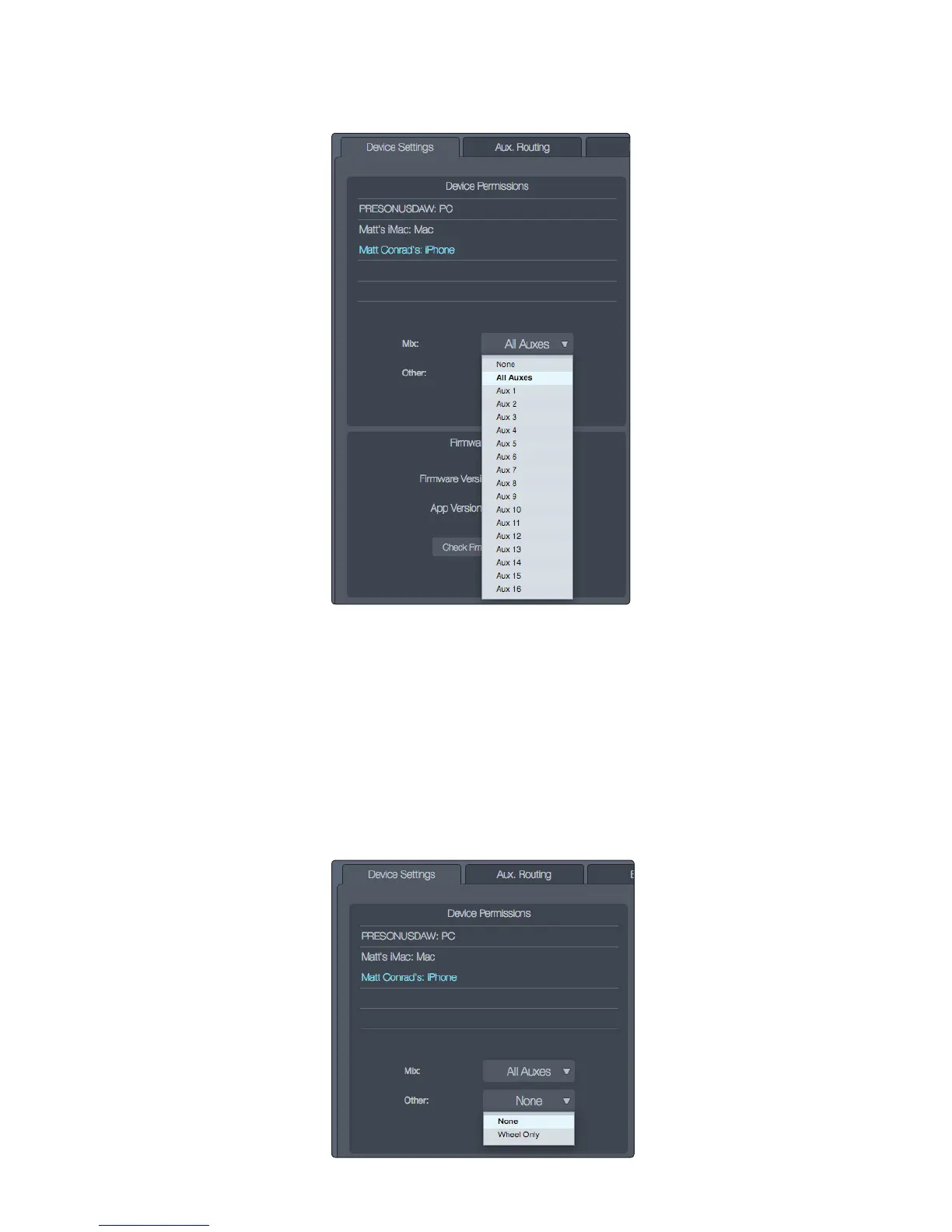
5. Click/tap in the Mix field and choose from the drop-down
menu what you want the iOS device to control.
• All Auxes: Allows the user of the selected device to make
channel fader adjustments for all aux mixes.
• Aux 1-16: A single aux mix (or stereo linked pair) can be chosen to limit access by
the user of the selected device to channel fader levels for the specified aux mix.
• None: Disables control of the RM mixer by the selected device.
6. Click/tap in the Other field.
• Choose “Wheel Only” to disable the Aux Mix page in QMix-AI and limit the user
to using the Wheel of Me on the individual aux mix chosen in the Mix field.
• Choose “None” to leave the Aux Mix page enabled.
Note: The All Auxes option is not available when Wheel Only
is enabled; only a single aux mix can be chosen.











 To Next Page