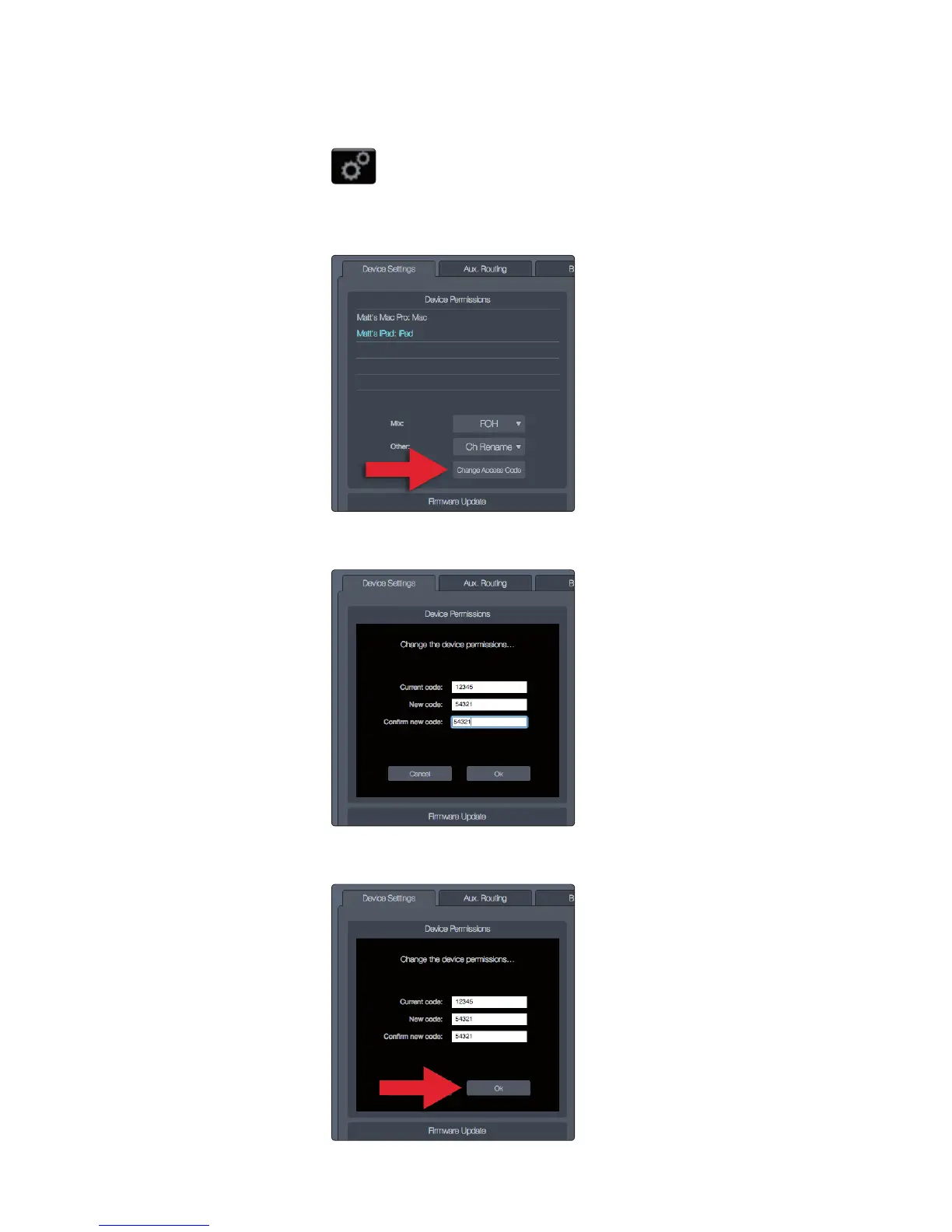
To change an access code:
1. Click/tap the Global Settings button to open the Global Settings view.
2. Click/tap the Device Settings tab.
3. Click/tap the Change Access Code button.
4. In the dialog, enter the current access code, the new code,
and then the new code a second time to confirm.
5. Click/tap OK to submit the new access code or Cancel to
exit the dialog without changing the access code.
Power User Tip: It’s a good idea to document any changes to your
access code in a secure place in case you forget the code.











 To Next Page