3838
PreSonus StudioLive
™
24.4.2
Quick Start:
Level
Setting
Overview Hookup Connecting
to a
Computer
Tutorials Technical
Information
Trouble-
shooting
and Warranty
Scenes, Presets, System Menu,
and MIDI Control
Software: Universal Control,
SL Remote, Capture,
and Studio One Artist
4 Controls
Controls
38
4.4 Aux and FX Buses
4.4 Aux and FX Buses
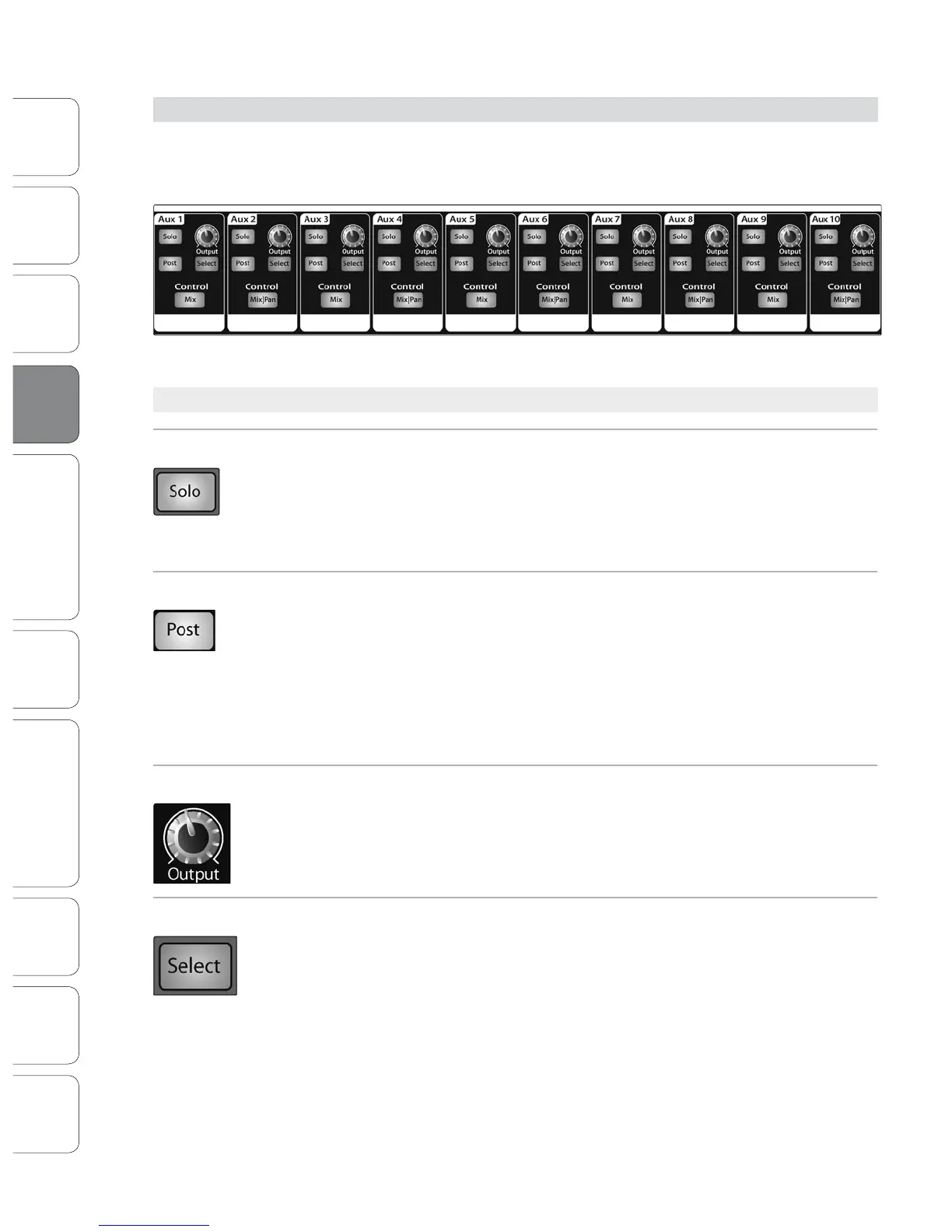
The StudioLive has ten analog aux buses and two internal eects buses. The aux
buses are mono; however, two aux buses can be linked to create a stereo bus.
Section 8.5 discusses how to use these aux buses for monitor and eects mixing.
4.4.1 Analog Aux Send Controls
Solo Button Turns Soloing On and Off.
This button will solo the aux bus to the main outputs or to the monitor outputs. Only
PFL soloing is available for the aux buses.
When a Solo button is enabled, that channel or bus will automatically
be selected, and its Select button will illuminate.
Post-Fader Send Button Enables and Disables the Post-Fader Send.
When this button is enabled, the send levels to that aux bus will be post-Fat Channel
and post-fader, and therefore are aected by fader settings. If the button is disabled,
by default, the aux buses use the Pre 1 setting, so that all channels on your StudioLive
are sent to the aux bus after the phase-reverse switch, high-pass lter, and noise gate
but before the compressor, EQ, limiter, and fader. However, in the System Menu, you
can select the Pre 2 setting, which makes the send occur after all Fat Channel
processing but before the fader. Please review Section 5.4 for details.
Output Level Control Adjusts the Master Level of the Aux Output.
This knob controls the overall output level of the aux mix.
Aux Send Select Button Enables Fat Channel Viewing.
As previously described in section 4.1.1, the Select button routes its aux bus through
the Fat Channel, allowing you to add dynamics processing and EQ.













 To Next Page