22
PreSonus StudioLive
™
24.4.2
Overview Hookup Controls Connecting
to a
Computer
Tutorials Technical
Information
Trouble-
shooting
and Warranty
Scenes, Presets, System Menu,
and MIDI Control
Software: Universal Control,
SL Remote, Capture,
and Studio One Artist
1 Quick Start
Quick Start:
Level
Setting
A. Sound sources (keyboards, direct boxes, microphones,
etc.) connected to the StudioLive inputs
B. StudioLive 24.4.2
C. Computer (if applicable)
D. Power ampliers or powered monitors
When it’s time to power down, your system should be turned o in the reverse order.
Now that you know what not to do, let’s get some audio going!
2
2
1
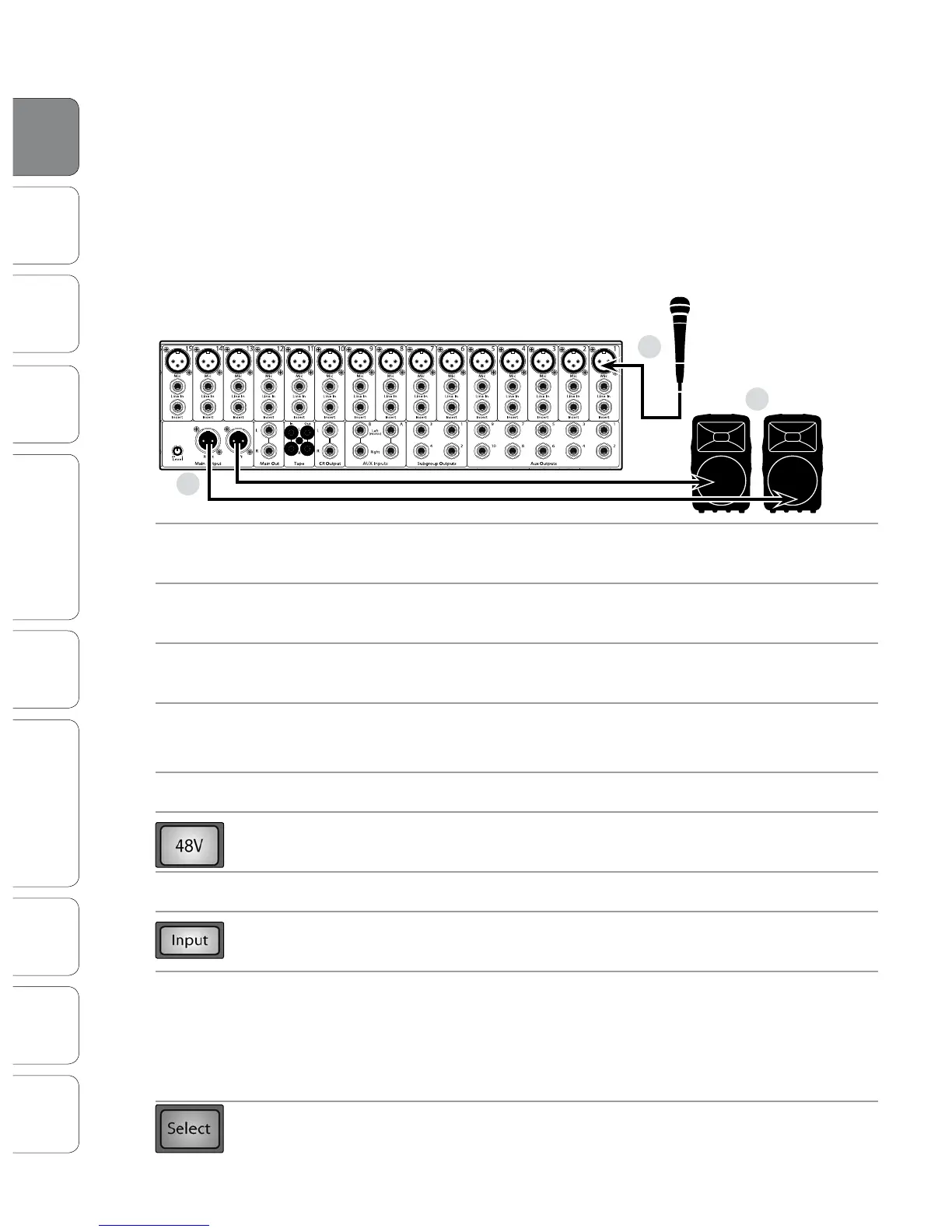
1. Grab a microphone and a mic cable and plug them
into the StudioLive’s Channel 1 mic input.
2. Connect the Main Outs (TRS or XLR) of your StudioLive
to your power amplier or powered monitors.
3. If you’re using passive speakers, connect them to your
power amplier using speaker cable.
4. Bring down all the faders on your StudioLive to the
∞
setting.
Make sure that the Trim knob on Channel 1 is all the way counter-clockwise.
5. Plug your StudioLive into a power outlet and turn it on.
6. If your microphone requires phantom power, engage the 48V button on Channel 1
of your StudioLive.
7. Turn on your amplier or powered monitors.
8. Press the Input button in the Meter section.
9. Speak or sing into your microphone at about the same
volume as during the upcoming performance.
Turn the trim knob on Channel 1 clockwise while watching the rst meter in the Fat
Channel. Adjust the Channel 1 trim knob until a little more than half of the green
LEDs are lighting up. The red LED at the top of the meter should never light up!
10. Press the Select button on Channel 1 and move the Channel 1 fader up until it
reaches “U” (unity gain).
1.1 Level Setting













 To Next Page