50
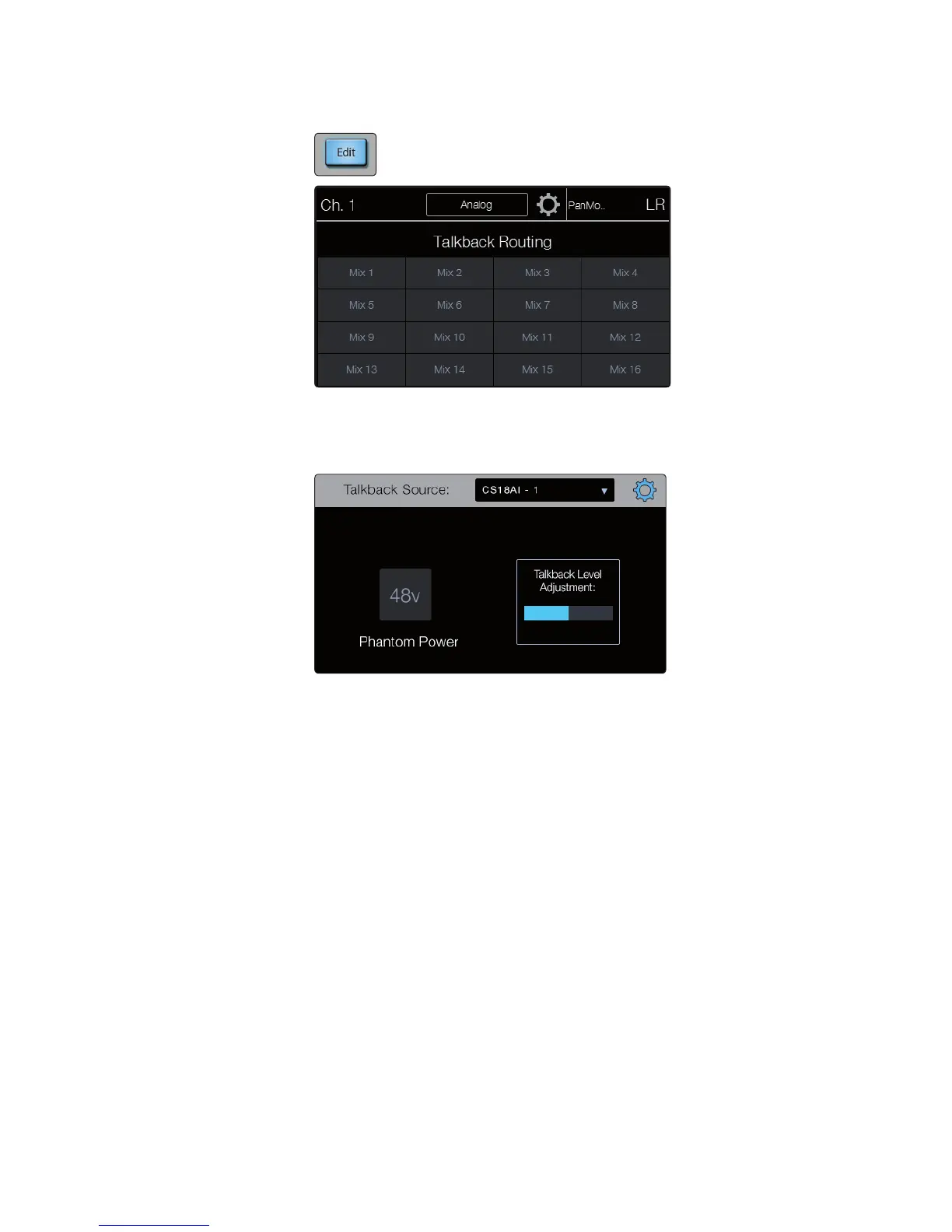
Edit brings up the talkback custom assignment view in the touchscreen. From
here you can select any combination of aux mixes to receive talkback.
At the top of the Talkback Assign screen you can see the current talkback input
source and a gear icon. Pressing the gear icon brings you to the Talkback Settings
screen. Here you can select a different talkback source, adjust the talkback
preamp level, and engage +48 phantom power on the talkback input.
Power User Tip: While the talkback can be assigned and unassigned
to multiple aux buses at once, each aux mix provides its own
individual level control for the talkback via the Returns layer.
Solo
StudioLive RM mixers feature an independent Solo bus. This feature is extremely
useful in setting levels for monitor mixes, dialing in dynamics processing on
each channel, and fixing issues during a live show without interrupting the
main mix. The Solo bus has three different modes: AFL (default), PFL, and SIP.
AFL (After-Fader Listen) sends the channel or subgroup signal to the
Solo bus post-fader so that you can control the level of the soloed
signal with the fader. This is the StudioLive RM’s default setting.
PFL (Pre-Fader Listen) sends the channel or subgroup signal to the Solo bus
before it reaches the fader so the fader does not affect the soloed signal.
SIP (Solo In Place) is also known as “destructive solo.” When channels are soloed
in this mode, every channel that isn’t soloed will be muted, and only the soloed
channels will be sent to their assigned outputs. While useful in dialing in
dynamics processing during soundcheck, this mode is dangerous during a live
show. We recommend that this mode be turned off when mixing live events.
Power User Tip: When SIP is engaged, channel mutes will only apply to the subgroup
and main bus assignments. SIP does not mute input channels in aux bus mixes.
Because of this, you can use SIP to dial in a mix in the mains without disturbing the
musicians’ last-minute rehearsal onstage. Destructive soloing is also a great way to
tune each channel’s dynamics individually in live-mixing situations or do surgical
editing in the studio. SIP mode mutes every channel and bus that is not soloed in











 To Next Page