70
When a group is selected two things will happen:
1. The channel strips will filter out all channels not in the group, only displaying
the channels in the group. For example, if you have channels 1, 4, 7, 8, 9,
14, 20, 24, 30, and 32 in group A, when that group is selected you’ll see
those channels displayed on channel strips 1 through 10 of the CS18AI.
2. The Flex Master fader will become the main group control for the selected
group. Moving the Flex Master fader will move all the faders for all channels
in the group, and muting the Flex fader will mute all channels in the group.
Editing a Filter DCA Group
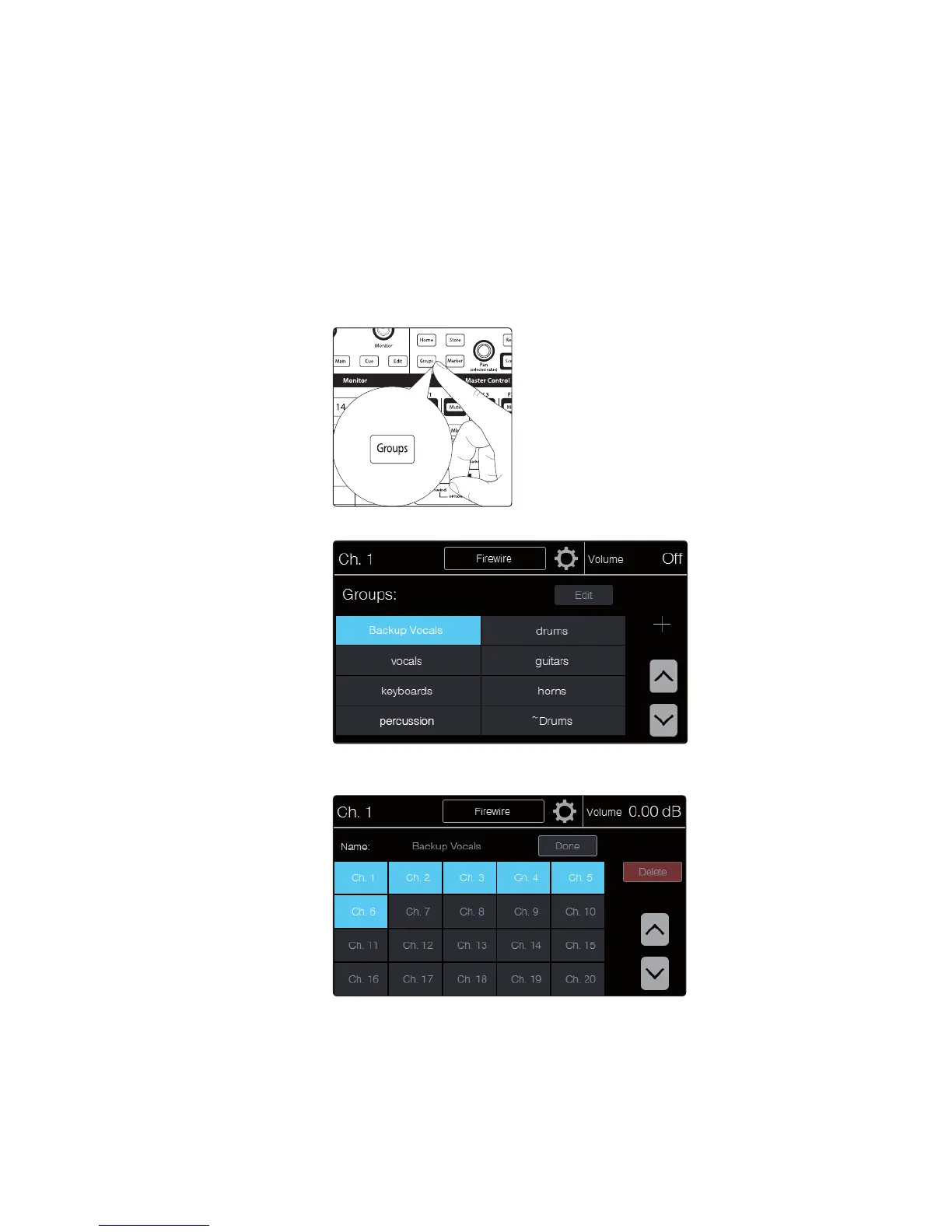
1. Press the Groups button in the Master Control area of
the front panel. The Groups page appears.
2. Touch the name of the group you’d like to edit. This will select the group.
3. Touch the onscreen Edit button. The Group Edit page appears. From here you can
add and remove channels in the group, rename the group, or delete the group.











 To Next Page