75
You will find many uses for subgroups that will make mixing more convenient and
provide better control of your mix. Grouping individual channels that create a drum
mix will let you do Fat Channel processing on the entire drum set, which can be
helpful to get a full sound that sits well in your mix. Subgroups are also great for
feeding center or delay fills or other rooms that require the same mix as the Main
mix but may not require all the same channels or different Fat Channel processing.
In this example, we’ll create a stereo subgroup.
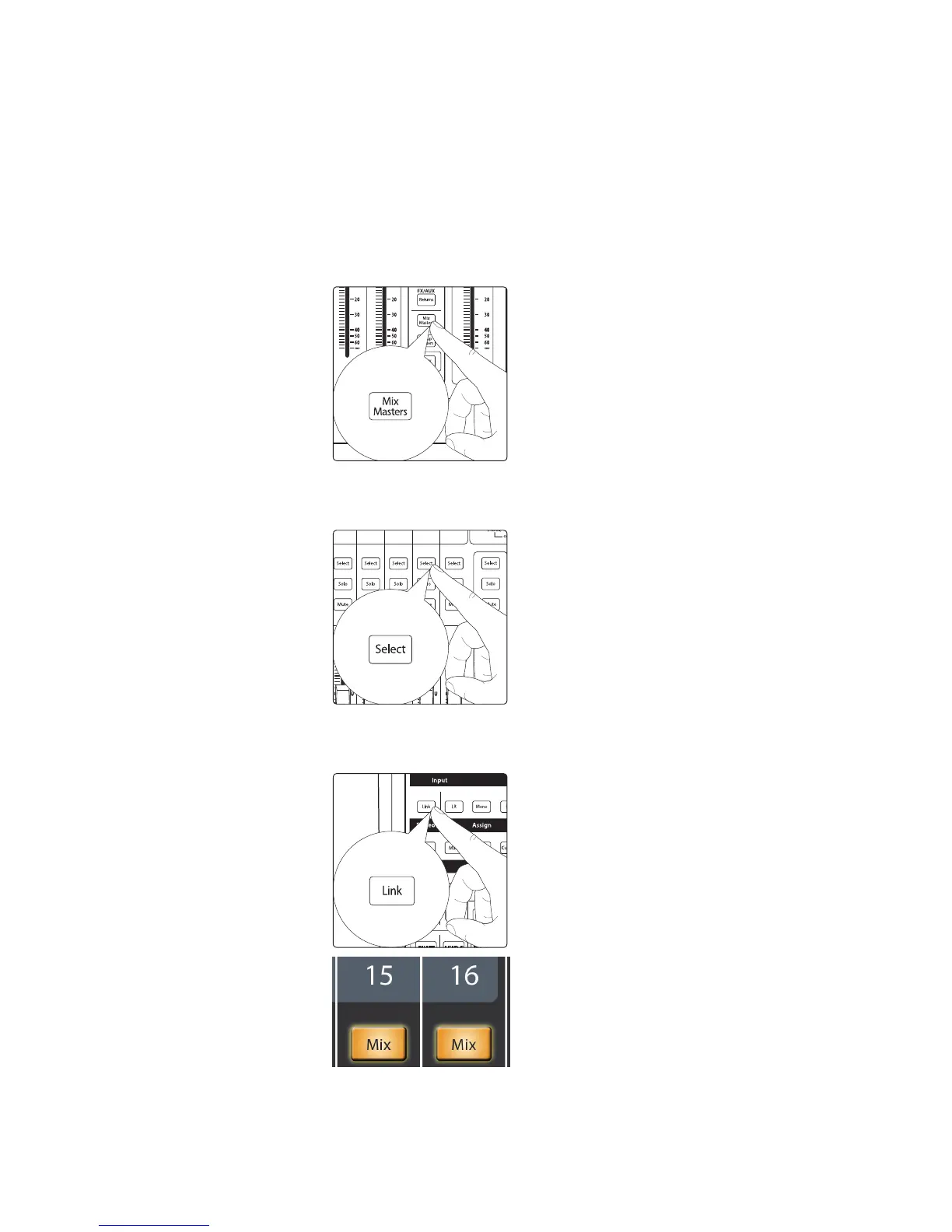
1. The first step in creating a subgroup is to convert one of the RM
mixer’s 16 mixes from an aux mix to a subgroup. Press the Mix Masters
layer button to view the master send channels for all 16 mixes.
2. Select Mix 15 by pressing the Select button on Channel
Strip 15. This will show Mix 15 as the selected mix in the
touchscreen and display the Fat Channel for Mix 15.
3. Press the Link button in the Fat Channel to link mixes 15 and 16.
The Select button on the Mix 16 channel strip will illuminate along
with the Select button for Mix 15 when they are stereo linked.











 To Next Page