Safety Features and Equipment
135
• Alarm Settings
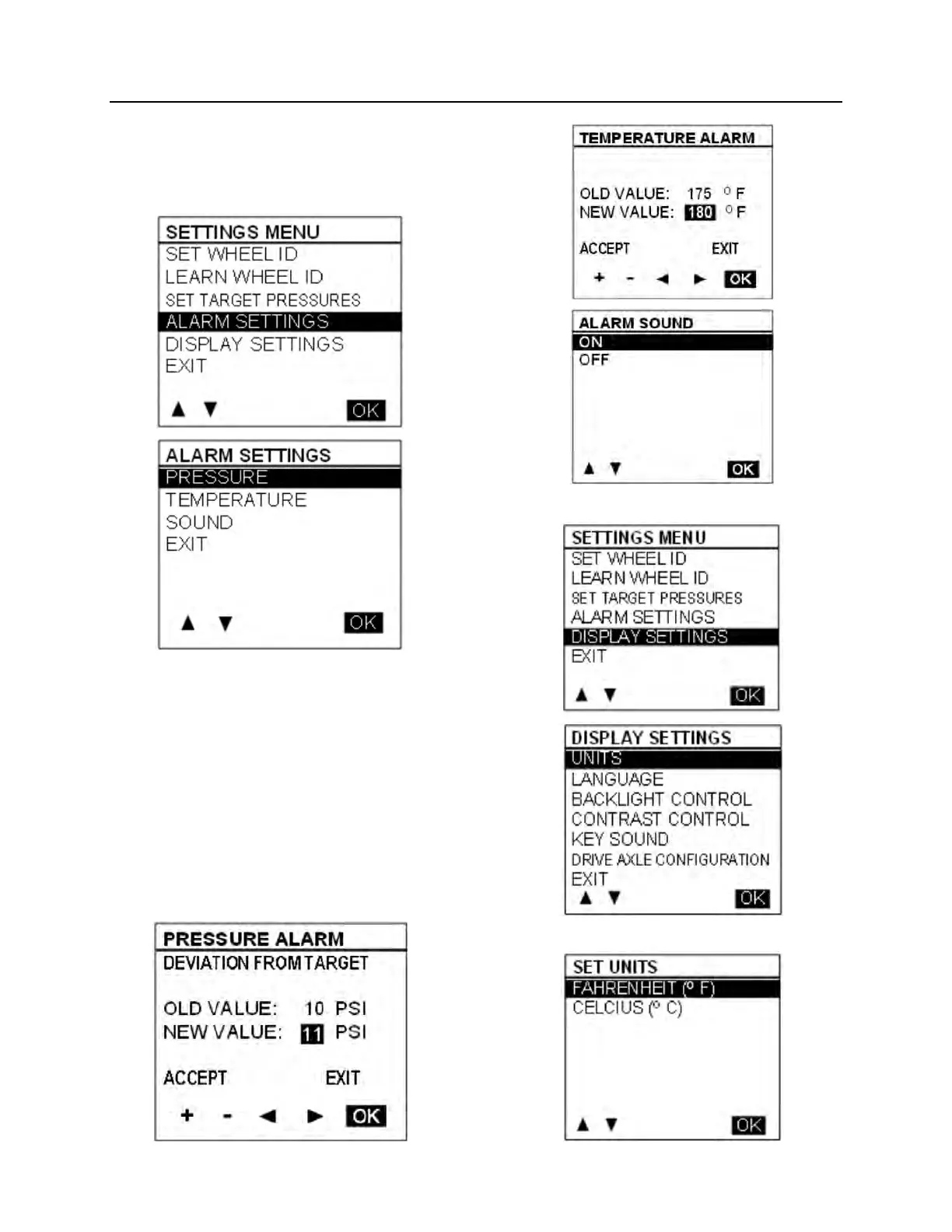
When selecting the Alarm Settings Menu, a sub
menu containing Pressure Alarm and
Temperature Alarm appears.
When selecting Pressure Alarm the screen
pressure alarm shown below appears. A similar
screen is defined for temperature settings. The
cursor can be moved to highlight the number
beside “new value”, “ACCEPT” or “EXIT”. +/-
allows increasing or decreasing the numbers.
Pressure alarms changes are allowed in steps of
1 PSI in the range from 5 to 20 PSI.
Temperature alarms in steps of 5°F (2°C) in the
range from 150 to 180 °F (64 to 82 °C). Pressing
OK with “ACCEPT” highlighted applies the
change and exits to the previous menu.
Pressing OK when “EXIT” is highlighted exits
without changes.
• Display Settings
Units


 To Next Page
 Loading...