14 BEST BOY
®
HP SPOT LUMINAIRE USER MANUAL
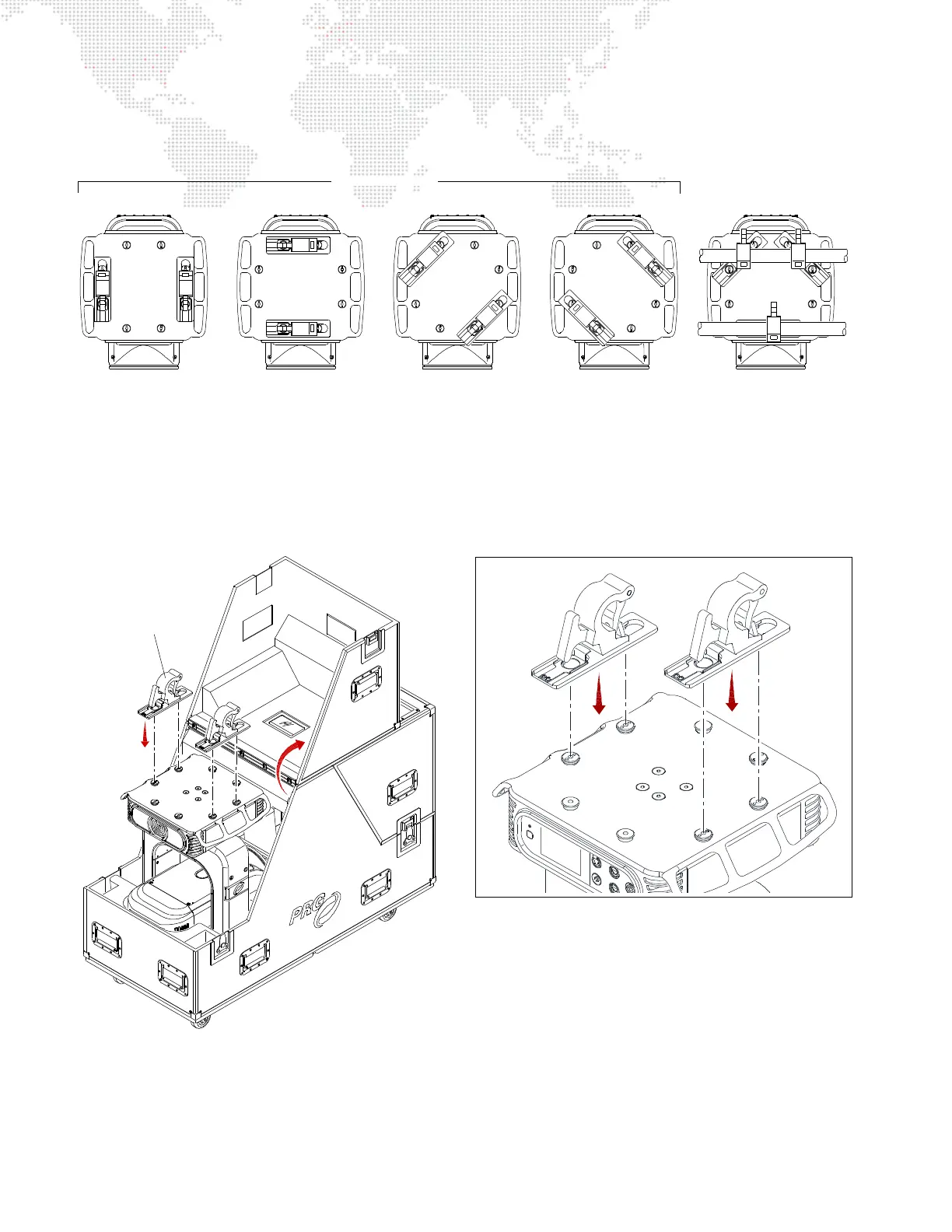
Step 3. Install Hanging Brackets as follows:
a. Choose orientation. Brackets may be attached in one of four positions as shown in Figure 2-3.
Figure 2-3: Hanging Bracket Orientations
b. Orient Hanging Bracket in desired direction over two attachment buttons on bottom of upper enclosure
(Figure 2-4).
c. Place Hanging Bracket down over buttons and slide until bracket locks into place (you will hear a "click"
when bracket is locked).
Figure 2-4: Attaching Hanging Brackets
3-Point Hang *2-Point Hang
* Requires three brackets.
Hanging Bracket (2)
DETAIL



 To Next Page