1. Turn on AP4.9 bit
2. Connect the USB cable on the connector on AP4.9 bit to a free USB port on the PC.
6.2 GUIDED PROCEDURE FOR DRIVER INSTALLATION
WARNING: When connecting a laptop via USB to AP4.9 bit while it is turned on, the laptop has to work with its
own battery and stay disconnected from the mains adapter (external power supply). Once the connection
between the laptop and AP4.9 bit has been established, you can immediately connect the computer, if
necessary, to the mains adapter.
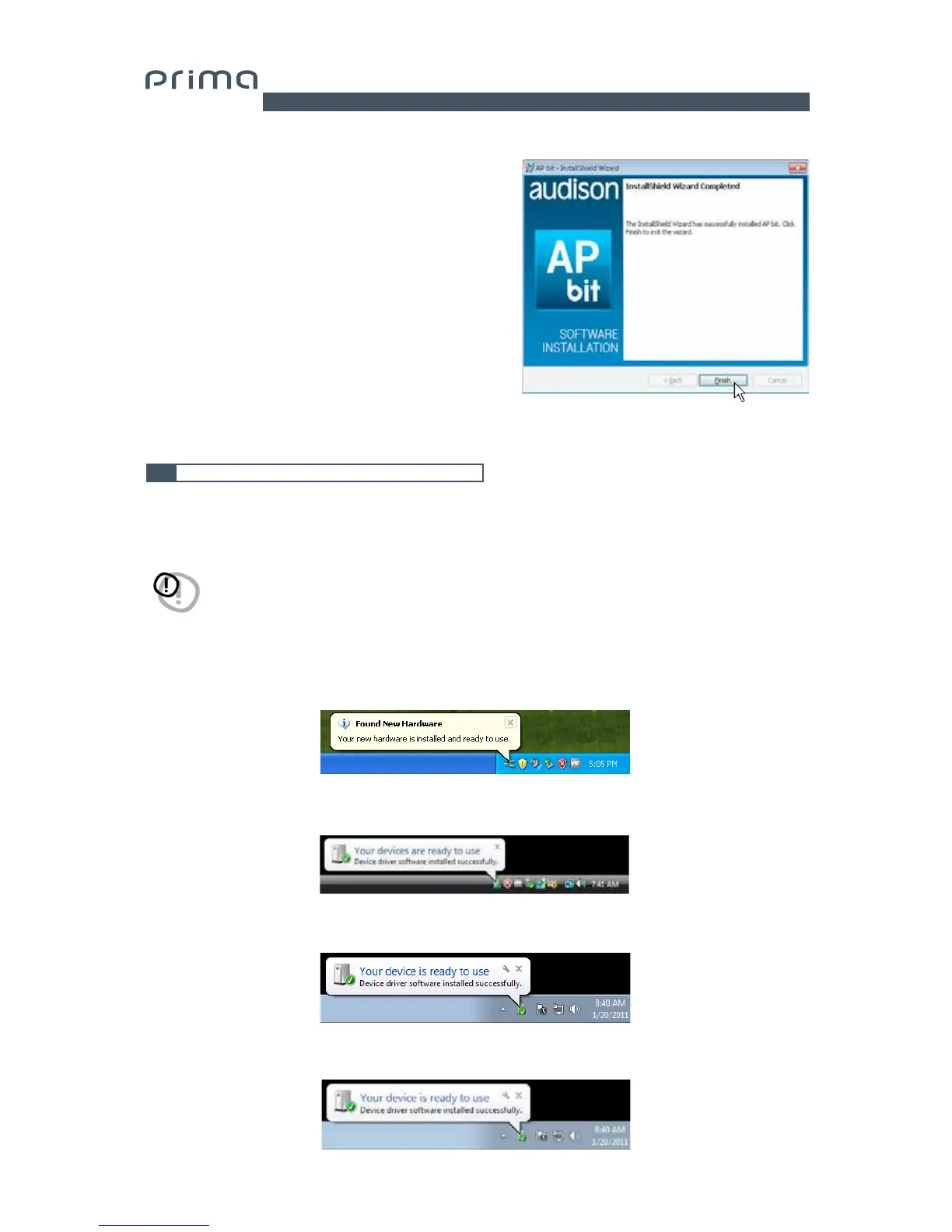
8. Windows XP: follow and complete the installation
procedure and click FINISH at the end of the installation;
Windows Vista: follow and complete the installation
procedure and click FINISH at the end of the installation;
Windows 7: follow and complete the installation
procedure and click FINISH at the end of the installation;
Windows 8: follow and complete the installation
procedure and click FINISH at the end of the installation;
6
3.
Windows XP: the PC will recognize AP4.9 bit interface and installation will start automatically;
Windows Vista: the PC will recognize AP4.9 bit interface and installation will start automatically;
Windows 7: the PC will recognize AP4.9 bit interface and installation will start automatically;
Windows 8: the PC will recognize AP4.9 bit interface and installation will start automatically;


 To Next Page