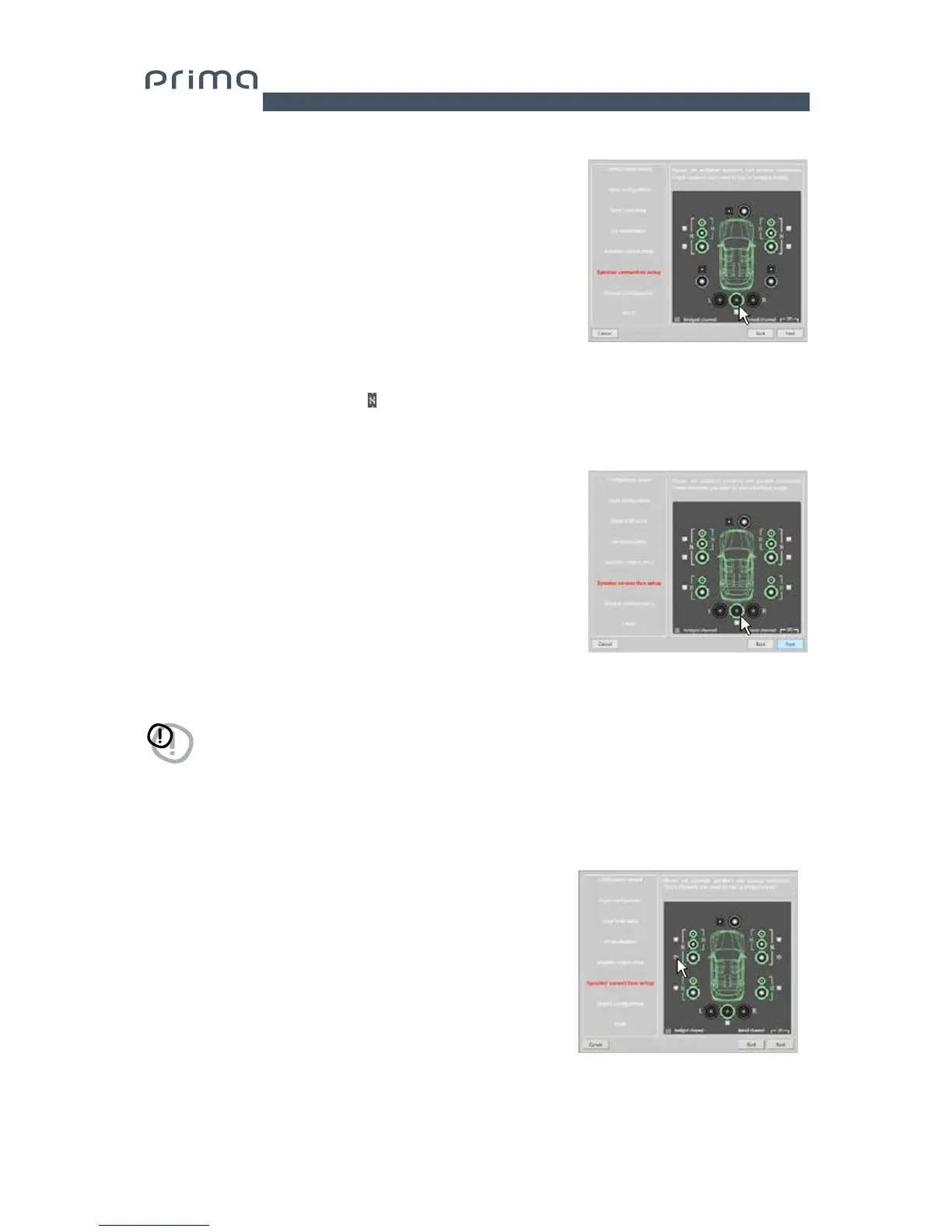
9. Speaker Connection Setup.
The speakers present in the system can be activated
by simply clicking on them.
The software assumes that if the Left tweeter, midrange or
woofer are selected, the Right ones are also activated.
Once the software is started, this choice will affect
the crossover type and frequencies with Default settings.
If passive crossover filters are not used, each speaker
corresponds to an output channel.
If the addition of crossovers and/or speakers exceeds 4 channels
for an AP4.9 bit or 9 channels for an AP4.9 bit + AP4 D + AP1 D, the
software
will not allow you to proceed to the next step. Double-check
the crossover configuration or the speaker setup through the BACK
button.
Select Bridge Mode outputs for groups of speakers.
In order to increase the front driving power, you can set the AP4 D
outputs connected to the AP4.9 bit in BRIDGE mode by selecting
the check box as shown.
Press BACK to return to the previous step.
Press NEXT to continue with the configuration.
Press CANCEL to exit the procedure.
WARNING: One coaxial speaker is considered a as
Tweeter + Woofer + 2 way passive crossover.
Selection of passive crossovers for groups of speakers
The presence of passive crossovers managing functional speaker
groups can be indicated.
E.g.: If the audio system features passive crossovers, the software will
ask you to set them by clicking on
, otherwise press NEXT.
A 2 or 3 way passive crossover occupies a single output channel.
7


 To Next Page