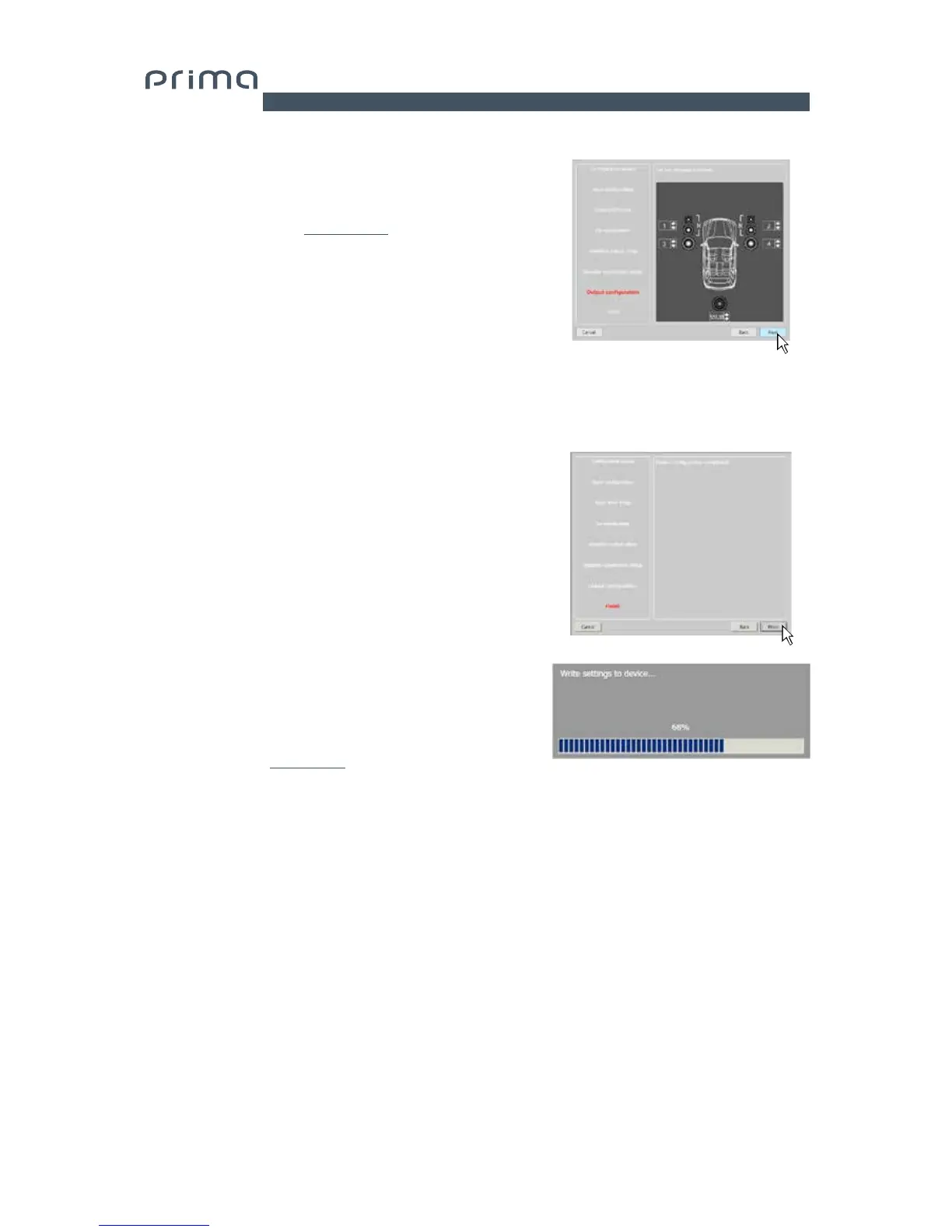
10. Output Configurations.
The AP4.9 bit features 4 output channels. In this specific step
of the procedure, you can assign any signal to one of the output
channels, taking into account, however, the diversity of the
available power outputs
(see section 5.4.1)
Ex.: The 2-way front can be run as:
- Medium to high passive + separately amplified woofer
(4 output channels are needed);
When selecting the output channels, the software will show when
the maximum of 5 is respected, remove prior warning messages
and display the NEXT button.
Press BACK to return to the previous step.
Press NEXT to continue with the configuration.
Press CANCEL to exit the procedure.
11. Finish.
Stop playing the Test track and remove the
setup CD from the source player.
Press BACK to return to the previous step.
Press CANCEL to exit the procedure.
Press FINISH to end the configuration.
12. Software startup
The software transfers to the central processor memory the
settings selected during the guided procedure.
At the end of this operation, an update confirmation will appear.
Press OK.
The product will now have to be finalized to avoid the data saved
during calibration
(see sec. 7.3.5.2).using the function FINALIZE the
device.
7


 To Next Page