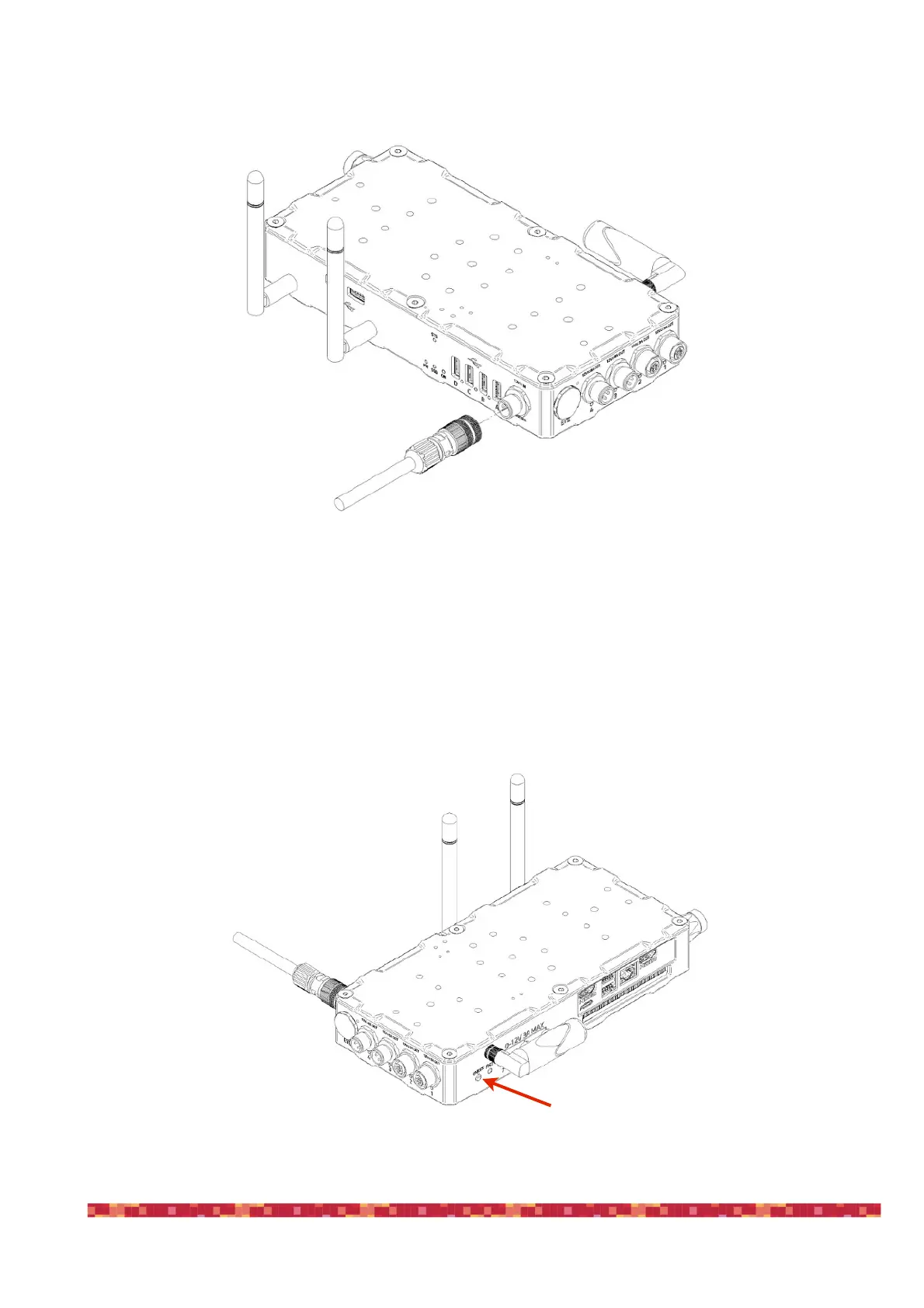
In order to power EAGLE with a 12V battery equipped with a cigarette lighter socket, use the 12V cable with cigarette
lighter socket that you find in the EAGLE package. Insert the power cable (image 2) into the appropriate socket (1 - 12V
power input), you will hear a beep sound and the PW LED light will turn on. If you want to power EAGLE from the
110/220V wall plug, replace the power cable with the optional 12.8V power supply. Then press the power button (7). The
ON LED will light up and the SSD LED will start blinking, this means Windows is booting.


 To Next Page