Now wait about one minute and you will hear a second beep sound. This indicates
that the EAGLE’s WiFI connection is ready. On the side of the EAGLE case you will
see the STS LED light turn green, this means that Windows has booted correctly.
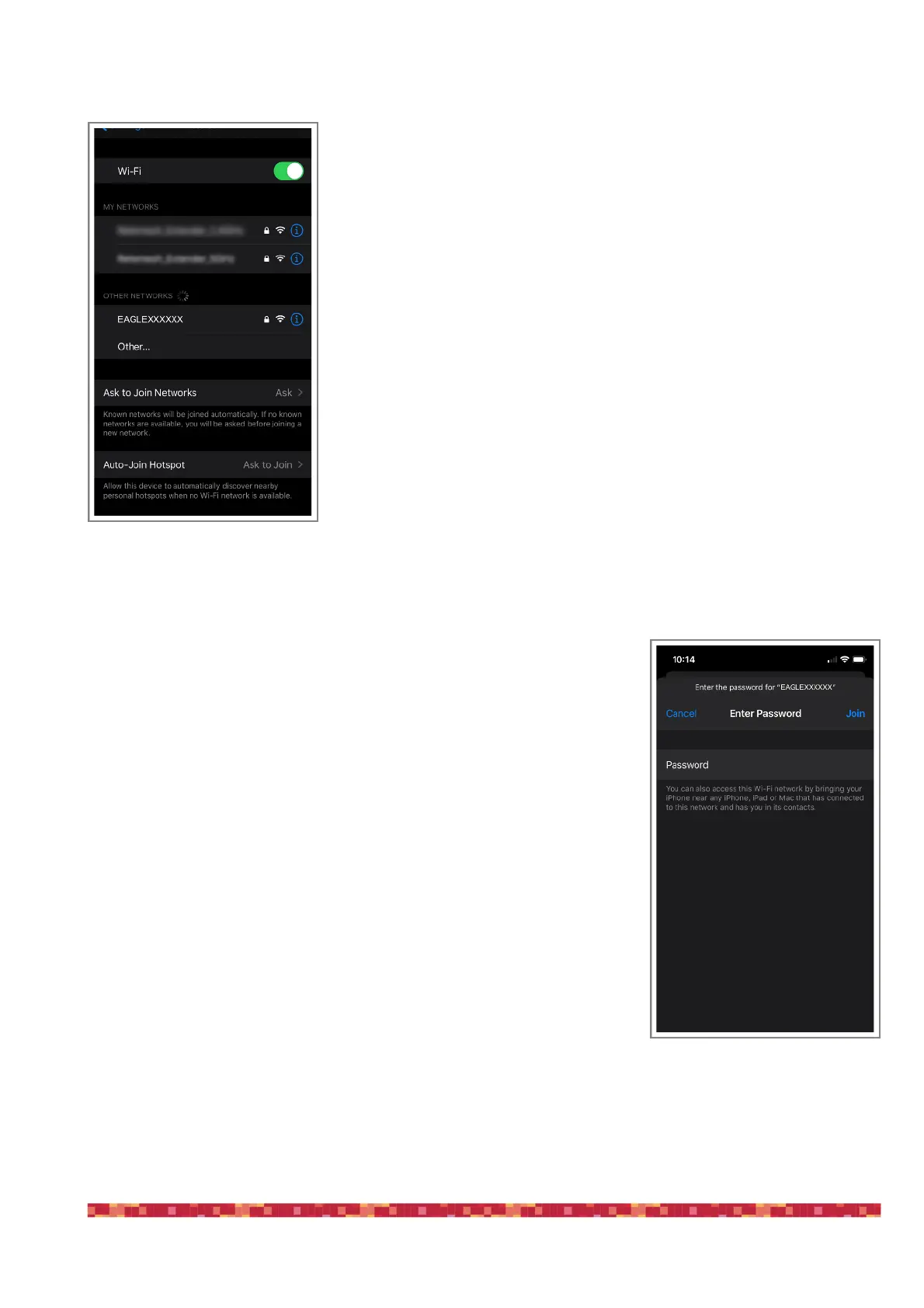
Turn on your WiFi device you choose to control EAGLE. The network name is EA-
GLEXXXXXX (where the XXXXXX is the serial number of your EAGLE as written also
is also on the EAGLE’s case).
Look at the list of WiFi networks shown on your device (identification mode of wire-
less networks depends on the control device you use, so if you do not know how to
search for WiFi networks, please read the manual of your device) and select the
network created by EAGLE (picture 4).
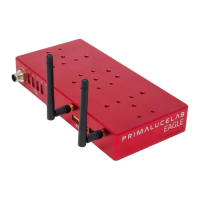
A window will appear where you will be asked to enter the password of your net-
work (image 5). The password is primalucelab. Using the keyboard (virtual or physi-
cal) of your device, enter the password paying attention to appropriate upper or
lower case. Then press the CONNECT.
(Note: Each EAGLE has a different Windows login password known only to you; the
password is shown on the EAGLE quick guide that you find in the box. This way it
is safe to use your EAGLE at a star party where other EAGLE users might be pre-
sent).


 To Next Page