540876_A_PUB_DATE_1_FEB_2012.DOC PROGRAMOVACÍ MANUÁL 37
PROGRAMMING
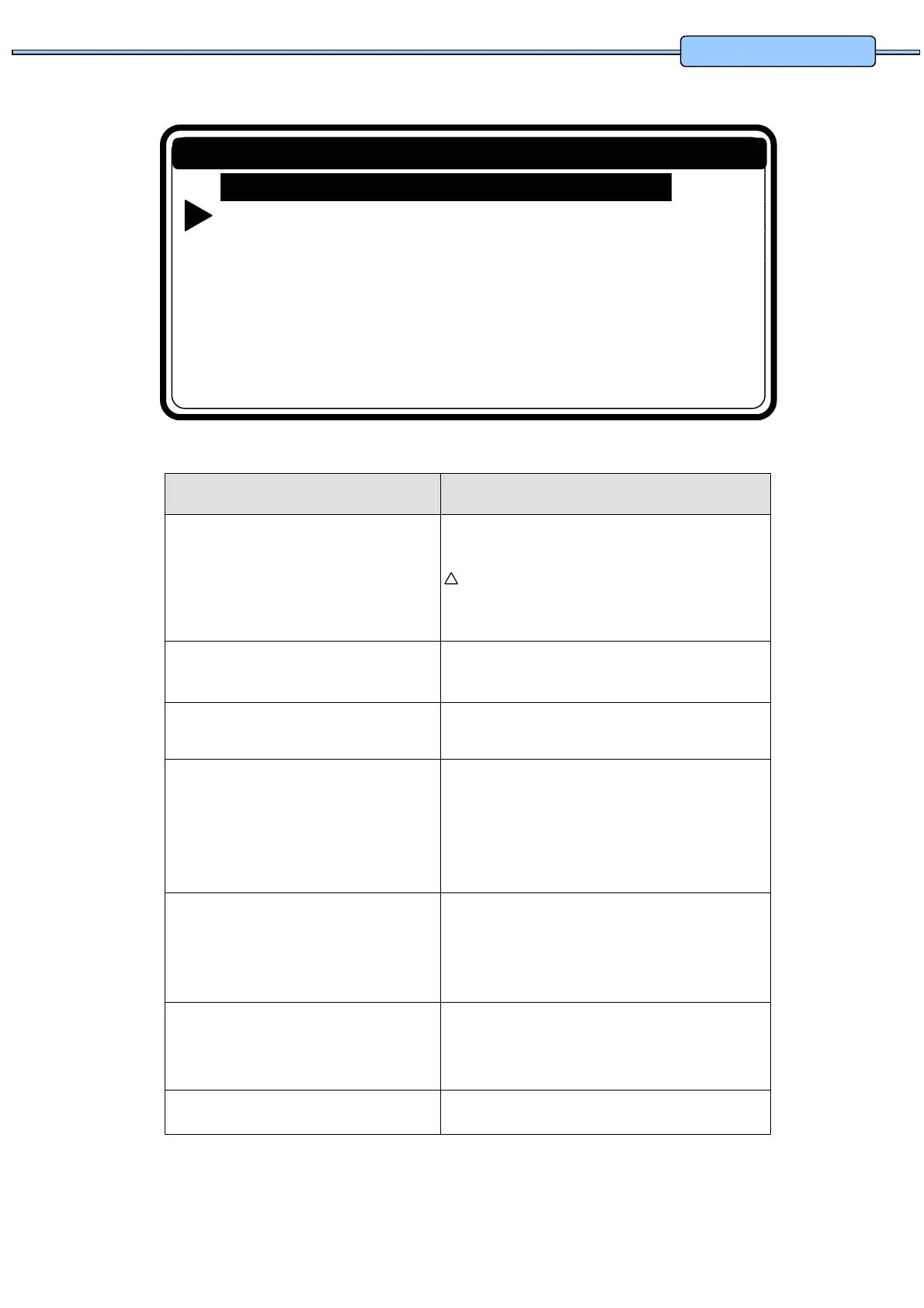
Prog. 1: HOT INTENS
Select Step N: 1
Add …
Edit ...
Insert …
View …
Delete …
Exit
Edit Step Menu
5.4. STEP : PROGRAM STEP FUNCTION
Menu Item Info
Select Step N°: 1 Insert the desired step number.
Step 1 to 99 can be selected.
Attention!
If the number is not accepted, this means that the step is not
available.
No Step number must be selected for „Add Step“ function.
Add Step To create new programs, a new extra step should be
added at the end of the program.
Edit Step To change values and list elements from an existing
step.
Insert Step A new step is inserted in between two existing steps.
If the number is not accepted, this means there is no
step with a step number = inserted number - 1
available. A new step can only be inserted between
two available steps.
View Step Before making changes in a wash program, it's
recommended to have a look at the actual settings by
the view function. No changes can be made at the
View Step function.
Delete Step An existing Step in the program disappears when it's
deleted. A confirmation is asked first before deleting
the Old Step.
Exit Return to Program Menu
!


 To Next Page