Chapter 4 Windows Host Configuration
102
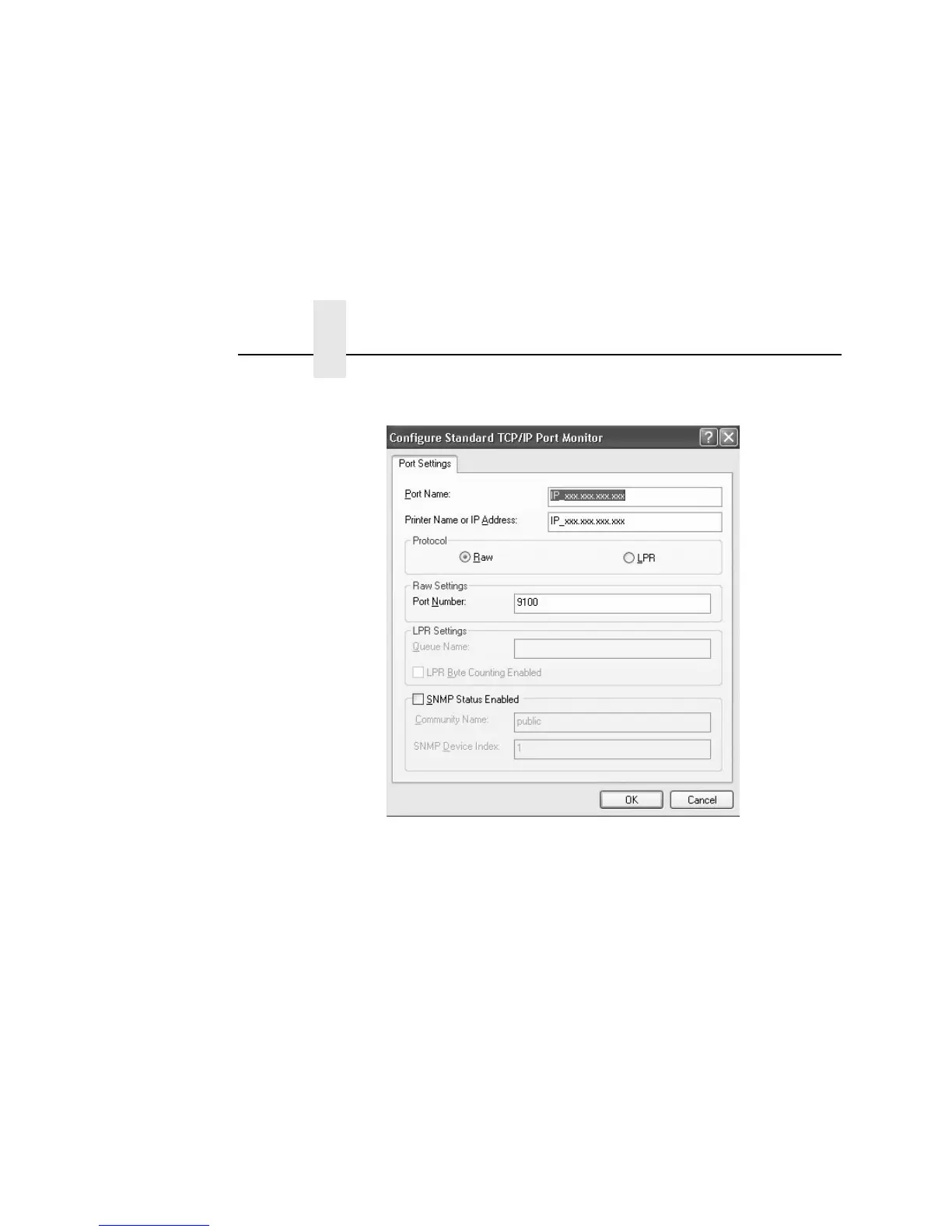
13. Complete the Port Settings tab as desired:
• Raw. (The default.) Make sure “Raw” is selected in the
“Protocol” field. Leave the setting at 9100 (the default) in
the “Raw Settings Port Number” field.
• LPR. To select the LPR setting, click LPR in the “Protocol”
field. In lowercase characters, type the desired queue
name of d1prn through d8prn in the “LPR Settings Queue
Name” field.
• SNMP Status Enabled. Check the SNMP Status Enabled
box if you want the status returned using SNMP. You must
also enter the appropriate information in the “Community
Name” and “SNMP Device Index” fields.
Upon completion, click OK. The Configure Standard TCP/IP
Port Monitor window closes and the Add Standard TCP/IP
Printer Port Wizard window reappears.



 To Next Page