Procedure
53
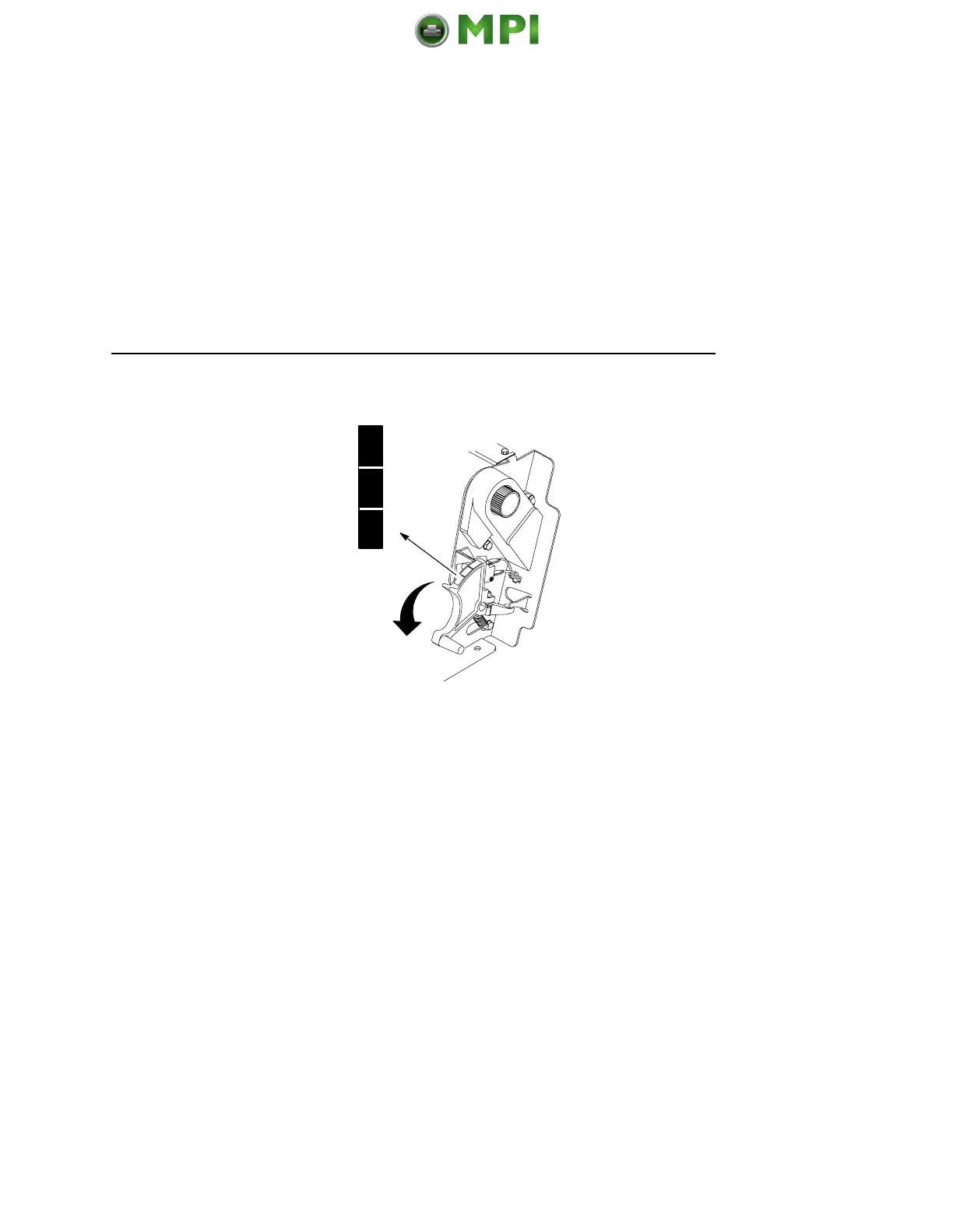
7. Lower the forms thickness lever. Set it to match the paper
thickness. (The A-B-C scale corresponds approximately to 1-,
3-, and 6-part paper thickness.)
NOTE: Do not set the forms thickness lever too tightly; excessive
friction can cause paper jams, ribbon jams with potential for
ribbon damage, smeared ink, or wavy print.
8. Press CLEAR to remove any fault messages (such as “LOAD
PAPER”) from the message display.
9.
Press SET TOF. The top-of-form position you have set moves
down to the print position.
10. Press ON LINE to place the printer in online mode.
A
B
C
Mantenimiento Periféricos Informáticos SL C/Canteras, 15 28860 Paracuellos de Jarama Tel: 00 34 917481604 WEB: https://mpi.com.es












 To Next Page