1.39
Operation Manual
© 2013 Prism Media Products Ltd
Revision 1.00Prism Sound Lyra
mixer associated with any other output pair. Each stereo mixer can mix any of Lyra's analogue,
digital and ADAT/SMUX inputs to the output pair, along with the DAW feed, as described in the
following section. Above these output mode drop-lists are a row of dedicated radio buttons which
cause the headphone output to be routed from the mixer associated with that output pair directly.
All outputs have high-resolution peak metering, with overload indication 0.05dB below clipping.
6.1.4 Mixer tabs
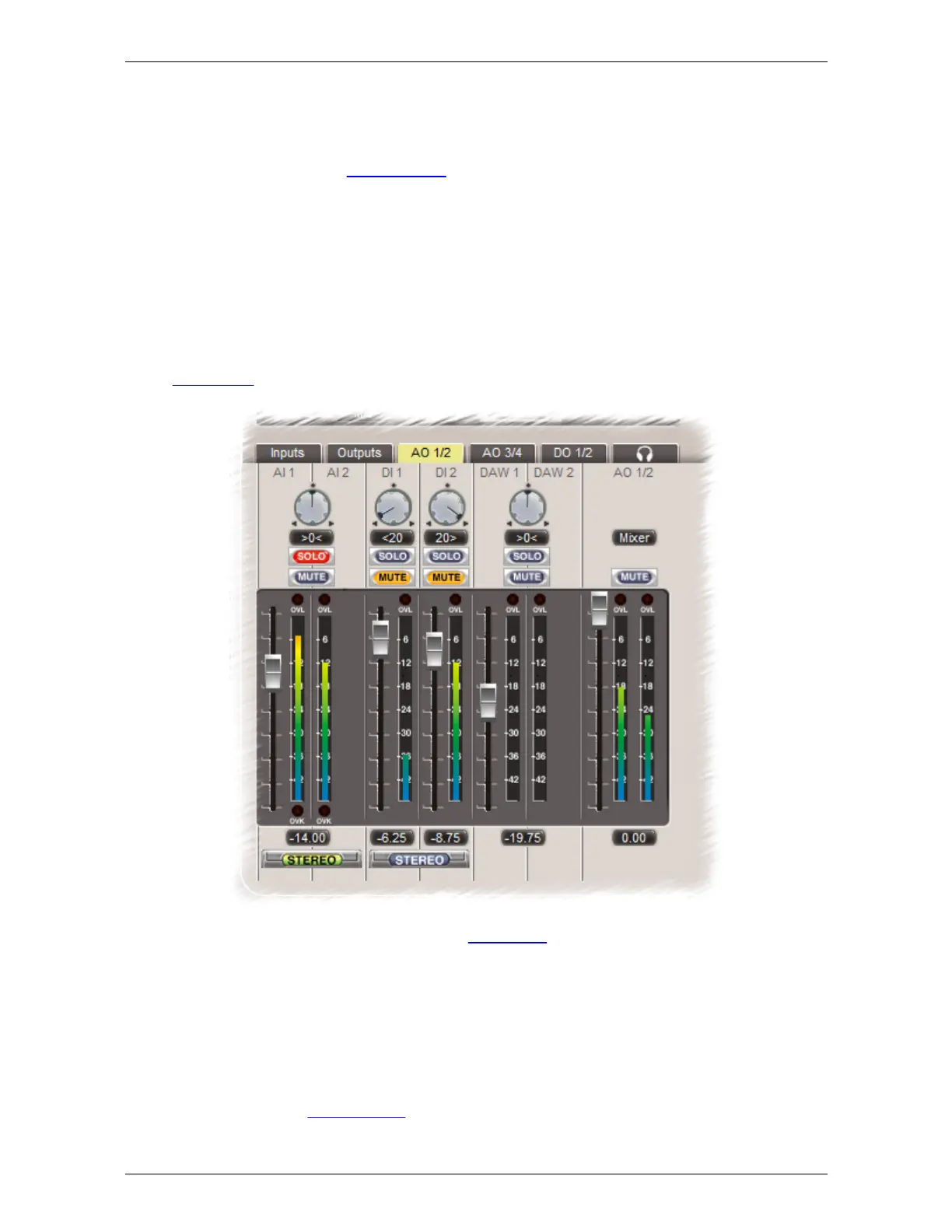
The Mixer tabs control the low-latency foldback mixers which are available for every output pair,
including the analogue, digital, headphone and ADAT/SMUX outputs. Note that the ADAT/SMUX
mixer tabs only appear for ADAT/SMUX channel pairs which exist in the current ADAT mode.
Although the mixer tabs are always available for every output pair, it should be noted that the mixers
may be 'defeated' for each output by setting that output to follow its dedicated DAW feed, or by
setting it to be routed from the output of another mixer. This is under the control of drop-list controls
on the Outputs tab, which are duplicated in the output strip of each respective mixer.
Each input channel has a fader, a high-resolution peak meter, with overload indication 0.05dB below
clipping, plus mute and solo buttons and a pan-pot. By engaging the 'Stereo' button beneath an
input pair, the pair is controlled by a single stereo fader, mute button and solo button, and the
pan-pots are replaced by a single balance control. The DAW contribution and output strip are always
in stereo mode.
Note that if the mixer tab is not active (because the output pair is in 'DAW' mode or is routed from the
output of another mixer), the mixer controls are still available but the output mode control in the
output strip is highlighted in red.
For more information, see Output mixers in the hardware section.


 To Next Page