PS5000 Series (Slim Panel Type Atom Model) User Manual
19
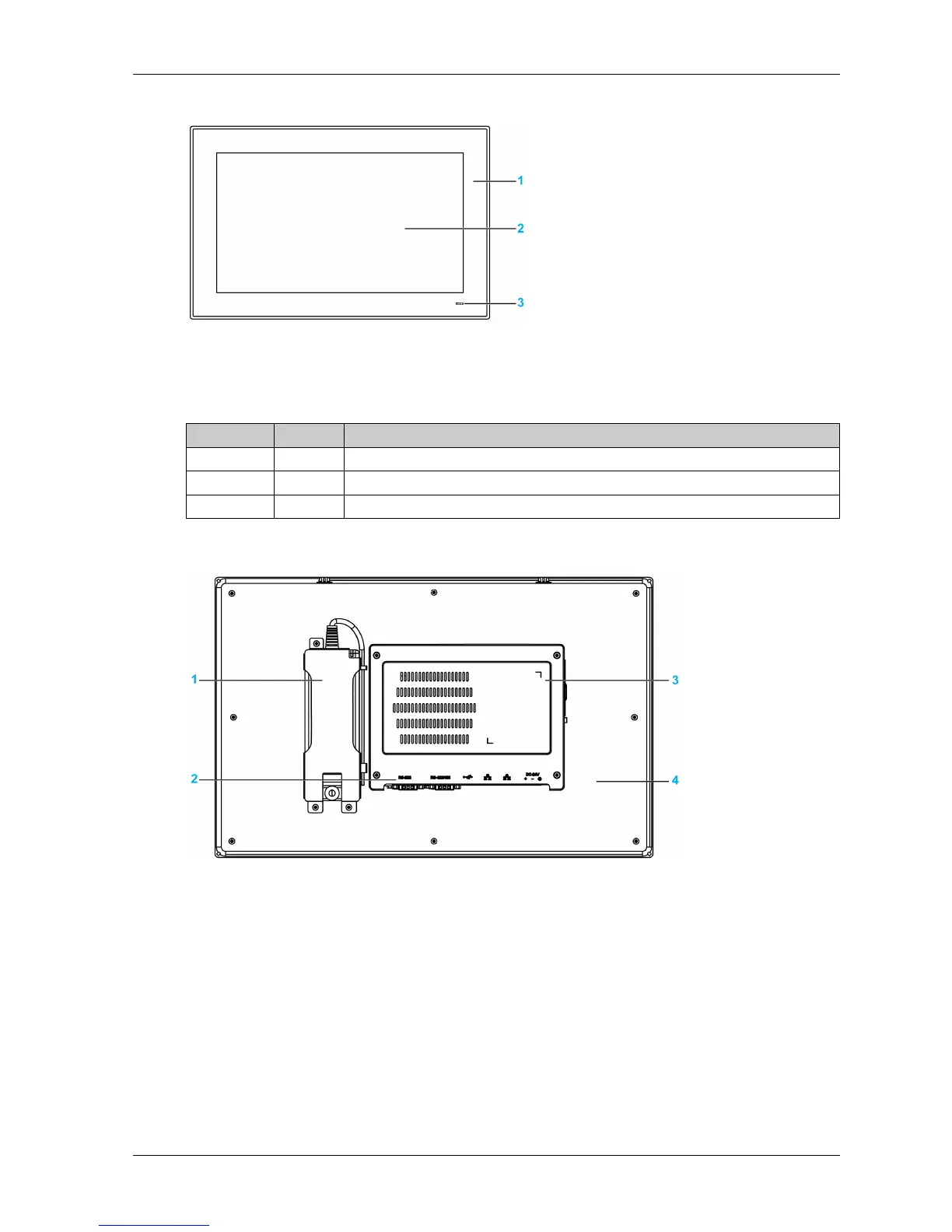
Slim Panel W15” Multi-touch Front View
1 Panel
2 Multi-touch panel
3 Status indicator
The table describes the meaning of the status indicator:
Slim Panel W15” Multi-touch Rear View
1 Optional AC power supply
2 Slim Panel interface
3 Cover for access mini PCIe card and HDD/SSD drive
4 Panel
NOTE: The cooling method is passive heat sink.
Color State Meaning
Blue On Slim Panel is OK.
Orange On Stand by.
No light Off Slim Panel is off.



 To Next Page