Dimensions / Installation
34
Installation of the Slim Panel
The installation gasket and the installation fasteners are required for the easy installation of the
Slim Panel. The panel mounting process of the easy installation can be completed by one person.
NOTE: For easy installation of the Slim Panel, the suggested mounting panel thickness can be up
to 2 mm (0.079 in).
Follow these steps for the easy installation of the Slim Panel:
Step Action
1 Check that the gasket is correctly attached to the Slim Panel.
NOTE: When checking the gasket, avoid contact with the sharp edges of the Slim Panel frame,
and insert the gasket completely into its groove.
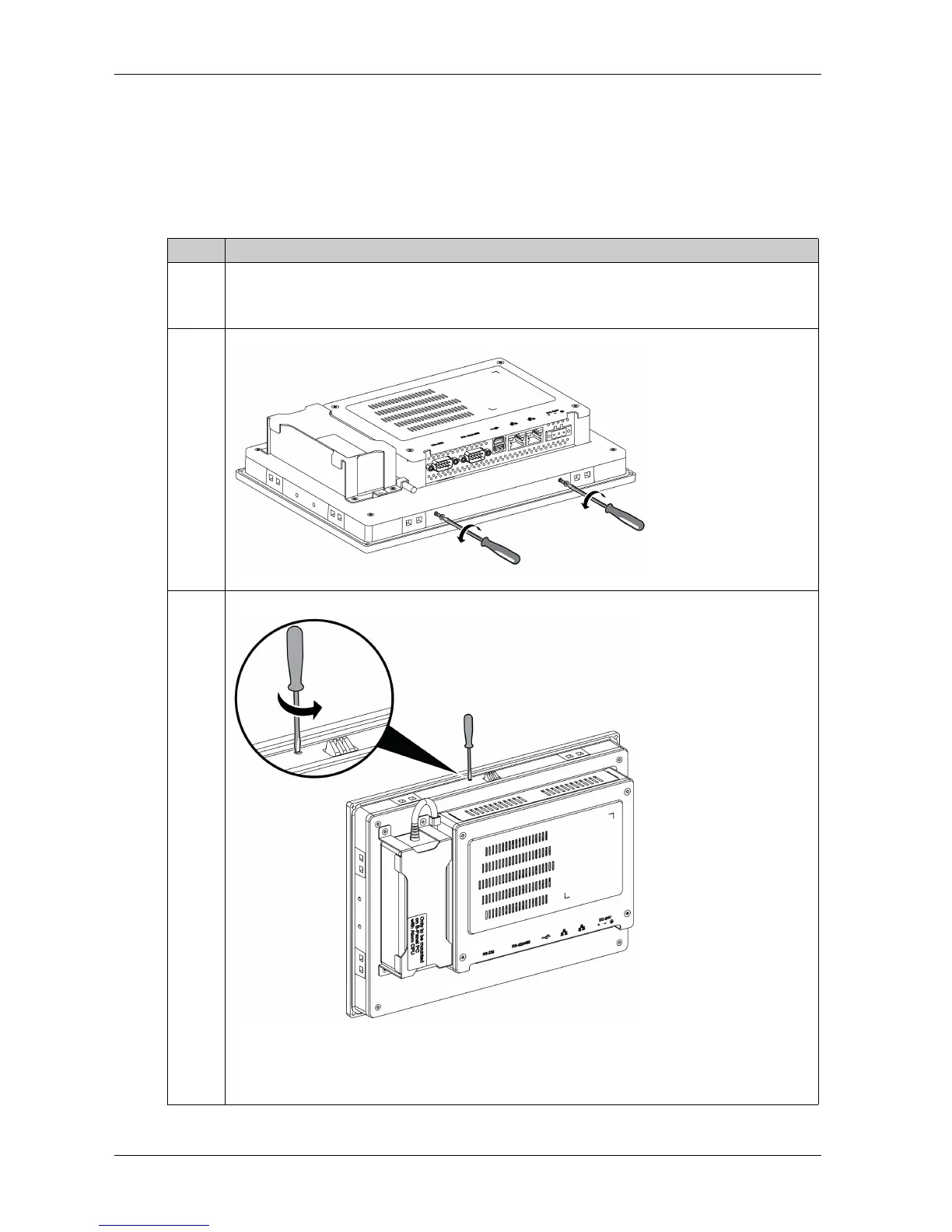
2 Release the 2 screws at the bottom of the Slim Panel:
3 Loosen the 2 cross-slotted screws from the top of the Slim Panel to raise the snap hook:
Note:
1 snap hook for the W10” Multi-touch
2 snap hook for the W15” Multi-touch



 To Next Page