PS5000 Series (Slim Panel Type Atom Model) User Manual
43
NOTE: Use the AC power supply for connecting the Slim Panel.
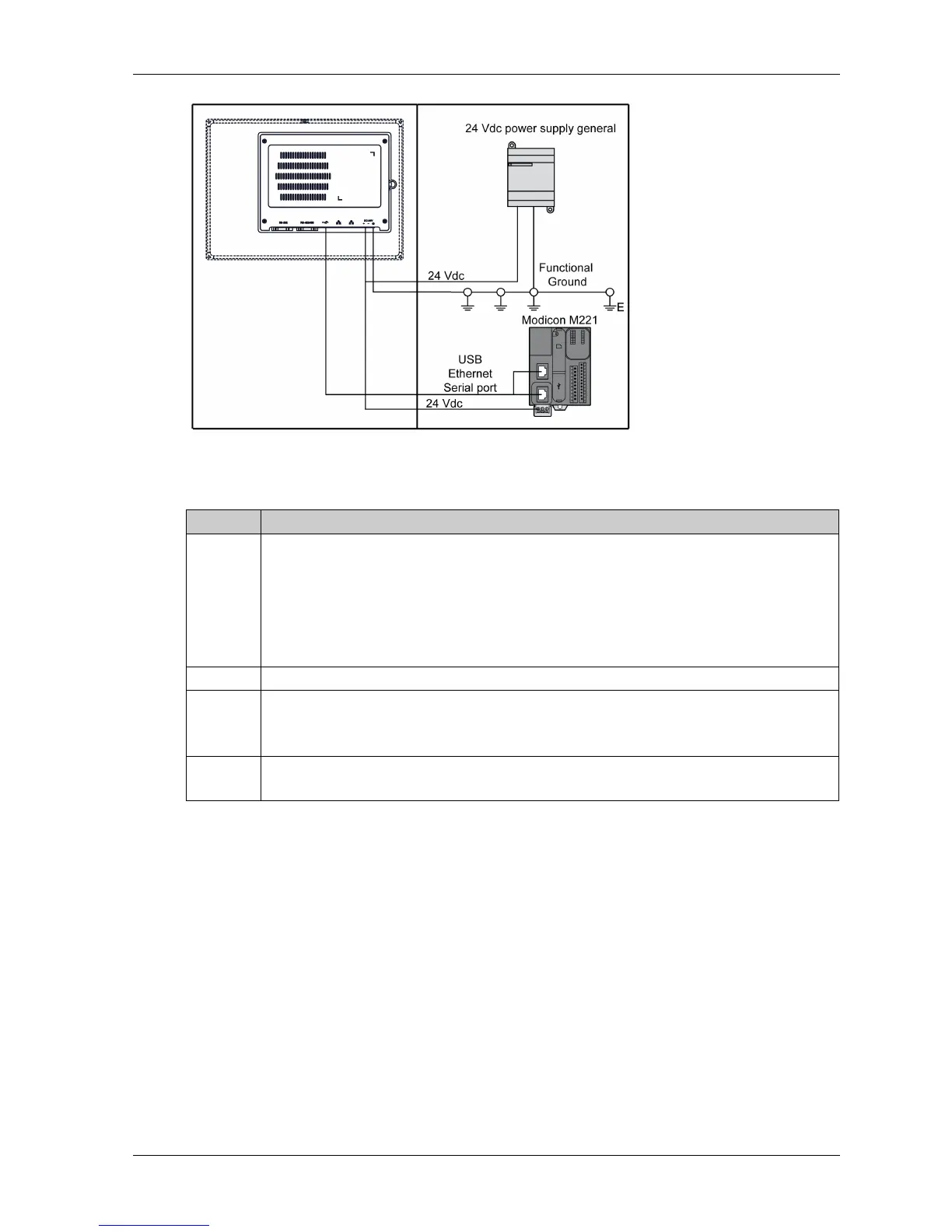
When grounding, follow this procedure:
Step Action
1 Ensure all of the following is done for the system wiring:
Connect the cabinet to ground.
Ensure that all cabinets are grounded together.
Connect the ground of the power supply to the cabinet.
Connect the ground pin of the Slim Panel to the cabinet.
Connect the I/O to the controller if needed.
Connect the power supply to the Slim Panel.
2 Check that the grounding resistance is 100 Ω or less.
3 When connecting the SG line to another device, ensure that the design of the system/connection
does not produce a ground loop.
NOTE: The SG and ground connection screw are connected internally in the Slim Panel.
4
Use 2.5 mm
2
(AWG 14) wire to make the ground connection. Create the connection point as
close to the Slim Panel as possible and make the wire as short as possible.



 To Next Page