PS5000 Series (Slim Panel Type Atom Model) User Manual
49
Wiring and Connecting the Terminal Block
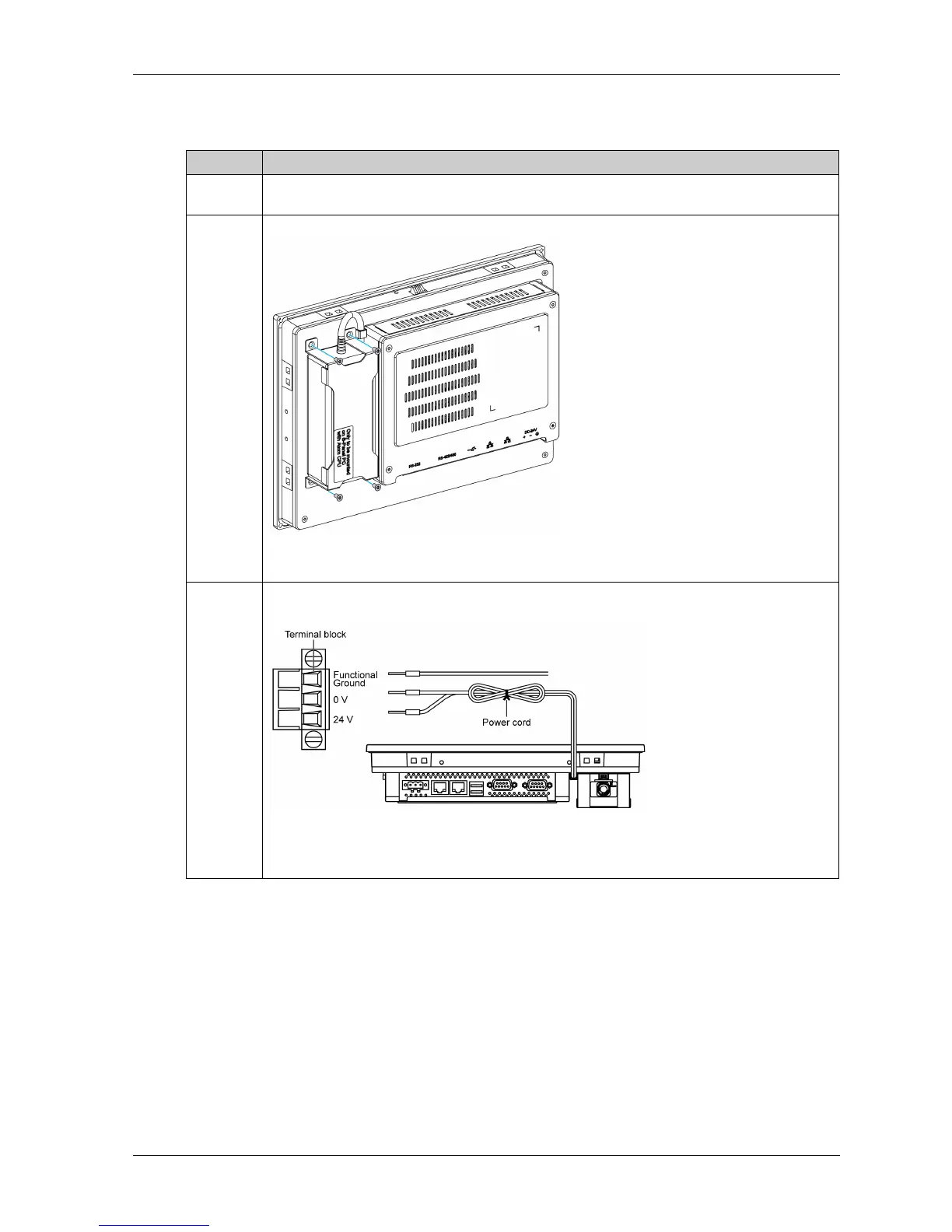
The table provides how to connect the AC power supply module:
Step Action
1 Remove all power from the Slim Panel and confirm that the power adapter is disconnected from
its power source.
2 The AC power supply module is mounted to the Slim Panel with 4 screws:
NOTE: The recommended torque to tighten these screws is 0.5 Nm (4.5 lb-in).
3 Remove the terminal block from the power connector and connect the power cord to the terminal
block:
Connect the black wire with the 0 V and the red wire with the 24 V of the terminal block. Use
2.5 mm
2
copper wire to make the ground connection of the terminal block.



 To Next Page