Hardware Modifications
76
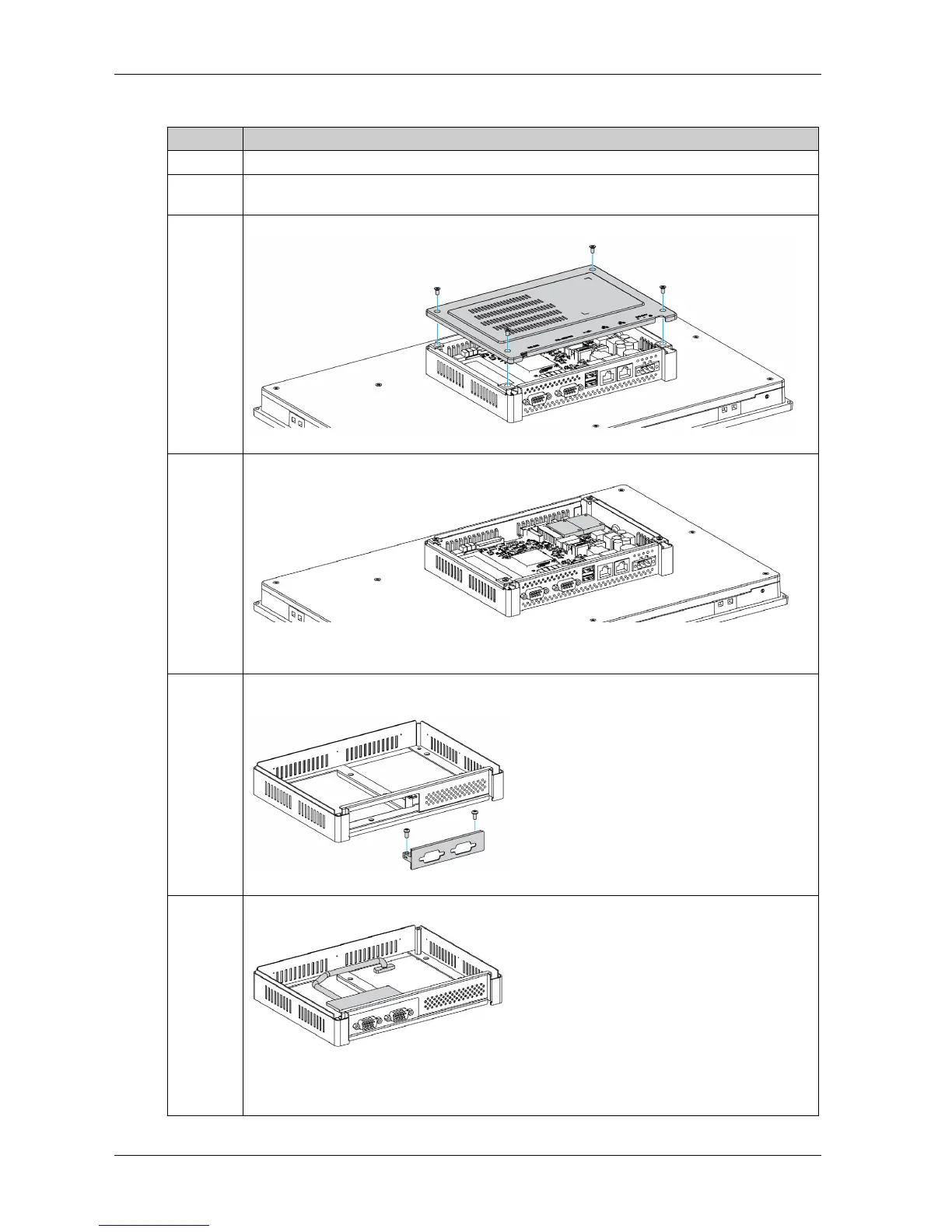
The table describes how to install an interface module:
Step Action
1 Disconnect the power cord to the Slim Panel.
2 Touch the housing or ground connection (not the power supply) to discharge any electrostatic
charge from your body.
3 Remove the four screws of the rear cover:
4 Install the mini PCIe card onto the board:
NOTE: The recommended torque to tighten these screws is 0.5 Nm (4.5 lb-in).
5 Take out the extension kit (PFXZPSADSSD2), and remove the optional interface cover bracket.
Install the interface module onto the kit, using fasten screws on both sides of the module:
6 Connect the cable to the mini PCIe card that is on the motherboard:
NOTE: When using a mini PCIe card with an external cable attached, use a clamp or a similar
device to secure the cable.



 To Next Page