All Info Copyright © Pro Spot International Inc.
4 - Operation
Page 14
i5
4.2.3 i5 Touch Screen Control
2-Sided Welding (Manual Mode)
Custom Weld Programs:
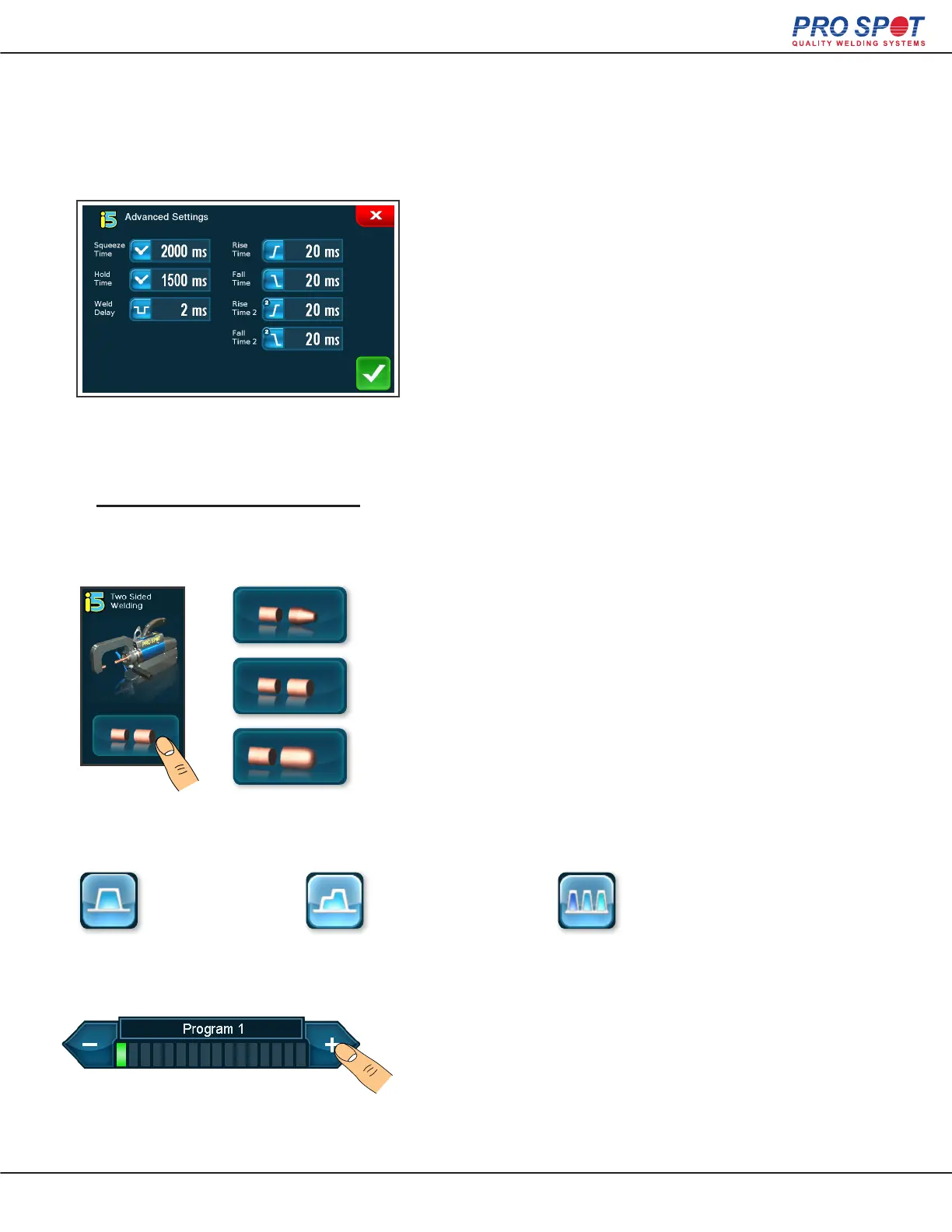
The advanced settings screen (which is accessed with
the settings button from the Main Manual Mode screen)
allows the user to make a custom weld program. Once
the changes are accepted they will be reected by the
weld settings display on the main Manual Mode screen.
Select one of the 3 weld types in the Main Manual Mode Screen.
A single weld.
Single Weld
Two consecutive
current pulses.
Double Weld
3-9 consecutive
current pulses.
Pulse Weld
Creating a Custom Weld
1. Select the Weld Type and Cap
Press the weld cap selection button on the main Manual
Mode screen, then select the apropriate weld cap.
PS-025
Weld Cap
PS-026
Flat 1/2” Cap
PS-027
OEM Cap
Continued on next page >
Then select a weld program to over-write.
27



 To Next Page