EasyManua.ls Logo

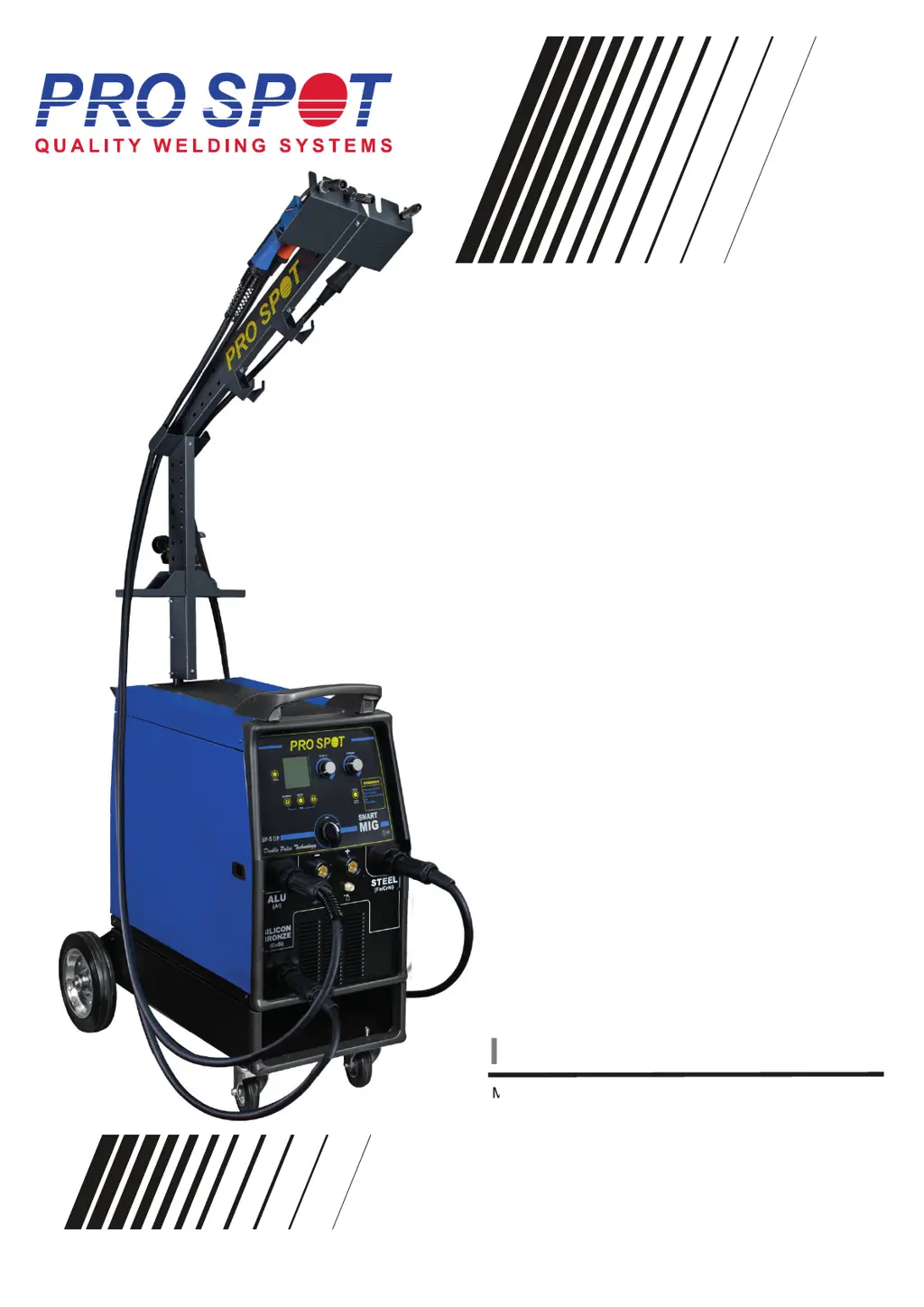
Pro Spot SP-5 DP - User Manual

Pro Spot SP-5 DP
24 pages
Print Icon
To Next Page IconTo Next Page
Loading...
All Info Copyright © Pro Spot International Inc. 2 0 1
Instruction M anual
 PS S
D PS
 D
SP-5 DP
MNL-SP-5 -Rev.A
Instruction M anual
MNL-SP-5

Questions and Answers

  • R
    Randy BradySep 4, 2025
    How to fix poor quality welds with Pro Spot Welding System?
    • C
      Cheyenne BrooksSep 4, 2025
      Poor quality welds with your Pro Spot Welding System can be caused by: * A clogged nozzle. Clean or replace the nozzle. * Holding the torch too far from the workpiece. Hold the torch at the right distance. * Insufficient gas at the weld area. Check that the gas is not being blown away by drafts and if so move to more sheltered weld area. If not check gas cylinder contents gauge, regulator setting and operation of gas valve. * A rusty, painted, damp, oily, or greasy workpiece. Ensure the workpiece is clean and dry. * Rusty or dirty wire. Ensure the wire is clean and dry. * Poor ground contact. Check the ground clamp/workpiece connection. * Incorrect gas / wire combination. Check on the manual for the correct combination.
  • Y
    yvettekirkSep 2, 2025
    Why does my Pro Spot Welding System machine power OFF?
    • N
      nhernandezSep 2, 2025
      Your Pro Spot Welding System might be powering off due to overvoltage. Check the mains voltage and/or set the power unit adequately. Turn the machine OFF and ON again.
  • J
    James StarkAug 31, 2025
    Why does the wire keep burning back to the contact tip on my Pro Spot SP-5 DP Welding System?
    • D
      Danny WilliamsonAug 31, 2025
      The wire burning back to the contact tip on your Pro Spot Welding System could be due to: * A clogged or damaged contact tip. Replace the contact tip. * A wire feed speed that is too slow. Increase the wire speed. * A wrong size contact tip. Use the correct size contact tip.
  • D
    daniel03Aug 29, 2025
    What to do if my Pro Spot SP-5 DP workpiece clamp and/or cable gets hot?
    • S
      Shannon BrooksAug 29, 2025
      If the workpiece clamp and/or cable of your Pro Spot Welding System gets hot, it is likely due to a bad connection from cable to clamp. Tighten the connection or replace the cable.
  • S
    Susan WallaceAug 28, 2025
    What to do if my Pro Spot SP-5 DP Welding System is showing the alarm screen with no message?
    • K
      Kevin CooperAug 28, 2025
      If your Pro Spot Welding System is showing the alarm screen but there is no message, it could be due to: * A faulty torch or torch trigger. Replace the torch trigger or the torch. * A wrong earth connection. Check the earth connection and the correct polarity of the clamp. * A faulty or improperly connected Interconnecting Hosepack. Check the Interconnecting Hosepack.
  • G
    garciayvonneAug 25, 2025
    What to do if my Pro Spot SP-5 DP Welding System is showing the alarm screen with message “Check Cables”?
    • M
      Molly AguirreAug 25, 2025
      If your Pro Spot Welding System is showing the alarm screen with the message “Check Cables”, it indicates that the positive (+) and negative (-) terminals are in short circuit. Check for the correct connection of positive (+) and negative terminal (-).
  • S
    Sheila SimpsonAug 22, 2025
    What to do if my Pro Spot Welding System is showing the alarm screen with message “Max Iout”?
    • O
      omargatesAug 23, 2025
      If your Pro Spot Welding System displays the alarm screen with the message “Max Iout”, it means the output current has exceeded the safety limit. Adjust the operator point parameters and reset the power unit.

Summary

About Pro Spot

Pro Spot Training and Services

Details Pro Spot's distributor training and customer support services.

Contact Information

Provides Pro Spot's official contact details including address, phone, fax, and email.

SAFETY INFORMATION

Personal Protection

Guidelines on protective clothing, eyewear, and ventilation to prevent injury.

Fire Prevention

Safety measures to prevent fire and explosion hazards during welding.

Electric Shock Hazards

Warnings and precautions against electrical shock during operation and maintenance.

NOISE EXPOSURE

Noise Control

Information on preventing hearing loss from welding noise.

ELECTROMAGNETIC COMPATIBILITY

EMC Guidelines

Guidelines for ensuring proper operation in environments with electronic devices.

PROTECTIVE WELDING GASES

Gas Cylinder Safety

Safe handling and usage of shielding gas cylinders.

INTRODUCTION

Main Features Overview

Overview of the welder's capabilities and inverter technology benefits.

INSTALLATION

Location Guidelines

Recommended placement for the welder to ensure safety and optimal operation.

Power Requirements

Details on voltage, amperage, and electrical connection for the welder.

General Safety Instructions

Essential safety precautions before connecting and operating the power source.

PREPARATION FOR WELDING

Connections

Instructions for connecting the earth cable and torch to the welder.

Wire Loading Procedure

Step-by-step guide for loading welding wire into the machine.

GAS CYLINDER AND REGULATOR CONNECTION

Gas Cylinder Setup

Procedure for connecting gas cylinders and regulators safely.

REPLACE WIRE LINER

Wire Liner Replacement Guide

Guide for replacing the wire liner for different torch types.

ALUMINUM WELDING SETUP

Aluminum Welding Settings

Specific settings and considerations for welding aluminum materials.

UNIT CONTROLS

Front View Control Interface

Detailed explanation of the front panel connectors and controls.

INITIAL SETUP MENU

Basic Setup Options

Configuration settings for VRD, initial speed, water cooling, units, language, and contrast.

SPECIAL SETUP OPTIONS

Advanced Setup

Advanced settings for Gas Lift, Arc Start, Drop Cut, Arc Feeling, Left/Right View.

SYSTEM INFORMATION

System Log and Info

Accessing system log and detailed system information, including PCB versions.

MIG WELDING

Torch Selection & Basic Setup

Selecting the torch and initial parameters for MIG welding.

MIG Manual Mode

Setup and parameters for MIG Manual (MAN) welding process.

MIG Synergic Mode

MIG Synergic Setup

Setup and parameters for MIG Synergic (SYN) welding process.

Wire Pulse Functionality

Wire Pulse Setup

Configuration and parameters for wire pulse welding.

Double Pulse Feature

Double Pulse Description

Description and setup for the double pulse welding feature.

MIG Pulse Welding

MIG Pulse Setup

Detailed setup and parameters for MIG pulse welding.

Double Pulse Setup View

Double Pulse Parameters

Detailed view of the setup parameters for the double pulse feature.

MMA WELDING

MMA Process Setup

Instructions for connecting electrodes and setting parameters for MMA welding.

TIG WELDING

TIG Process Setup

Instructions for connecting the torch and setting parameters for TIG welding.

TIG 2-Stroke Mode

TIG 2-Stroke Operation

Description of the 2-stroke welding mode for TIG.

TIG 4-Stroke Mode

TIG 4-Stroke Operation

Description of the 4-stroke welding mode for TIG.

SAVE & RECALL

Save;Recall for MMA;TIG

Procedure for saving and recalling MMA and TIG welding parameters.

Save;Recall for MIG MAG

Procedure for saving and recalling MIG/MAG welding parameters.

SOFTWARE UPDATE

USB Update Procedure

Steps to update the welder's software using a USB drive.

PROTECTION GASES GUIDE

Gas Selection Guide

Table and notes on suitable protection gases for different welding applications.

WELDING HINTS AND MAINTENANCE

Welding Tips and Maintenance

Practical advice for welding and routine maintenance of the equipment.

FAULTS LIST AND TROUBLESHOOTING

List of Common Errors

Table of common problems, their causes, and solutions.

GENERAL TROUBLESHOOTING

Troubleshooting Chart

Troubleshooting chart for common welder issues like no output or feed problems.

Pro Spot SP-5 DP Specifications

General IconGeneral
BrandPro Spot
ModelSP-5 DP
CategoryWelding System
LanguageEnglish

Related product manuals