EasyManua.ls Logo

Probewell MT-1/WT3 - User Manual

Probewell MT-1/WT3
84 pages
Print Icon
To Next Page IconTo Next Page
Loading...
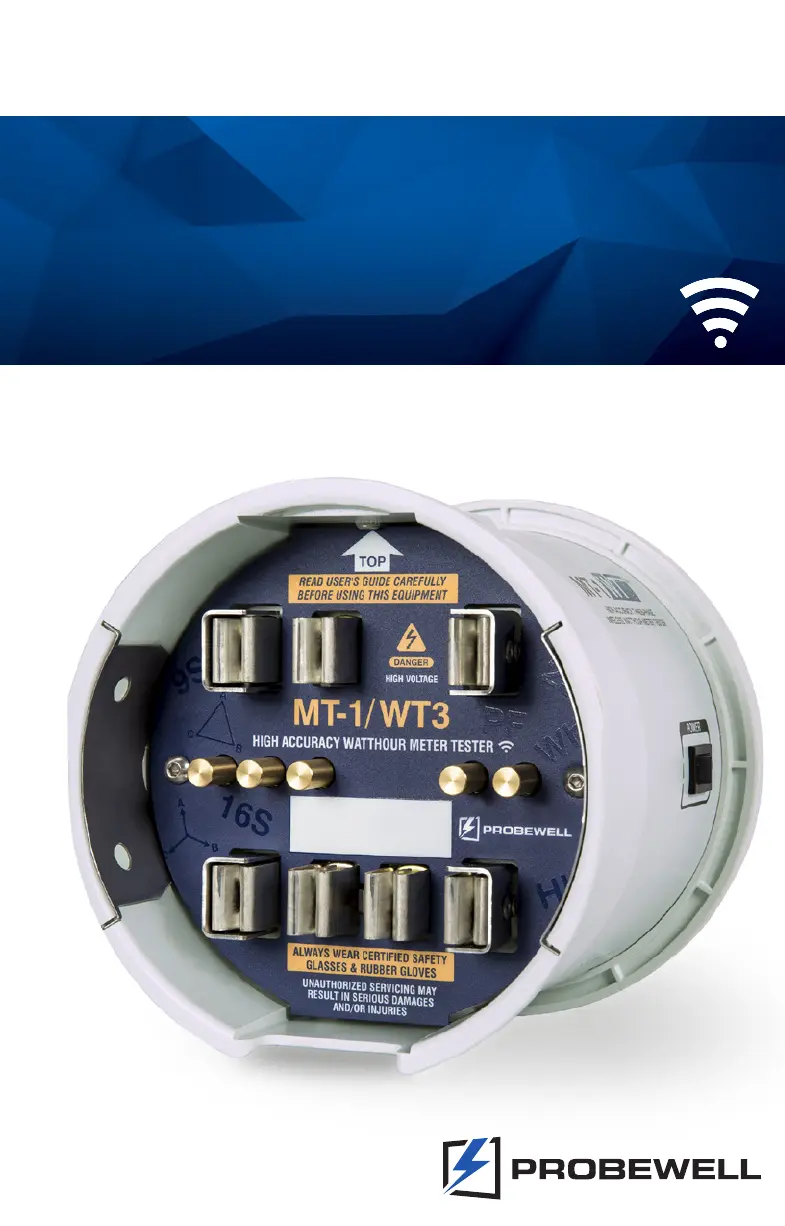
MT-1/WT3
USER GUIDE
HIGH ACCURACY THREE-PHASE
WIRELESS WATTHOUR METER TESTER

Table of Contents

Questions and Answers

  • B
    Brian GarrisonAug 13, 2025
    What to do if meter under test does not work with Probewell Test Equipment?
    • S
      scott57Aug 13, 2025
      If the meter under test does not work with the Probewell Test Equipment, ensure that the selected form matches the one indicated on the meter nameplate. Try turning the MT-1/WT3 off and on, and then try again. Also, check the meter insertion. The meter itself could be defective, so try another meter.
  • L
    Lisa HarveyAug 16, 2025
    How to troubleshoot Probewell Test Equipment socket that does not start at power on?
    • S
      Sherry LandryAug 17, 2025
      If the Probewell Test Equipment socket does not start when powered on, check the following: ensure the fan inside the socket is running; verify that the form selector is set according to the meter base being used; check that the voltage of the meter base is between 100 and 480VAC; confirm that the meter base can provide at least 150VA; and ensure that the tester is not installed in a test board.
  • M
    Maria AndersonAug 20, 2025
    What to do if Metercam keeps scanning without finding the disk on Probewell Test Equipment?
    • V
      Victoria HaynesAug 20, 2025
      If the Metercam keeps scanning without finding the disk on the Probewell Test Equipment, verify that the disk is turning and is within the Metercam disk zone. Also, check that the suction cups are adhering properly to the meter face; if necessary, lightly wet the suction cups.
  • J
    Jason NobleAug 25, 2025
    Why is there no pulse found with Probewell MT-1/WT3 when testing solid-state meters?
    • D
      David BrownAug 25, 2025
      If no pulse is found when using Probewell Test Equipment with solid-state meters, ensure that the sensor is positioned over the IR pulse emitter of the meter. Some meters may need to be set in Test Mode to emit a proper pulse for testing.
  • K
    Kirsten CrossAug 28, 2025
    How to synchronize Metercam with the disk on Probewell MT-1/WT3 Test Equipment?
    • K
      Kenneth JonesAug 28, 2025
      If the Metercam is not synchronized with the disk on the Probewell Test Equipment, ensure that the Kh corresponds with the value indicated on the nameplate of the meter. Try repositioning the Metercam and starting the test over again.
  • A
    Alexander KerrSep 1, 2025
    What to do if Probewell Test Equipment shows meter not installed?
    • V
      vmillerSep 1, 2025
      If the meter is not installed correctly in the Probewell MT-1/WT3 Test Equipment, ensure that the meter tabs are fully plugged into the front jaws. Check if the front jaws of the MT-1/WT3 socket are clean and in good condition, and inspect the meter’s contacts for good condition and cleanliness. You can also try another meter or turn the MT-1/WT3 off and on, then start again.
  • A
    Anthony JordanSep 4, 2025
    Why does Metercam keep scanning without finding the disk on Probewell Test Equipment?
    • D
      derek07Sep 4, 2025
      If the Metercam keeps scanning without finding the disk on your Probewell Test Equipment, check if the disk is turning and if the meter’s disk is within the Metercam disk zone. Also, ensure that the suction cups are adhering properly to the meter face, moistening them lightly if necessary.
  • M
    Michael AllenSep 8, 2025
    How to fix no pulse found error with solid-state meters on Probewell Test Equipment?
    • L
      leonardtravisSep 8, 2025
      If you're encountering a 'no pulse found' error with solid-state meters on your Probewell Test Equipment, first ensure the sensor is positioned correctly over the meter’s IR pulse emitter. Some meters may need to be set in test mode to emit a proper pulse for testing.

Summary

Limited Warranty and Disclaimer

Warranty Details

Covers the product's two-year hardware warranty, exclusions, and limitations.

Disclaimer

Outlines manufacturer's rights to change specs and limits liability for errors.

Introduction to MT-1;WT3

MT-1;WT3 Overview

Provides a general overview of the MT-1/WT3 test socket adapter and its capabilities.

MT-1;WT3 Socket Features

Socket Description and Components

Details the socket's physical characteristics, components, and functionality.

Theory of Operation

Explains how the tester works, including current, voltage, and electronic standard principles.

Meter Testing Procedures

Test Methodologies

Outlines tests performed with and without pickup accessories, including specific test types.

Test Examples

Provides step-by-step examples for performing different types of meter tests.

Accessories and Setup

Optional Accessories

Describes optional accessories like Metercam, Optical Pickup, and adapters for the tester.

Installation and Connection

Guides users through socket installation and connecting the device for operation.

Specifications and Compatibility

Technical Specifications

Details physical dimensions, weight, temperature, and test socket technical parameters.

Compatible Meter Forms

Illustrates wiring diagrams and connections for various compatible meter forms.

Form Configurations

Back Tab Settings

Shows how to configure the test socket's back tabs based on meter base type.

Troubleshooting and Support

Troubleshooting Guide

Provides a guide to diagnose and resolve common operational issues with the MT-1/WT3.

Customer Service and Recommendations

Details warranty, repair procedures, support contacts, and maintenance recommendations.

Probewell MT-1/WT3 Specifications

General IconGeneral
BrandProbewell
ModelMT-1/WT3
CategoryTest Equipment
LanguageEnglish