Blood Glucose Monitoring System - User’s Manual
Diagnostic Devices, Inc www.prodigymeter.com 1.800.243.2636
28
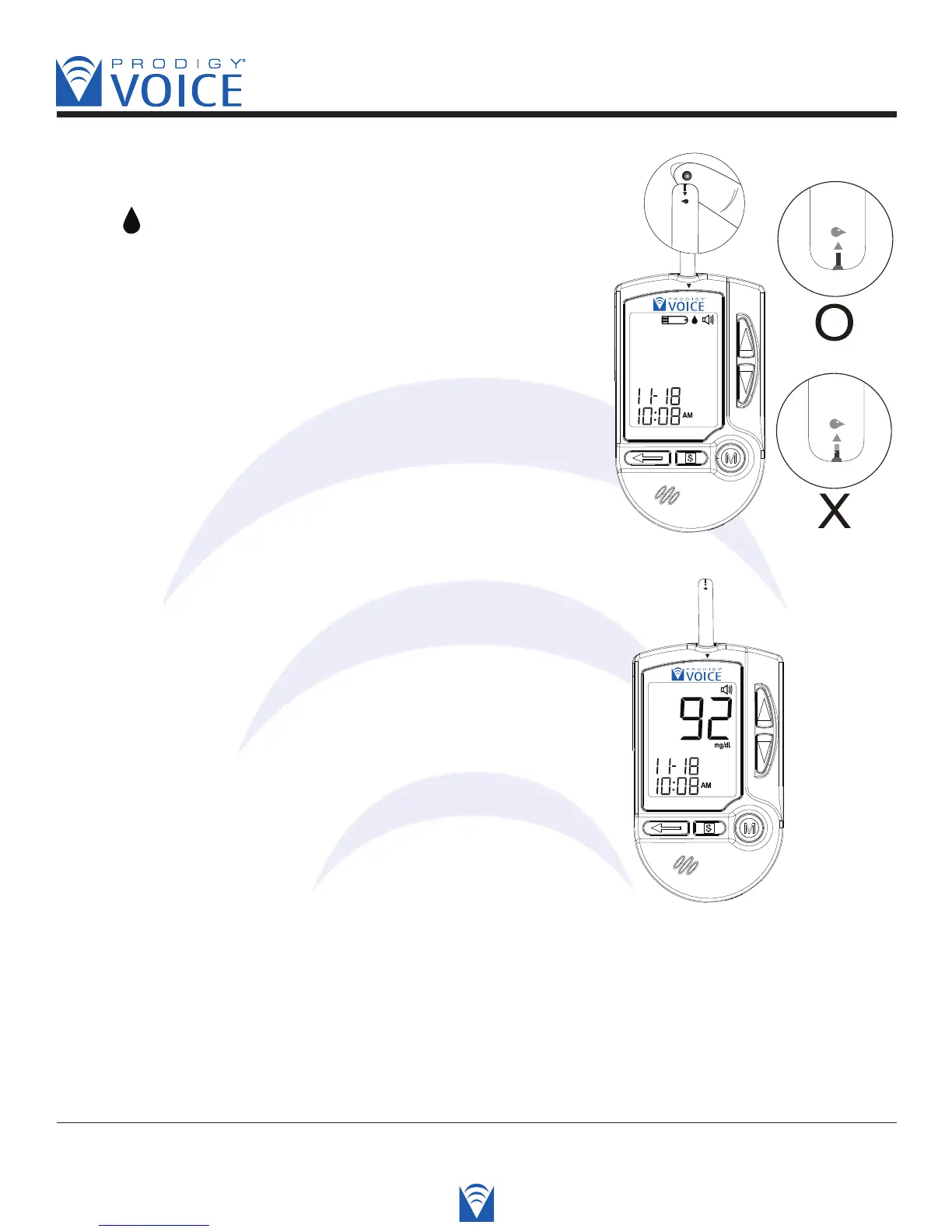
STEP 4 Apply Blood into the Test Strip
When “ ” is flashing on the screen, apply your blood
to the absorbent channel of the test strip until the
confirmation window is fully covered with blood. The
meter then begins to count down automatically.
Voice SPEAKS: “Now Testing.”
STEP 5 Obtain an Accurate Result in 6 Seconds
The result of your blood glucose test is shown after
the meter counts from 6 to 0. This reading is
automatically stored in the meter.
Voice SPEAKS: “Your blood glucose is ninety-two
milligrams per deciliter.”
Correct
Incorrect



 To Next Page