ENGLISH
Translation of the original German user manual 38
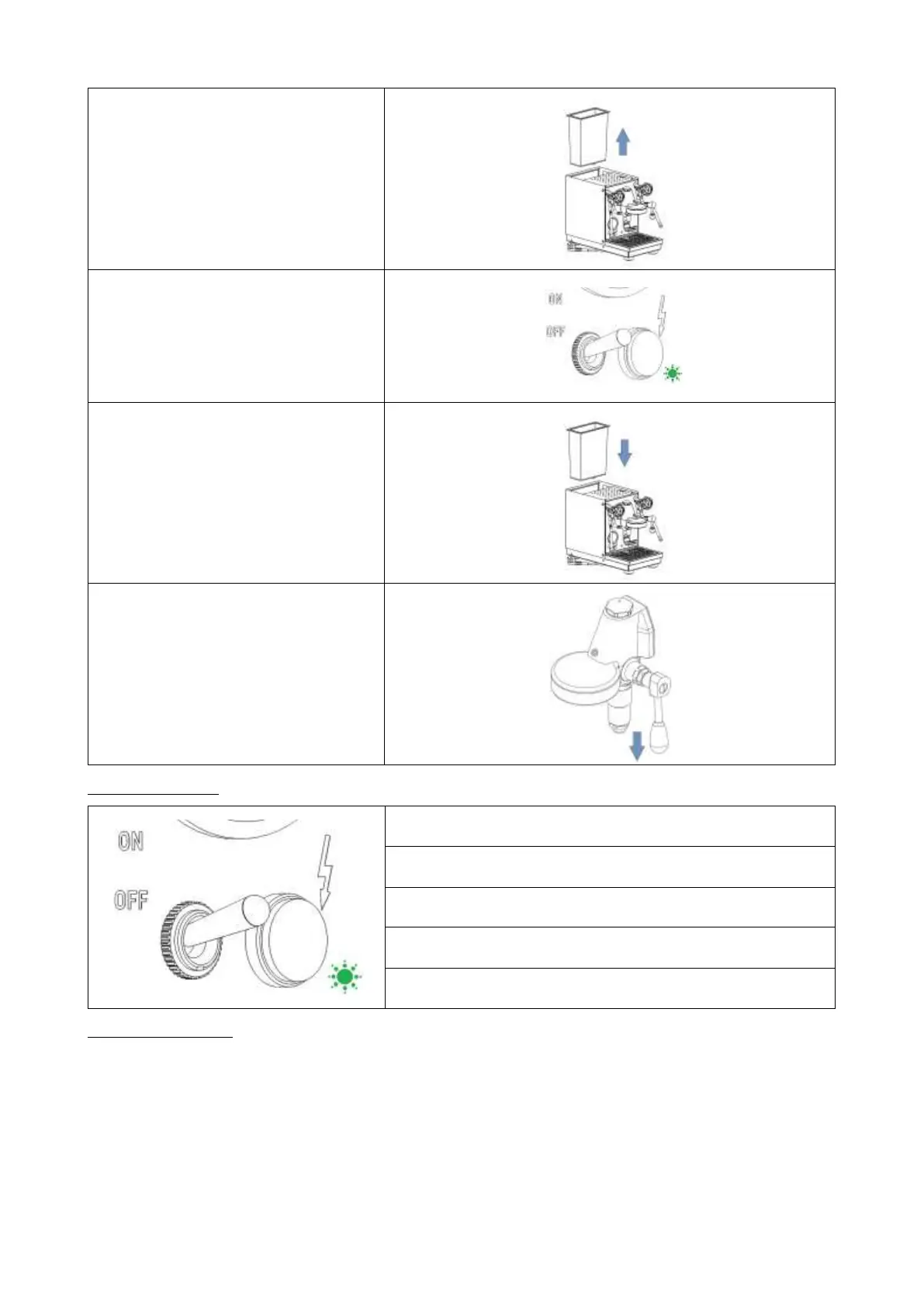
7. Remove the water tank.
8. The setting is confirmed when the
green LED is on.
9. Replace the water tank.
10. Pull the brew group lever down
again and wait 5 seconds.
The machine switches back to
normal operation.
LED lights up continuously: Machine is switched on.
LED flashes (2 seconds on - 1 second off):
Water tank is empty/not inserted.
LED flashes (3 seconds on - 1 second off):
Machine is in ECO mode.
LED flashes (1 second on - 1 second off):
Machine is in setup mode.
LED lights up for 3 seconds:
Settings have been saved.
6.8 Preparing coffee
Use the portafilter with 1 spout and the corresponding filter (1 cup) for the preparation of 1 cup. Use the
portafilter with 2 spouts and the big filter (2 cups) for the preparation of 2 cups. Make sure that the filter is
firmly locked into the portafilter.
Fill the filter with ground coffee. (The marking inside the filter basket can help you find the right amount of
coffee.)
Compress the ground coffee with the tamper. A tamping pressure of approx. 20 kg is recommended.
Ensure the ground coffee is evenly compacted. Clamp the portafilter firmly into the brew group.



 To Next Page