ENGLISH
Translation of the German original user manual 37
• Regulation (EC) No 1935/2004 regarding materials and objects intended to come into contact
with food
• Regulation (EU) No 10/2011 on plastic materials and objects intended for the purpose of coming in
contact with food
• Regulation
(EC) No 2023/2006 on good manufacturing practice for materials and articles
intended to come into contact with food
For compliance, the following harmonized standards have been applied:
• EN 60335-1:2012 + AC:2014 + A11:2014 + A13:2017
• EN 60335-2-15:2016 + A11:2018
• EN 55014-1:2017
• EN 55014-2:2015
Note: In the event of any changes made to the devices mentioned above without our express permission,
this declaration of conformity will become invalid.
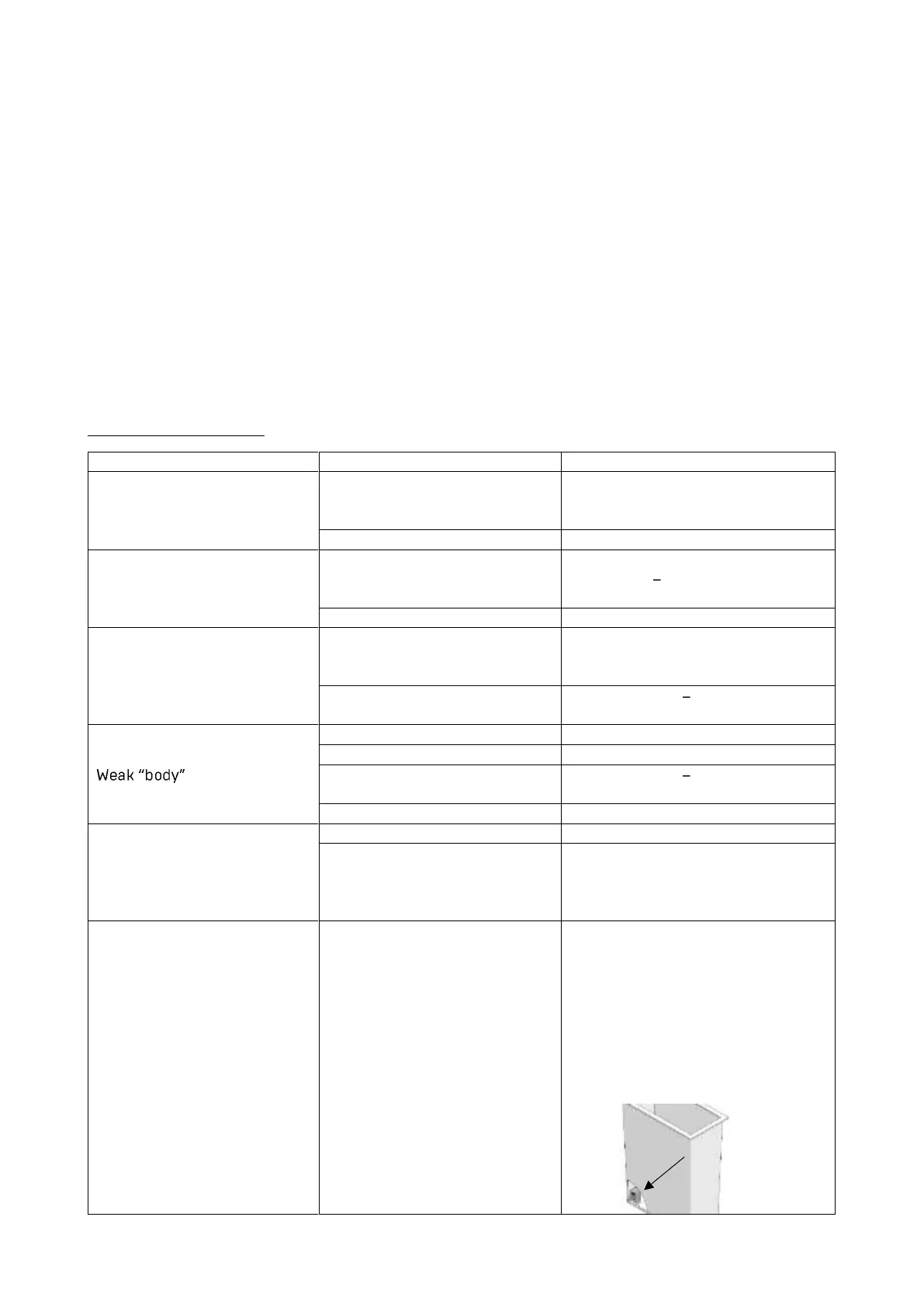
11. TROUBLESHOOTING
Little or no crema on the top
of the coffee
The grind is not fine enough
Use a finer grind.
Tamp the ground coffee more firmly.
Reduce the brewing pressure.
Little or no crema on top of
the coffee
The amount of ground coffee is
not enough.
Use the right coffee amount:
Approx. 7 g 9 g of coffee for each
cup.
The shower screen is dirty.
Sparse coffee dispensing,
only drop by drop
Set a coarser grind.
Tamp ground coffee only slightly.
Increase the brewing-pressure.
There is too much ground
coffee.
Use approx. 7 g 9 g of coffee for
every cup.
The grind is not fine enough.
The amount of ground coffee is
not enough.
Use approx. 7 g 9 g of coffee for
each cup.
The shower screen is dirty.
Use another type of coffee bean.
The setting of the coffee
grinder is not suited for the
coffee beans in use.
Adjust the coffee grinder (When
changing the coffee beans,
changing the grind may also be
necessary.)
The machine is switched on,
but the machine does not
work.
Water has been refilled; PID-
display is off
Switch the machine off and on.
Make sure that the floater in the
water tank is in the correct position.
The side of the floater with the
magnet point must
face towards
the inside of the machine. The
floater itself must be inserted with
the magnet point
on the upper part
of the floater side.



 To Next Page