9
UNICO
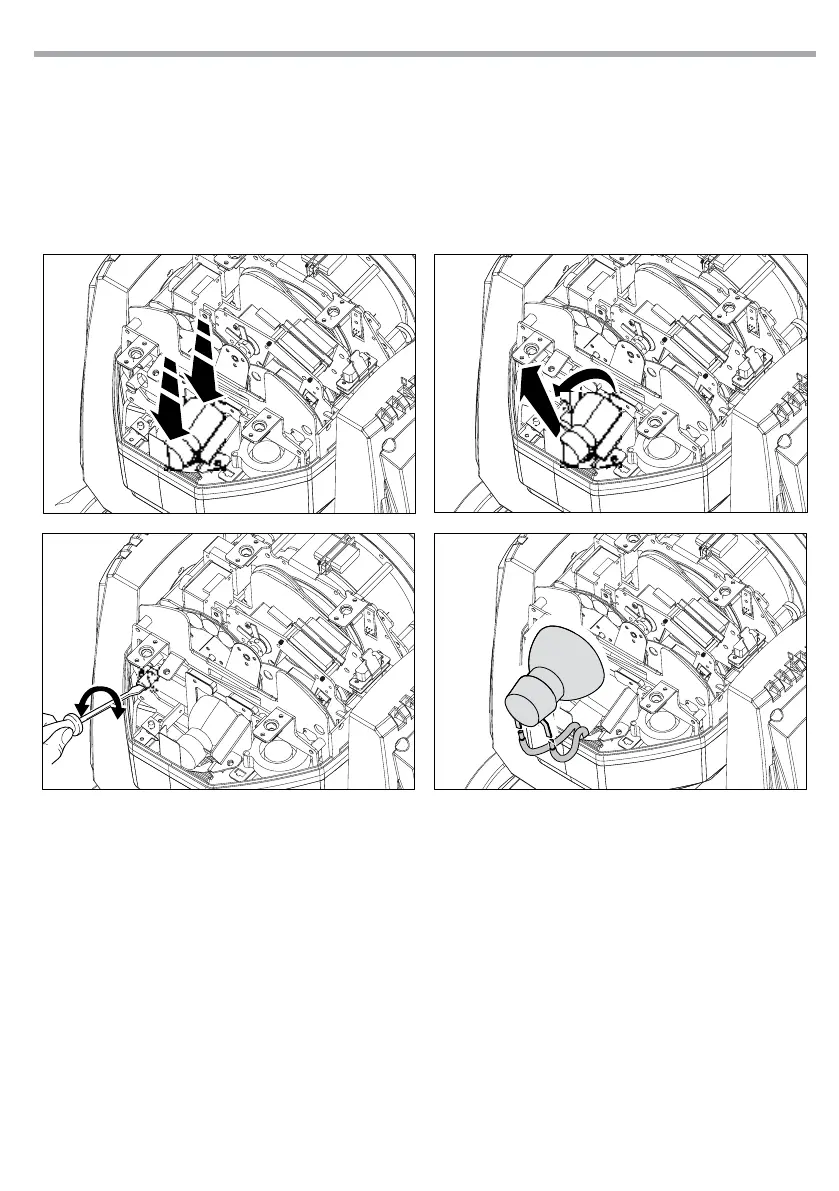
1. Disconnect the power plug the unit. Use 1/4 Turn to loosen the screws and open the cover; then take
out the fan as shown in gure 3.
2. Take away the old lamp after disconnecting the cables
3. Do not touch the lamp’s envelope with bare hands. Should this happen, clean the bulb with a cloth
soaked in alcohol and dry it with a clean, dry cloth. Take the new lamp out of its package and insert in
the tting.
4. Install all parts on the original position.
Fig.4



 To Next Page