11
UNICO
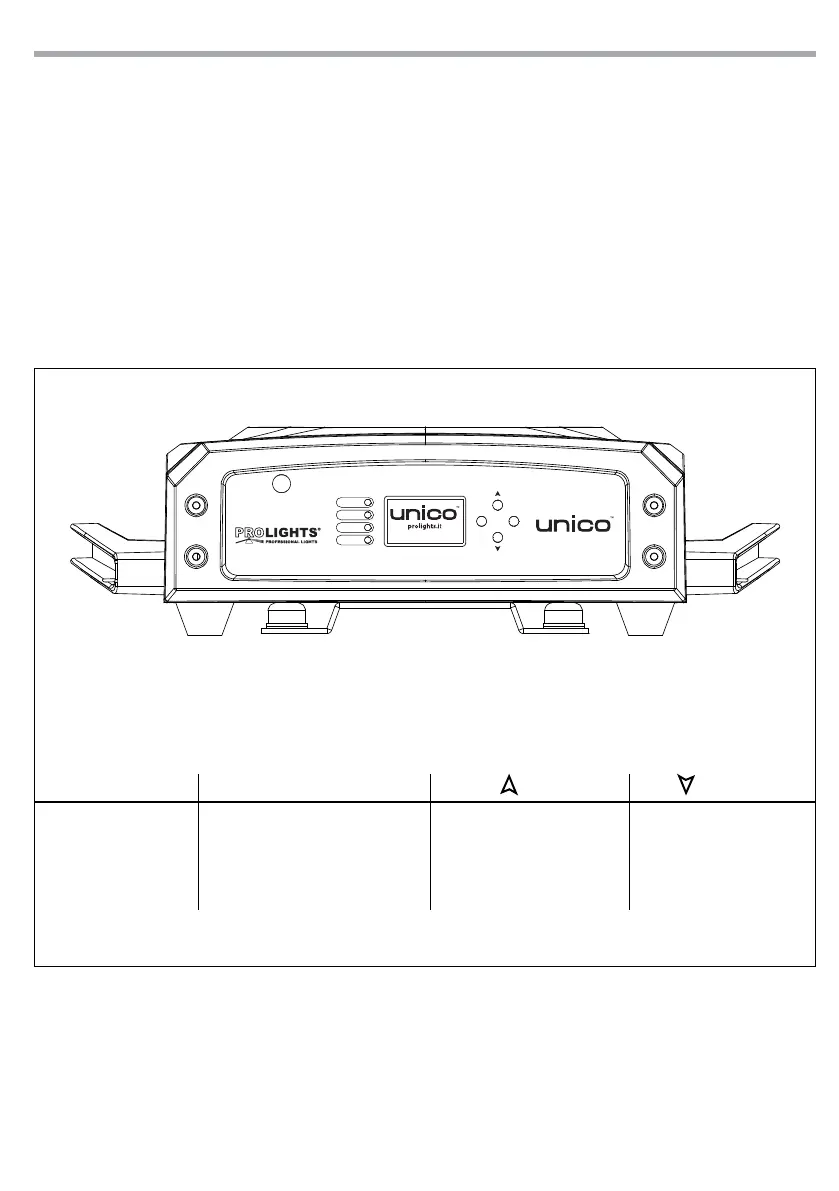
Fig.7 - Functions of the buttons
MENU ENTER UP DOWN
Used to access the
menu or to return a
previous menu option
Used to select and store the current
menu or conrm the current
function value or option within a
menu
Navigates upwards through
the menu list and increases
the numeric value when in a
function
Navigates downwards
through the menu list and
decreases the numeric
value when in a function
- 3 - FUNCTIONS AND SETTINGS
3.1 OPERATION
Connect the supplied main cable to a socket (100-240V~/50-60Hz). Unlock the PAN and TILT mechanism.
Switch on the unit with the power switch. Shortly after that the UNICO is ready for operation.
After operation, switch o the unit with the power switch.
3.2 BASIC
The UNICO has a LCD display and 4 button used to access the control panel functions and manage them
(g.7).
POWER
BATTERY
WIRELESS
DMX
MENU ENTER



 To Next Page