PROLiNK® PEN1201 Wireless-N 300Mbps Range Extender II
Page 24
3. Enter WAN Connection detail base on your step 2 selection.
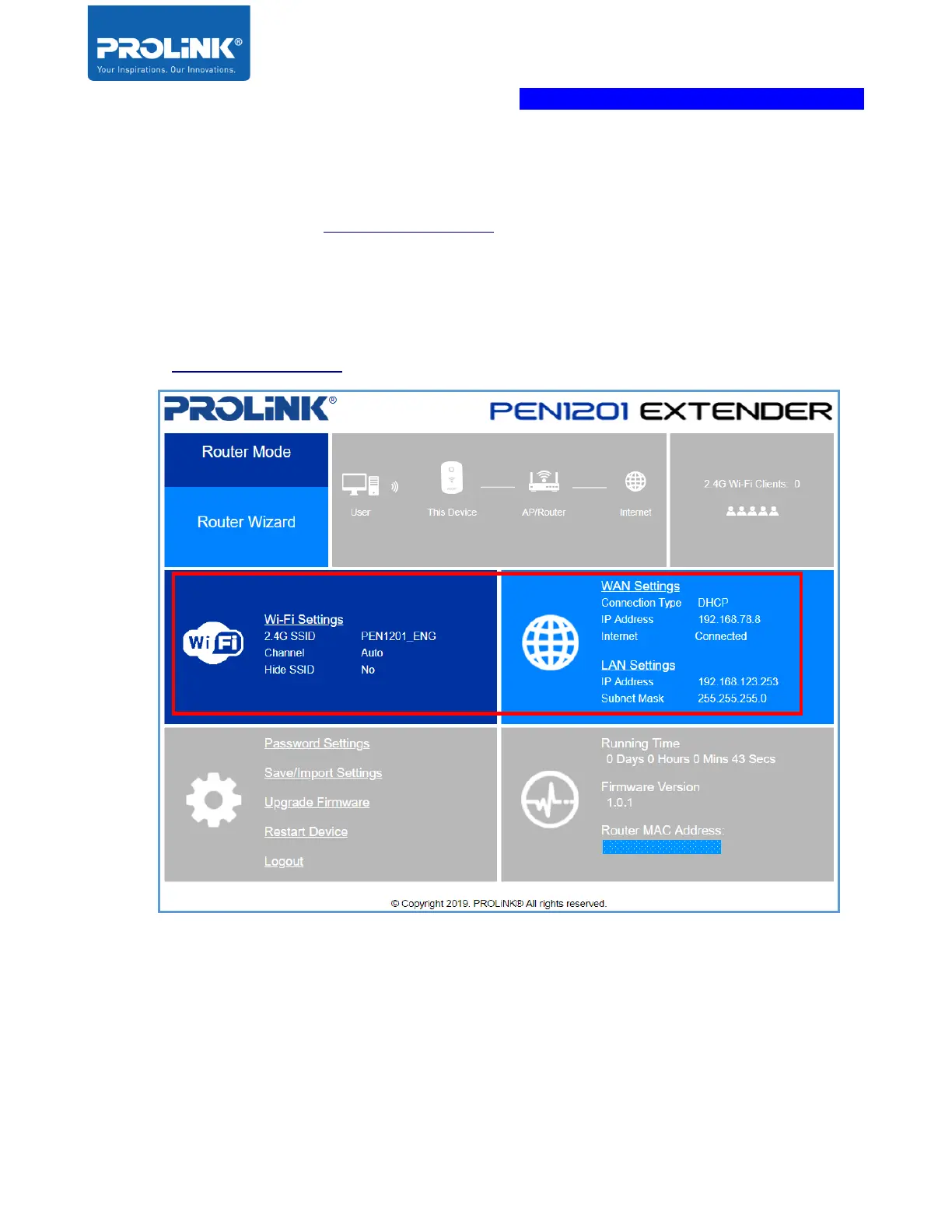
Note: After Setup, to access PEN1201 web interface, please connect to PEN1201’s
set SSID and enter http://pen1201.setup at your Internet Browser Address bar.
a) DHCP – If your Internet connection subscription from ISP is DHCP, set your preferred
2.4GHz Wi-Fi SSID and Wi-Fi Password and proceed to click Save. After the
configuration is saved, the device will reboot and when you go back to
http://pen1201.setup, it will show Internet status connected.



 To Next Page