EasyManua.ls Logo

PROLiNK PRO2000LD - Page 14

PROLiNK PRO2000LD
37 pages
Print Icon
To Next Page IconTo Next Page
To Previous Page IconTo Previous Page
Loading...
12
Dry contact
1.
C1
2. C2
3. C3
4. C4
Cx
Fault
Off
Disable
5.
C5
6. C6
On Battery
Batter low
Timer
Alarm
Input contact
User Program
Ext Alarm
Ext Bat Alarm
Ext Fan Failed
Door Unlock
AVR Setting:
Boost
Buck
AVR feature
Line Qualify
3 sec
10 sec
30 sec
Line qualify
Line detection
1. Line High
2. Line Low
3. High Gap
4. Low Gap
Line High
xxxVac
Line Low
xxxVac
High Gap
xxVac
Low Gap
xxVac
Sense type
Bat temp comp
Boost:
Enable
Disable
Buck:
Enable
Disable
Boost Act Volt
xxxVac
Buck Act Volt
xxxVac
5. Boost Volt
6. Buck Volt
-2.5mV
-3.0mV
-3.5mV
-4.0mV
Ext Fan On
xx °C
(20 ~ 50°C)
Ext. Fan
Bat Low Volt
xx.x Vdc
(42.0 ~ 55.0V)
Backup Timer
xxx min
(
0 ~ 480 min
)
Bat low volt
Backup timer
Test Timer
xxx min
(1 ~ 255 min)
Set Date Time:
20xx-xx-xx xx:xx
Test timer
Set Date Time
Default UPS?
YES
NO
Default UPS
Setting
Password
xxxx
Setting Password
Setting OK!
Setting failed!
Setting OK/Fail Display:
Access Denied!
Enter Wrong Password Display:
Setting menu
Dry Contact
Input Contact
AVR Feature
Line Qualify
Line Detect
Sense Type
Bat Temp Comp
Ext. Fan
Bat Low Volt
Charger I
Backup Timer
Default UPS
Default SNMP
Test Timer
Set Date/Time
Password
Sense Type
Normal
Generator
CHG.Current
2Amp
4Amp
6Amp
Charger I
8Amp
10Amp
Setting again
Password
xxxx
Setting again
Default SNMP?
YES
NO
Default SNMP
Control menu
1. Self Test
2. Dry Test
3. Ext Fan Test
4. On/Off Ctrl
5. Event/TM Reset
Self Test:
Start
Stop
Dry Test:
On
Off
Cancel
Ext Fan Test:
On
Off
Cancel
UPS Output:
On
Off
Reset Event/TM?
Yes
No
On/Off CtrlSelf Test Dry Test
Ext Fan Test
Event/TM Reset
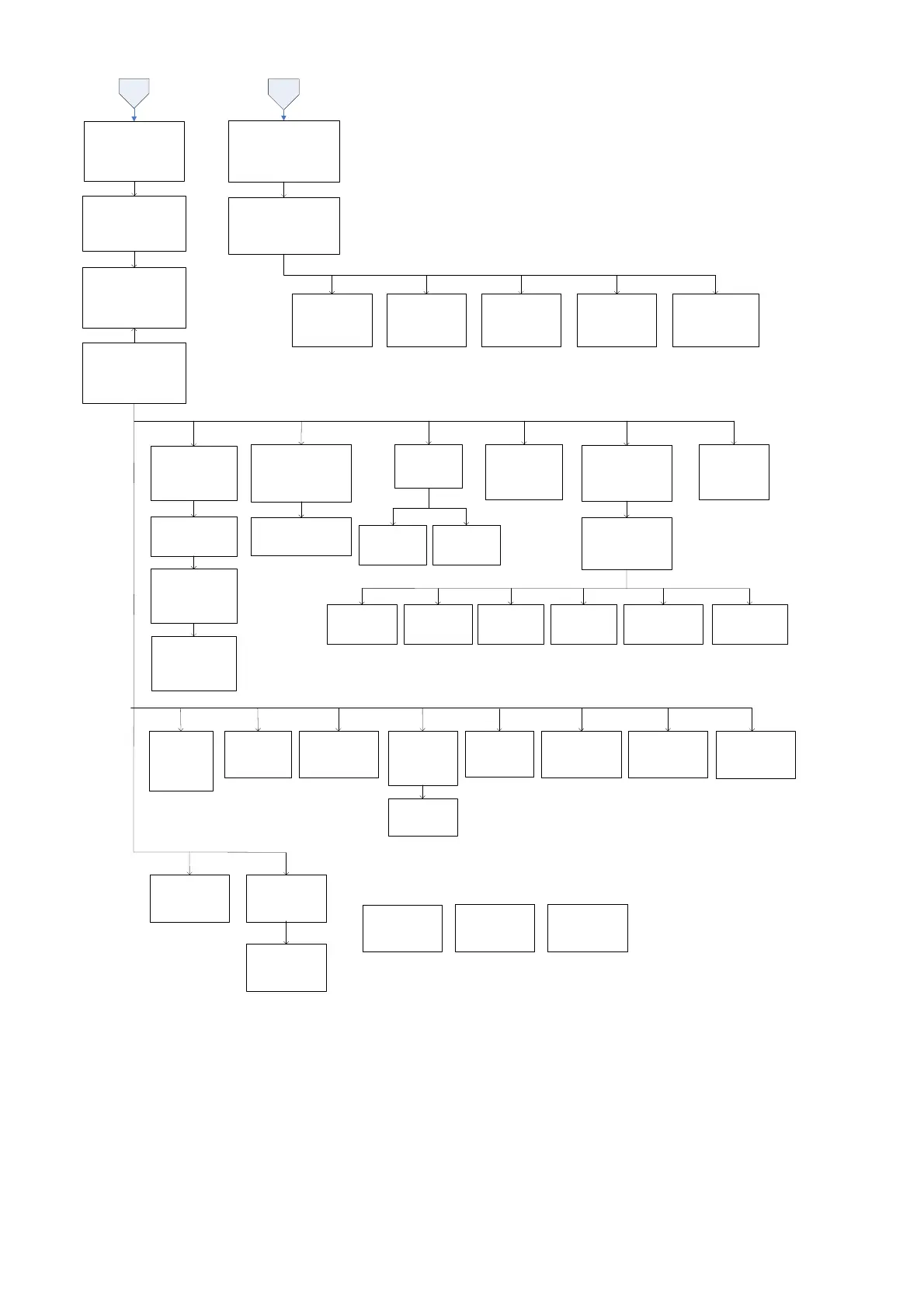
Figure 10: Setting and Control page
Pressing the ESC, SCROLL and ENTER buttons to navigate through the menus and submenus to control, monitor
and troubleshoot the UPS.

Related product manuals