LIZARD
This document is protected by copyrights.
Copying, using, or distributing without permission of PROMOTECH is prohibited.
10
3.2. Connecting to welding circuits
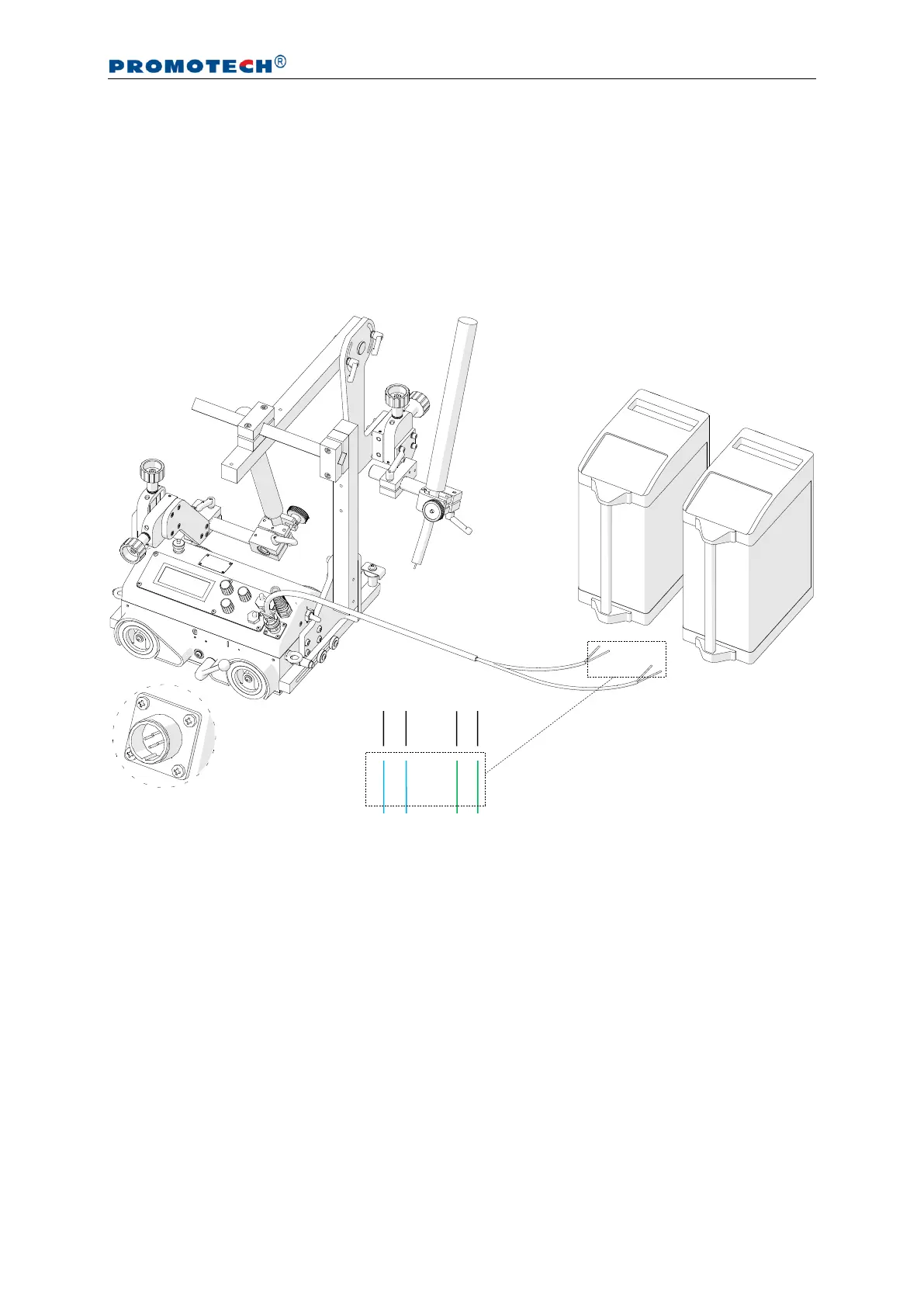
The carriage can control two torches using the arc ignition cable plugged into the arc
ignition socket. To do this, connect any blue-jacketed wire to any terminal of the welding
circuit, and then connect the second blue-jacketed wire to the second terminal of the
same circuit, according to the diagram shown in Fig. 4. To control the second torch,
connect the green-jacketed wires to the terminals of the second welding circuit.
Fig. 4. Connecting the arc ignition cable to welding circuits
To check whether the arc ignition cable is connected correctly, power the carriage
by setting the power switch to the position ‘I’, and set the arc ignition switch to the
position TEST, which should enable the arc for a while.


 To Next Page