LIZARD
This document is protected by copyrights.
Copying, using, or distributing without permission of PROMOTECH is prohibited.
13
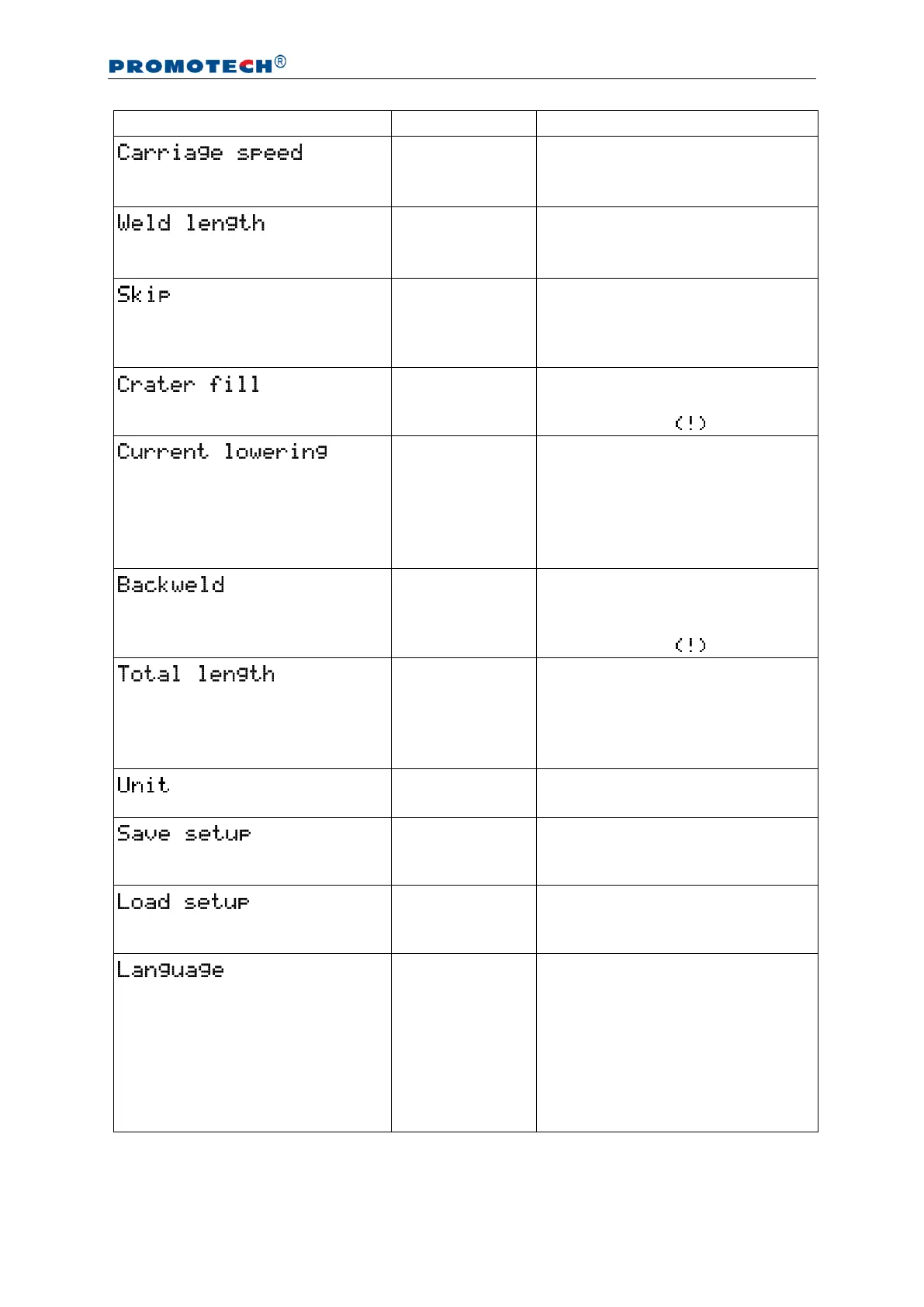
0–130 cm/min
0–52 in/min
[step: 1 or 0.1]
1–250 cm
1–100 in
[step: 1 or 0.1]
Length of the single weld.
0–100 cm
0–40 in
[step: 1 or 0.1]
Space between welds. If set to
zero, ‘crater fill’ and ‘backweld’
are reset and the carriage works
in the continuous welding mode.
Time of filling the crater. Inactive
if ‘skip’ set to zero, which is
indicated by the sign.
Function of the welding source to
lower the current of the arc while
filling the crater. Time of filling the
crater must be set higher or equal
to the time of the current lowering
that is set at the welding source.
0–2 cm
0–2 in
[step: 0.1]
Length of the backweld. Shorter
or equal to ‘weld length’. Inactive
if ‘skip’ set to zero, which is
indicated by the sign.
0–1000 cm
0–400 in
infinity
[step: 10 or 1]
Longer or equal to the sum of
‘weld length’ and ‘skip’. If set to
infinity, the program executes
until the carriage is stopped
manually.
Pressing knob F2 saves the
current configuration under the
indicated program number.
Pressing knob F2 loads the
configuration saved under the
indicated program number.
ENGLISH
POLISH
SPANISH
FRENCH
PORTUGUESE
TURKISH
GERMAN
RUSSIAN
Tab. 1. Settings available in basic version of LIZARD


 To Next Page