Forallenquiriespleasevisitwww.proroute.co.uk
Step3)
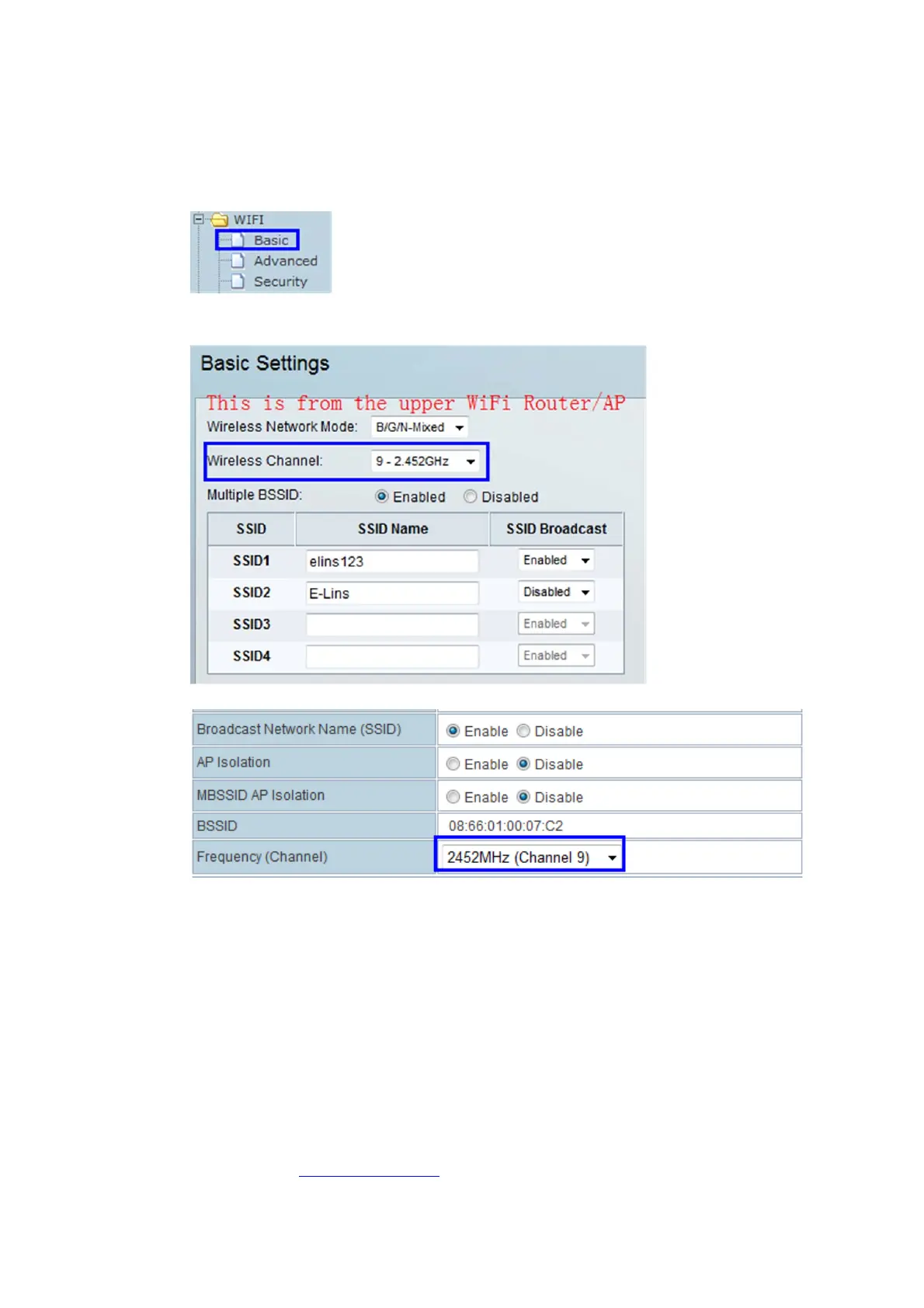
WIFI‐‐Basic
Selectthecorrectchannelmatchedtotheserving/upperWiFiRouter/APyouwantto
connect.
ThenchoosethesameChannelinProrouteH685asfollows,
Step4)
InternetSettings–WAN
Atthe“WANConnectionType”,choose“DHCP(AutoConfig)”,andclickthe“Apply”button.
TheProroute
H685willautomaticallyconnecttheWiFiRouterandgetlocalIPfromtheWi‐
Firouter.Thiscancheckedatstatusinfopage.
2.2.5 WAN–PPPoE(Xdsl
SettheProrouteH685WANtoPPPoE,ProroutewillconnecttotheupperPPPoEmodem.


 To Next Page